

 apache
Linstor option (Protocol) not available on KVM cluster during cluster-wide primary storage creation
ISSUE TYPE
- Bug Report
COMPONENT NAME
UI
CLOUDSTACK VERSION
4.16.1
CONFIGURATION
ACS 4.16.1 with advanced networking
OS / ENVIRONMENT
Pre-existing:
 One XEN and two other KVM Clusters
 Two zone-wide primary nfs storage

New:
 KVM Cluster with Four Ubuntu 20 hosts, Kernel 5.17.5, Qemu 5.0.0, zfs 2.1, Linstor
SUMMARY
No Linstor Protocol option available during Primary Storage creation on KVM Cluster containing KVM Hosts.
I also have pre-existing zone-wide primary nfs servers that were added at the time of host creation.

The only available options are: nfs, PreSetup, iscsi and custom
STEPS TO REPRODUCE
<-- Paste example playbooks or commands between quotes below -->
1. Create zone-wide nfs primary server(s), I have two defined.
2. Create KVM Cluster
3. Create KVM Hosts with Linstor runtime
4. Add cluster-wide Primary Storage on cluster in step 2
5. No linstor option showing under the Protocol dropdown
EXPECTED RESULTS
Linstor option should be available as per 4.16.1 documentation

Except from the documentation: "After you are finished with the LINSTOR cluster setup, you can add a Cloudstack primary storage as any other primary storage see Add Primary Storage <http://docs.cloudstack.apache.org/en/latest/installguide/configuration.html#add-primary-storage>. For protocol choose Linstor and as server specify the controller REST-API URL e.g.: http://127.0.0.1:3370/ and use the resource group name you added in the LINSTOR cluster.”
ACTUAL RESULTS
No Linstor selection available

Thanks for opening your first issue here! Be sure to follow the issue template!
![boring-cyborg[bot] avatar](https://avatars.githubusercontent.com/in/50386?v=4 "Published by a pub.dev verified publisher")
@boubouX can you please share the screenshot of the options you are getting in the UI. I checked with a 4.16.1 env and UI always show the following for a KVM cluster,
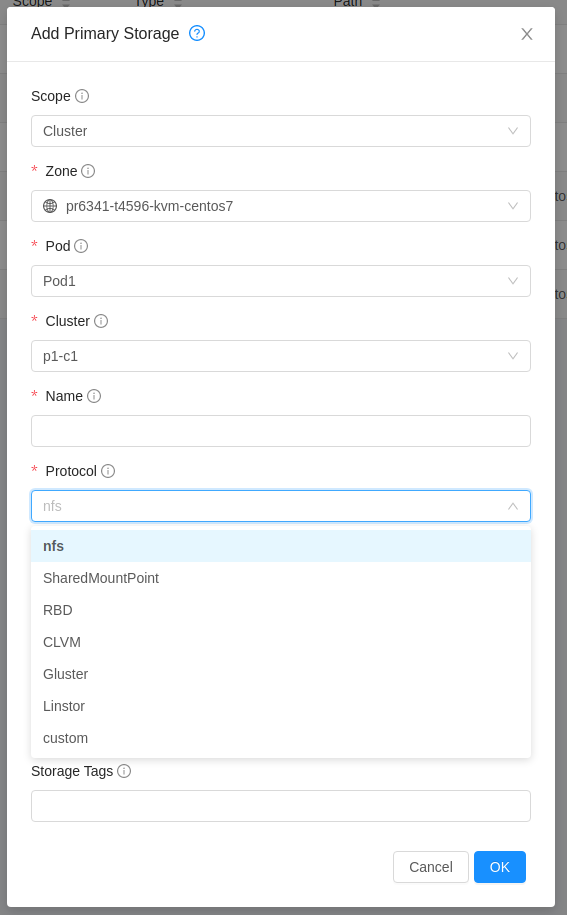

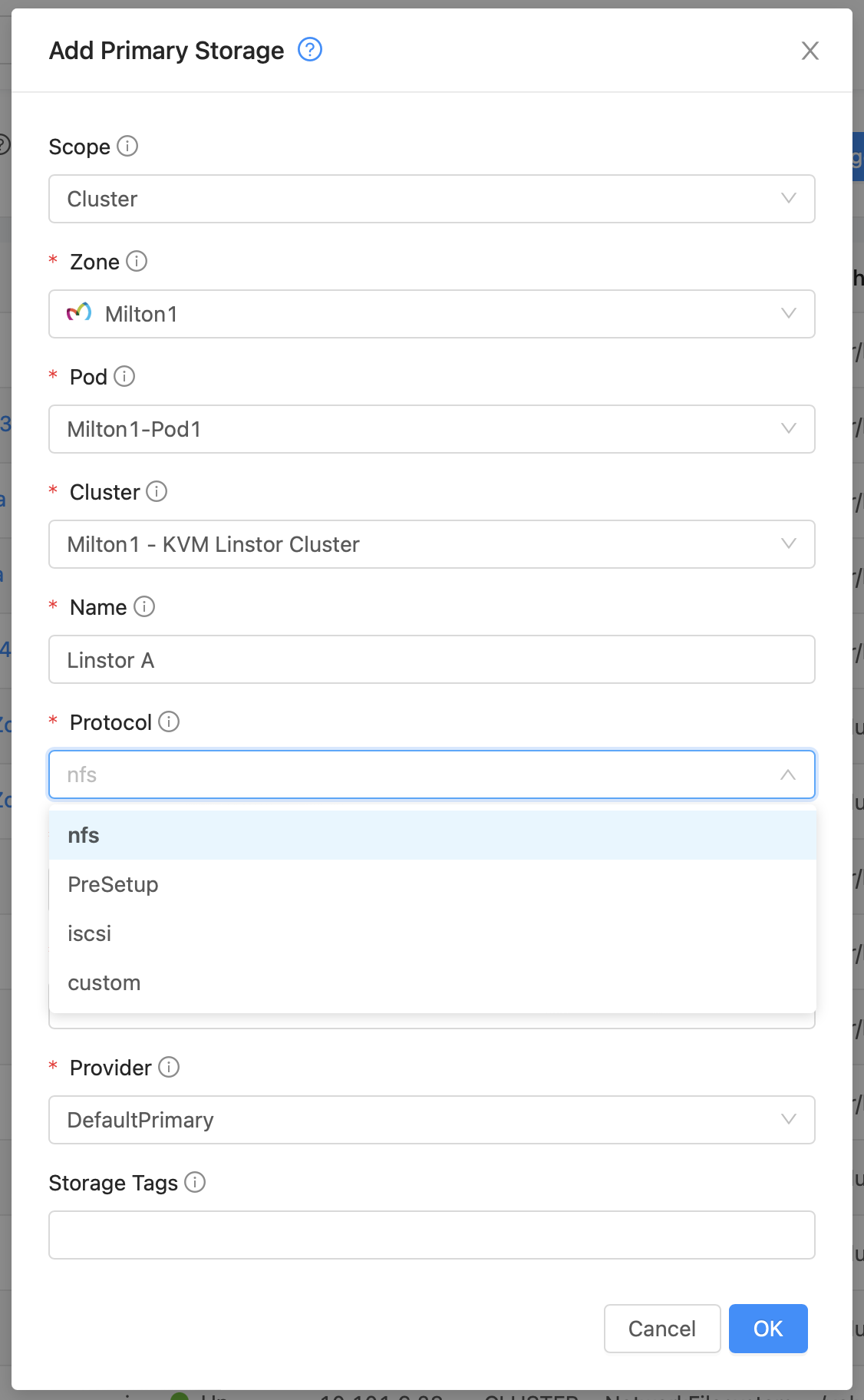
@boubouX this seems a bug in 4.16.1 UI as it doesn't seem to be updating protocols when cluster is changed. For you it seems to be listing protocols for Xen cluster which must be the first in the list.
https://github.com/apache/cloudstack/blob/4.16.1.0/ui/src/views/infra/AddPrimaryStorage.vue#L427-L428
I've checked and it is fixed in 4.17.0 with Vue3 PR changes https://github.com/apache/cloudstack/pull/5151
You can try with API or else an upgrade is needed. If you want you can also rebuild the ui. Check Advance customisation at https://www.shapeblue.com/customising-the-cloudstack-ui/
Following change is needed,
diff --git a/ui/src/views/infra/AddPrimaryStorage.vue b/ui/src/views/infra/AddPrimaryStorage.vue
index dbab19ea9e..8fe87975bb 100644
--- a/ui/src/views/infra/AddPrimaryStorage.vue
+++ b/ui/src/views/infra/AddPrimaryStorage.vue
@@ -420,6 +420,7 @@ export default {
       })
     },
     fetchHypervisor (value) {
+      this.clusterSelected = value
       const cluster = this.clusters.find(cluster => cluster.id === this.clusterSelected)
       this.hypervisorType = cluster.hypervisortype
       if (this.hypervisorType === 'KVM') {
Thank you Abhishek
Our first cluster is indeed a Xen cluster. We are planning to upgrade to 4.17 within the next month.
@boubouX I'm closing this for now. Please reopen if you face the issue in 4.17.0