
apisix-java-plugin-runner
 apisix-java-plugin-runner copied to clipboard
 apache
request help: failed to connect to the unix socket through docker
After solved the issue [https://github.com/apache/apisix-java-plugin-runner/issues/156]
I use docker-compose.yml which file is created by you to start apisix
sudo docker-compose -f ../ci/docker-compose.yml up -d
After that, apisix works. I can set routes as the quick-start.md. But it not works after I configuring the Java plugin via
curl "http://127.0.0.1:9080/apisix/admin/routes/1" -H "X-API-KEY: edd1c9f034335f136f87ad84b625c8f1" -X PUT -d '
{
  "methods": ["GET"],
  "host": "example.com",
  "uri": "/anything/*",
  "plugins": {
    "ext-plugin-pre-req": {
      "conf": [
        {
          "name": "RewriteRequestDemoFilter",
          "value": "{\"body\":\"hello\"}"
        }
      ]
    }
  },
  "upstream": {
    "type": "roundrobin",
    "nodes": {
      "httpbin.org:80": 1
    }
  }
}'
I have checked the logs of the apisix docker
sudo docker logs -f ab0b81f8bdd5
2022/07/03 14:11:05 [error] 49#49: *49726 connect() to unix:/tmp/runner.sock failed (111: Connection refused), client: 172.18.0.1, server: _, request: "GET /anything/foo?arg=10 HTTP/1.1", host: "example.com"
2022/07/03 14:11:05 [error] 49#49: *49726 [lua] init.lua:841: phase_func(): failed to connect to the unix socket unix:/tmp/runner.sock: connection refused, client: 172.18.0.1, server: _, request: "GET /anything/foo?arg=10 HTTP/1.1", host: "example.com"
2022/07/03 14:11:05 [warn] 49#49: *49726 [lua] plugin.lua:844: run_plugin(): ext-plugin-pre-req exits with http status code 503, client: 172.18.0.1, server: _, request: "GET /anything/foo?arg=10 HTTP/1.1", host: "example.com"
172.18.0.1 - - [03/Jul/2022:14:11:05 +0000] example.com "GET /anything/foo?arg=10 HTTP/1.1" 503 194 0.000 "-" "curl/7.77.0" - - - "http://example.com"
There is the issue about the unix domain socket through docker and the host machine?
@tzssangglass Do you mind taking a look at this issue... Thanks for your help in advance.

in the docker :
root@ab0b81f8bdd5:/tmp# socat -d -d - UNIX-LISTEN:/tmp/runner.sock
2022/07/03 14:50:22 socat[128] N reading from and writing to stdio
2022/07/03 14:50:22 socat[128] E "/tmp/runner.sock" exists
2022/07/03 14:50:22 socat[128] N exit(1)
root@ab0b81f8bdd5:/tmp# socat -d -d - UNIX-CONNECT:/tmp/runner.sock
2022/07/03 14:50:29 socat[129] N reading from and writing to stdio
2022/07/03 14:50:29 socat[129] N opening connection to AF=1 "/tmp/runner.sock"
2022/07/03 14:50:29 socat[129] E connect(5, AF=1 "/tmp/runner.sock", 18): Connection refused
2022/07/03 14:50:29 socat[129] N exit(1)
There is no change about /ci/docker-compose.yml
Hi @chenyyyang,
I think you cannot use Docker (as it is a separate container) to install apisix if you want to run it alongside java-plugin-runner.
According to https://apisix.apache.org/docs/java-plugin-runner/the-internal-of-apisix-java-plugin-runner/: "apisix-java-plugin-runner and APISIX use the Unix Domain Socket for inter-process communication, so they need to be deployed in the same instance."
To resolve this issue, you should use the RPM installation (https://apisix.apache.org/docs/apisix/how-to-build) to run apisix. As you are on M1 mac, you may need to create a CentOS VM.

@ericluoliu Sorry, but I'm not sure I understand what you mean by"As you are on M1 mac, you may need to create a CentOS VM." I have to develop java-plugin via IDEA(linux version) in CentOS VM directly? I have to install GUI for centOS?
@chenyyyang To run your java-plugins with apisix you cannot use Docker. I used Parallels (https://www.parallels.com/) to setup a centOS virtual machine and was able to test java-plugins from there.
Sorry, but I'm not sure I understand what you mean by"As you are on M1 mac, you may need to create a CentOS VM."
What he means is that it is recommended that you develop in a CentOS environment rather than a Mac (M1 or X86), otherwise you will need to solve a lot of environmental problems yourself.
I have to develop java-plugin via IDEA(linux version) in CentOS VM directly? I have to install GUI for centOS?
It's up to you. For example, I use VSCode SSH Remote to work in my CentOS VM.

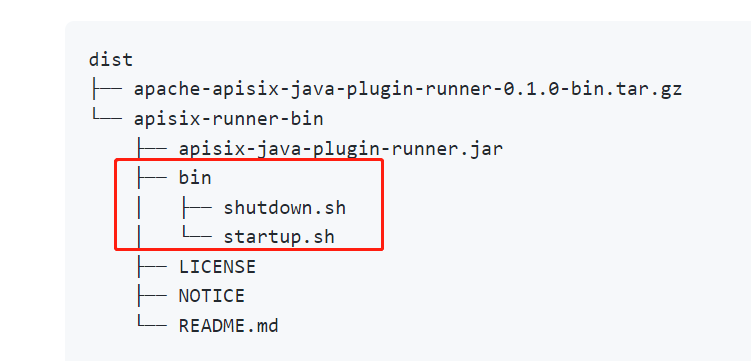

I meet the same problem . I mount runner.sock to apisix container and run java plugin in my host machine. I am curious why it didn't work. Java and apisix are using the same socket file.

I meet the same problem . I mount runner.sock to apisix container and run java plugin in my host machine. I am curious why it didn't work. Java and apisix are using the same socket file.
I found the answer : https://github.com/apache/apisix-java-plugin-runner/issues/61