

 anuraghazra
[INFO] Common Error Codes (PLEASE CHECK FIRST)
Here you can find common error codes. Please check this list and the existing issues before creating a new issue. For commonly asked questions, see the FAQ.
-
General errors
- Maximum retries exceeded
General errors
Maximum retries exceeded

This is likely caused by the public Vercel instance reaching one of the Github GraphQL limits. Multiple PAT tokens have been used to overcome these limits (see github-readme-stats/blob/master/src/common/retryer.js) but due to the popularity of GitHub-readme-stats, they sometimes run out. The best solution is to deploy your own Vercel instance. Please check this guide on how this is done. You can find more information on this problem in #1471. You can also use #1471 to check if the Public Vercel instance is down and to let us know the limits are continuously being reached.
:warning: PLEASE READ :warning:
Only comment on #1471 if nobody has commented in the last three days or if you have information that could help us solve the problem. If there already is a recent comment or the
label is attached, we are aware of the issue and are working on it. 🤓 Comments like "+1" and "same here" don't help anyone; they pressure the maintainer and spam their inbox. 💥

Please comment below if you think an error code is missing from this list 👍🏻.
You can also use this issue to let us know the limits are being reached.
I just spotted this error.

You can also use this issue to let us know the limits are being reached.
I just spotted this error.
@xorinzor Thanks for letting us know. I, however, meant #1471. Somebody already flagged the problem there, so I added the
You can also use #1471 to let us know the limits are being reached.
For now, I would advise people to deploy their own Vercel instance to lower the server load. Please check this guide on how this is done
Hi, i'm just getting he same error, do you have some estimated time till the error will be fixed?

@cristian-rincon Please limit the discussion of the Maximum retries exceeded error to #1471.
@duaneking, thanks for your message. The hide parameter is working fine for me:
[](https://github.com/anuraghazra/github-readme-stats)
Can you maybe share the syntax you are using and a screenshot of the error message you receive?
Any attempt to use the hide param multiple times results in this error:

In this case for the use of:
https://github-readme-stats.vercel.app/api/top-langs/?username=duaneking&hide=XML,CSS&theme=tokyonight&layout=compact&hide=rich%20text%20format&langs_count=8
I see that this is fixable by simply using it only once, but the expectation I had was that options would be merged. You may want to update the docs or fix the issue to provide better compatibility.

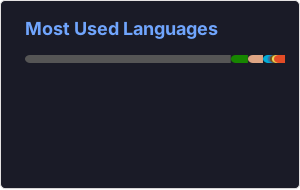
I understand that the error is a bit vague. 😐It is a javascript error that we do catch. In your case, it is thrown since you use the hide property multiple times. In your case the proper syntax is:
[](https://github.com/anuraghazra/github-readme-stats)
Yes but the expectation I have as a web developer is that multiple args will be merged.
Its a small thing, but should be documented or fixed. Thanks.
Yes but the expectation I have as a web developer is that multiple args will be merged.
Its a small thing, but should be documented or fixed. Thanks.
I agree. Feel free to open a pull request or a feature request issue! 🚀
I would prefer implementing the merging of multiple arguments than document that we do not merge arguments. 🙂
Cannot read property 'user' of undefined
https://github-readme-stats.vercel.app/api?username=fzyzcjy&show_icons=true&locale=en&count_private=true


@fzyzcjy I'm not sure why you received that error. You're using the correct syntax, and it seems to work on my end. Maybe something else went wrong on the Vercel server, and we are not catching the correct error. Feel free to comment again if the issue persists.
[](https://github.com/anuraghazra/github-readme-stats)
[](https://github.com/anuraghazra/github-readme-stats)
[](https://github.com/anuraghazra/github-readme-stats)
@rickstaa Hi thanks for the reply! It happens once in a while - e.g. it is fine now, but many times it just fails.
@fzyzcjy I also sometimes noticed this behaviour on my card. Maybe because of the significant number of commits on your account the card rendering reached a timeout. Perhaps we need to optimize the code a bit. Feel free to open an issue if the problem shows up more frequently.
Cannot read property 'data' of undefined

https://github-readme-stats.vercel.app/api?username=abhi1693&count_private=true
Not working for me

Hi. Wanted to forward my question here. In short, the question is "how to hide C++ language from card"? The long version here: https://github.com/anuraghazra/github-readme-stats/issues/1516#issuecomment-1180913048

@abhi1693 I checked your account and it looks like an error is thrown while trying to fetch your data using the GraphQL API. I suspect this is due to a timeout or limit set by the GitHub team (see #1406). You can see this using the following syntax in the GitHub GraphQL explorer:
query userInfo($login: String!) {
  user(login: $login) {
    name
    login
    contributionsCollection {
      totalCommitContributions
      restrictedContributionsCount
    }
    repositoriesContributedTo(
      first: 1
      contributionTypes: [COMMIT, ISSUE, PULL_REQUEST, REPOSITORY]
    ) {
      totalCount
    }
    pullRequests(first: 1) {
      totalCount
    }
    openIssues: issues(states: OPEN) {
      totalCount
    }
    closedIssues: issues(states: CLOSED) {
      totalCount
    }
    followers {
      totalCount
    }
    repositories(
      first: 100
      ownerAffiliations: OWNER
      orderBy: {direction: DESC, field: STARGAZERS}
    ) {
      totalCount
      nodes {
        stargazers {
          totalCount
        }
      }
    }
  }
}
{"login": "abhi1693"}
I think it is best to add your problem to #1406 and contact the GitHub team to check what is going wrong while fetching data for your account.
@fzyzcjy I'm not sure why you received that error. You're using the correct syntax, and it seems to work on my end. Maybe something else went wrong on the Vercel server, and we are not catching the correct error. Feel free to comment again if the issue persists.
[](https://github.com/anuraghazra/github-readme-stats)
[](https://github.com/anuraghazra/github-readme-stats)
[](https://github.com/anuraghazra/github-readme-stats)
Same issue here.

The following syntax seems to work. The &tsdsfs=sdfdsf is there to break the cache.

The following syntax seems to work. The
&tsdsfs=sdfdsfis there to break the cache.
It came back to life on it's own.
@abhi1693 I checked your account and it looks like an error is thrown while trying to fetch your data using the GraphQL API. I suspect this is due to a timeout or limit set by the GitHub team (see #1406). You can see this using the following syntax in the GitHub GraphQL explorer:
query userInfo($login: String!) {
  user(login: $login) {
    name
    login
    contributionsCollection {
      totalCommitContributions
      restrictedContributionsCount
    }
    repositoriesContributedTo(
      first: 1
      contributionTypes: [COMMIT, ISSUE, PULL_REQUEST, REPOSITORY]
    ) {
      totalCount
    }
    pullRequests(first: 1) {
      totalCount
    }
    openIssues: issues(states: OPEN) {
      totalCount
    }
    closedIssues: issues(states: CLOSED) {
      totalCount
    }
    followers {
      totalCount
    }
    repositories(
      first: 100
      ownerAffiliations: OWNER
      orderBy: {direction: DESC, field: STARGAZERS}
    ) {
      totalCount
      nodes {
        stargazers {
          totalCount
        }
      }
    }
  }
}
{"login": "abhi1693"}I think it is best to add your problem to #1406 and contact the GitHub team to check what is going wrong while fetching data for your account.
@rickstaa I checked with GitHub team and it's not working for me because I have too much data to fetch in a single go. My amount of commits alone is beyond what normal user has. So, it's safe to assume that this app won't work for me until some sort of smart mechanism is applied for such edge cases.
@abhi1693 I checked your account and it looks like an error is thrown while trying to fetch your data using the GraphQL API. I suspect this is due to a timeout or limit set by the GitHub team (see #1406). You can see this using the following syntax in the GitHub GraphQL explorer:
query userInfo($login: String!) {
  user(login: $login) {
    name
    login
    contributionsCollection {
      totalCommitContributions
      restrictedContributionsCount
    }
    repositoriesContributedTo(
      first: 1
      contributionTypes: [COMMIT, ISSUE, PULL_REQUEST, REPOSITORY]
    ) {
      totalCount
    }
    pullRequests(first: 1) {
      totalCount
    }
    openIssues: issues(states: OPEN) {
      totalCount
    }
    closedIssues: issues(states: CLOSED) {
      totalCount
    }
    followers {
      totalCount
    }
    repositories(
      first: 100
      ownerAffiliations: OWNER
      orderBy: {direction: DESC, field: STARGAZERS}
    ) {
      totalCount
      nodes {
        stargazers {
          totalCount
        }
      }
    }
  }
}
{"login": "abhi1693"}I think it is best to add your problem to #1406 and contact the GitHub team to check what is going wrong while fetching data for your account.
@rickstaa I checked with GitHub team and it's not working for me because I have too much data to fetch in a single go. My amount of commits alone is beyond what normal user has. So, it's safe to assume that this app won't work for me until some sort of smart mechanism is applied for such edge cases.
The strange thing is that this timeout only occurs for me when using the GraphQL API through https://api.github.com/graphql as we do in GRS. When doing so, I will get the following error:
{
    status: 502,
    statusText: "Bad Gateway",
    message: 'Something went wrong while executing your query. This may be the result of a timeout, or it could be a GitHub bug.
    Please include `A0B6:EC6F:57AF040:58F6D1E:63404A63` when reporting this issue.'
}
When I try to fetch your data using the GraphQL explorer:
query userInfo($login: String!) {
  user(login: $login) {
    name
    login
    contributionsCollection {
      totalCommitContributions
      restrictedContributionsCount
    }
    repositoriesContributedTo(
      contributionTypes: [COMMIT, ISSUE, PULL_REQUEST, REPOSITORY]
    ) {
      totalCount
    }
    pullRequests {
      totalCount
    }
    openIssues: issues(states: OPEN) {
      totalCount
    }
    closedIssues: issues(states: CLOSED) {
      totalCount
    }
    followers {
      totalCount
    }
    repositories(ownerAffiliations: OWNER) {
      totalCount
    }
  }
}
{
  "login": "abhi1693"
}
I will correctly receive your data:
{
  "data": {
    "user": {
      "name": "Abhimanyu Saharan",
      "login": "abhi1693",
      "contributionsCollection": {
        "totalCommitContributions": 295,
        "restrictedContributionsCount": 16498
      },
      "repositoriesContributedTo": {
        "totalCount": 83
      },
      "pullRequests": {
        "totalCount": 105
      },
      "openIssues": {
        "totalCount": 44
      },
      "closedIssues": {
        "totalCount": 155
      },
      "followers": {
        "totalCount": 15
      },
      "repositories": {
        "totalCount": 62
      }
    }
  }
}
Maybe you can give the support A0B6:EC6F:57AF040:58F6D1E:63404A63 so they can investigate this issue further.
Hi, the card for me (link: https://github.com/fzyzcjy) seems not to work anymore. It always shows the following. As mentioned before, this may be caused by the number of commits. However, originally the card can be successfully loaded every several retries, but now it seems never to be successfully loaded. :(

Hi, the card for me (link: https://github.com/fzyzcjy) seems not to work anymore. It always shows the following. As mentioned before, this may be caused by the number of commits. However, originally the card could be successfully loaded every several retries, but now it seems never to be successfully loaded. :(
@fzyzcjy Thanks for your bug report. Yea, I noticed that bug also on my README. I assume it happens for users for which we have to pull a lot of data from the GrapQL API. Although some users have even too much data for the GraphQL API request to complete (see https://github.com/anuraghazra/github-readme-stats/issues/1406) for your account, the request on the server is successful. It simply takes too long for githubs CDN, resulting in a timeout when the card is not found in the cache. 😅 The card will then show up when you refresh the page again. This problem will be solved when #2179 is implemented, so it's best to subscribe to it.
@rickstaa Hi thanks for the information!
Btw the card frequently does not show up even after a few refreshes, but sometimes it does appear after a few refreshes.
@rickstaa Hi thanks for the information!
Btw the card frequently does not show up even after a few refreshes, but sometimes it does appear after a few refreshes.
Yea, I also noticed that behaviour. I think it is best to go with the new GitHub Action I'm planning to implement for your account. 🤔
I'm not sure whether a large amount of data is the case, I'm also experiencing the same issue:
 and I don't have that much data yet, should I just wait for the update? @rickstaa

 Hello. It looks like the widgets are broken. 🤔