
X6

X6 copied to clipboard
 antvis
多选框显示反应非常慢
问题描述
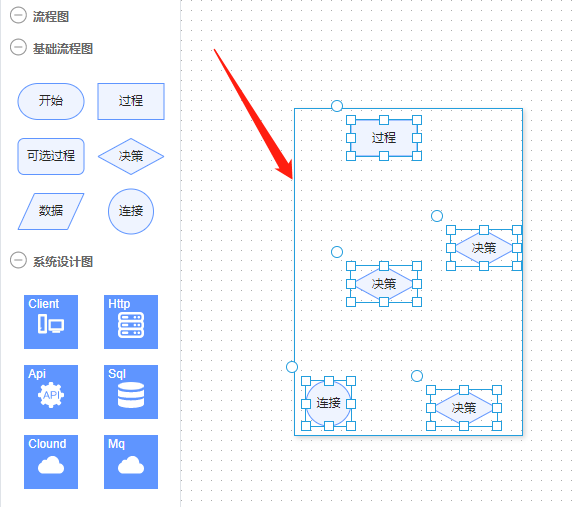
当画布上有很多节点的时候(4个及以上),鼠标框选选中这些节点,最外层的那个选择框会非常慢的才会显示出来,通常要5秒以上。 但是第二次再框选就会快很多,如果第一次和第二框选之间移动过节点,第二次框选又会变得很慢
重现链接
https://x6.antv.vision/zh/examples/showcase/practices#flowchart
重现步骤
1,拉4及以上的节点到画布,并适当的移动。 2.用鼠标框选2-3个或更多的节点,看看多选框何时显示出来? 3.取消多选,随意移动几个节点。 4.再次用鼠标框选3个以上的节点,看看多选框何时显示出来?
预期行为
多选框应该秒显出
平台
- 操作系统: [macOS, Windows, Linux, React Native ...]
- 网页浏览器: [Google Chrome, Safari, Firefox]
- X6 版本: [1.32.7 ... ]
屏幕截图或视频(可选)
补充说明(可选)
1.32.3版本就没这个问题,怎么选,多选框都会秒显出来,从1.32.4到最新的版本都有这个问题。


This thread has been automatically locked because it has not had recent activity.
Please open a new issue for related bugs and link to relevant comments in this thread.
![x6-bot[bot] avatar](https://avatars.githubusercontent.com/in/81133?v=4 "Published by a pub.dev verified publisher")