
angular-cli
 angular-cli copied to clipboard
 angular
codeCoverageExclude not working in Angular 14.2.2
Command
ng test
Is this a regression?
- [ ] Yes, this behavior used to work in the previous version
The previous version in which this bug was not present was
unsure
Description
I believe this post - https://github.com/angular/angular-cli/issues/23403 - was closed out prematurely.
angular.json
"test": {
  ...
  "options": {
    ...
    "codeCoverageExclude": ["/src/app/myfolder/**"]
   }
}
And the folder still gets tested.
J
Minimal Reproduction
Test out codeCoverageExclude in the latest version of Angular (14.2.2) and you will see it does not work.
Exception or Error
No response
Your Environment
Windows 11, VSCode, using Angular Universal with Webpack.

@angular-devkit/architect       0.1402.2
@angular-devkit/build-angular   14.2.2
@angular-devkit/core            14.2.2
@angular-devkit/schematics      14.2.2
@angular/cli                    14.2.2
@angular/fire                   7.4.1
@nguniversal/builders           14.2.0
@nguniversal/express-engine     14.2.0
@schematics/angular             14.2.2
rxjs                            7.5.6
typescript                      4.7.2
Anything else relevant?
No response

Does using a relative path instead of an absolute path resolve the issue? I wouldn't be surprised if the absolute path specifies that only the src directory in the root of the filesystem is to be excluded.

As @JoostK mentioned likely this is indeed caused by the usage of the absolute path.

Wouldn't that still be a bug if it only works with the relative path? Every example out there uses src/something.... The relative path (from angular.json) would just be ./src/app/myfolder/** anyway. I test that, and it still doesn't work.
J
Although we don't valid paths and in most cases they happen to work, technically files in angular.json should be relative. Unfortunately, I was not able to reproduce. Can you setup a minimal repro please?
You can read here why this is needed. A good way to make a minimal repro is to create a new app via ng new repro-app and adding the minimum possible code to show the problem. Then you can push this repository to github and link it here.
This might be related to your directory structure so its really important to get an accurate repro to diagnose this.
Just to clear out one point that I saw in your description, ("And the folder still gets tested."). It is expected that the directory is tested but it should not be included in the code-coverage report.
It is included in the code coverage report ng test --no-watch --code-coverage. I also tried:
{
  "codeCoverage": true,
  "codeCoverageExclude": ["src/app/myfolder/**/*"]
}
Still not working...
J
@jdgamble555, please provide a runnable reproduction which can be created using the steps provided above.
Thanks
@alan-agius4 - You can easily see it does not work.
https://github.com/jdgamble555/code-coverage
J
Hi @jdgamble555,
I tried your reproduction and myfolder was excluded from the code-coverage report.
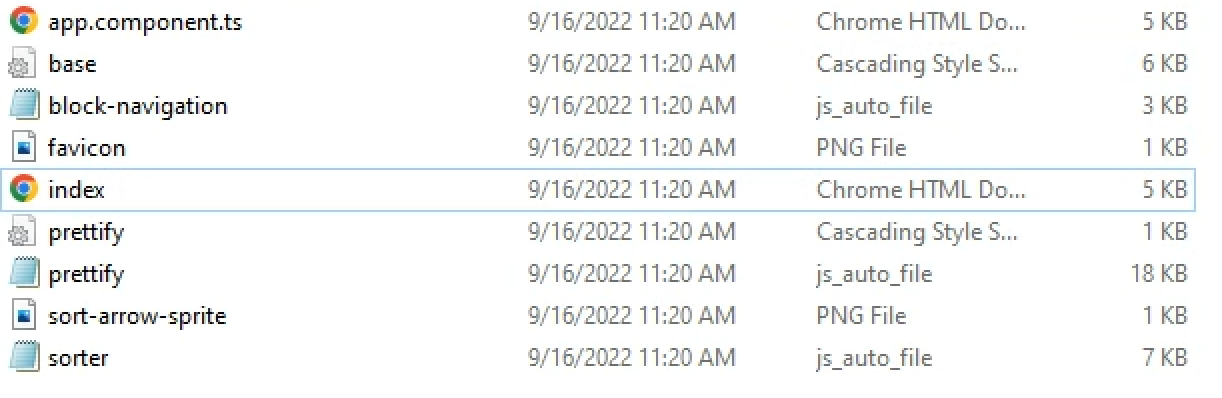
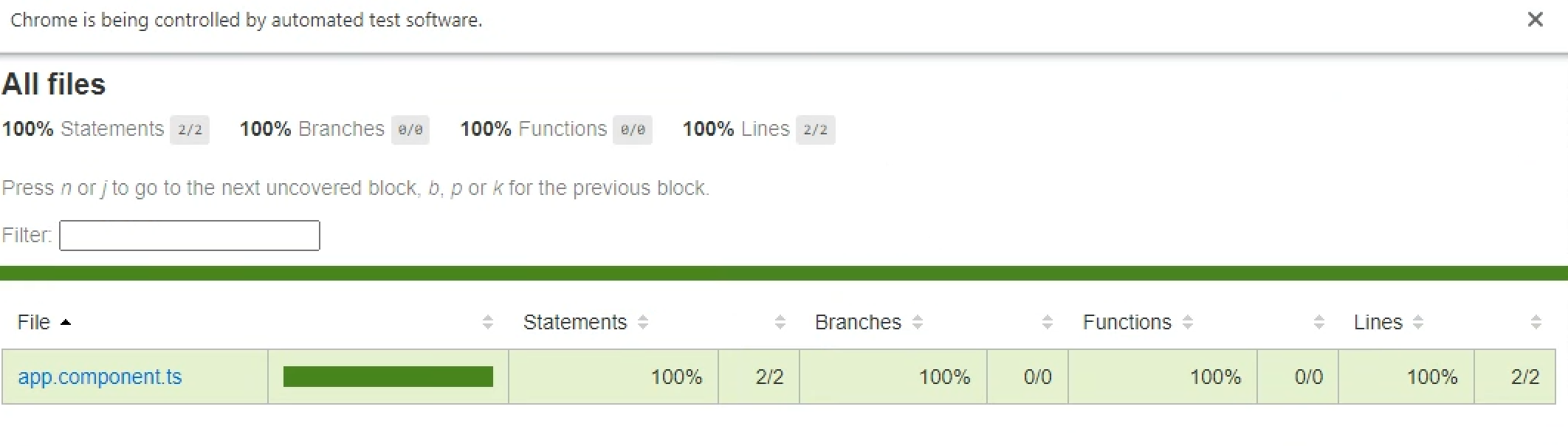
Yours looks different than mine. Are you running ng test --code-coverage or ng test --no-watch --code-coverage ?
You can see my test.service.ts gets included in both times, as it should be ignored.


J
@jdgamble555, as mentioned previously https://github.com/angular/angular-cli/issues/23890#issuecomment-1243259855 codeCoverageExclude only excludes files from code-coverage report and does not effect which tests are excluded from the run.
The second screenshot above is the test run report which is different. The code-coverage report by default is saved in the coverage directory and needs to be opened manually.
Closing as this is working as intended, but feel free to reply if you have any questions.
So the --code-coverage flag does not run code coverage? This is where I am confused.
J
--code-coverage does run code coverage, but Coverage reports will not be displayed in the browser. These will be generated in the coverage directory. In addition to that, a summary of the coverage will also be displayed in the terminal.
HTML coverage report
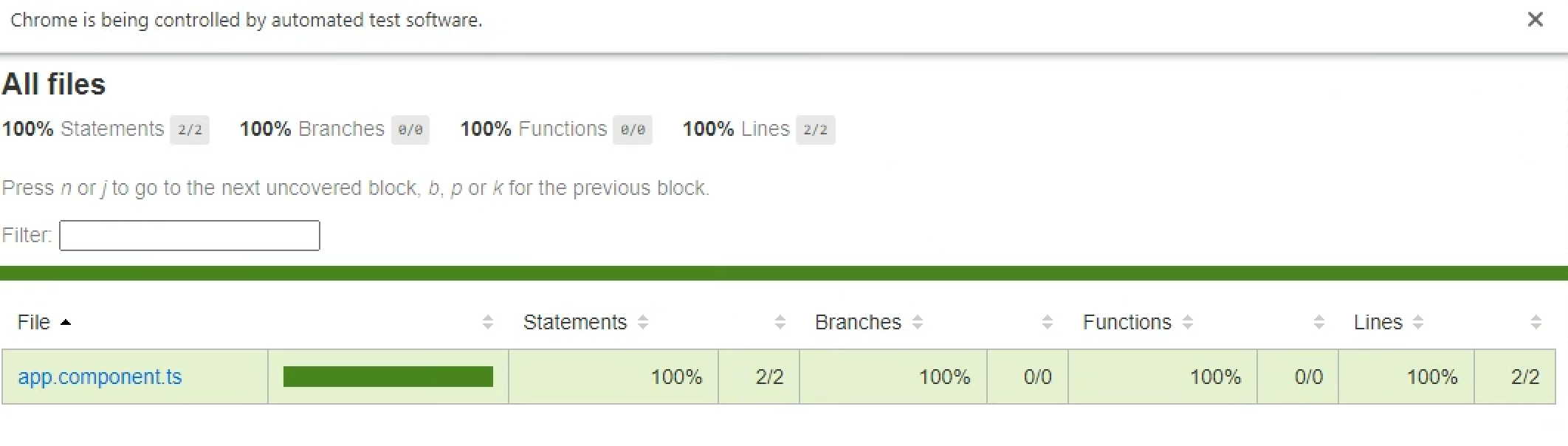
Summary coverage report

Got it. Well make a note for a separate feature request to hide directories from testing, not code-coverage.
Appreciate the help!
J
This issue has been automatically locked due to inactivity. Please file a new issue if you are encountering a similar or related problem.
Read more about our automatic conversation locking policy.
This action has been performed automatically by a bot.
![angular-automatic-lock-bot[bot] avatar](https://avatars.githubusercontent.com/in/40213?v=4 "Published by a pub.dev verified publisher")