

 android
[FR]: Large screen support
Is there an existing issue for this?
- [X] I have searched the existing issues
Describe the problem
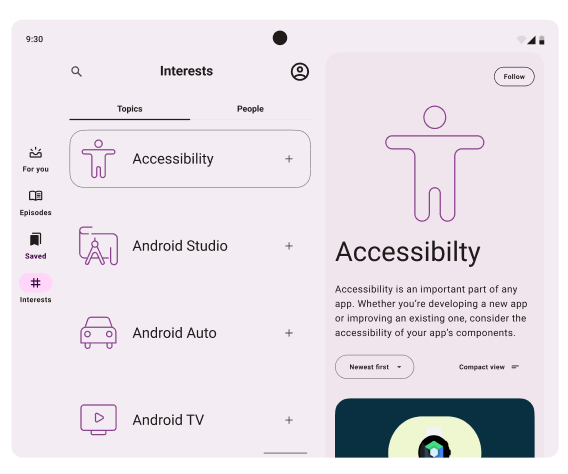
According to the NIA design case study, in the large screen device, the application will use a dual panel design to show contents, which means that the main screen will split into two parts, the left part shows the interests and the right side shows the article.
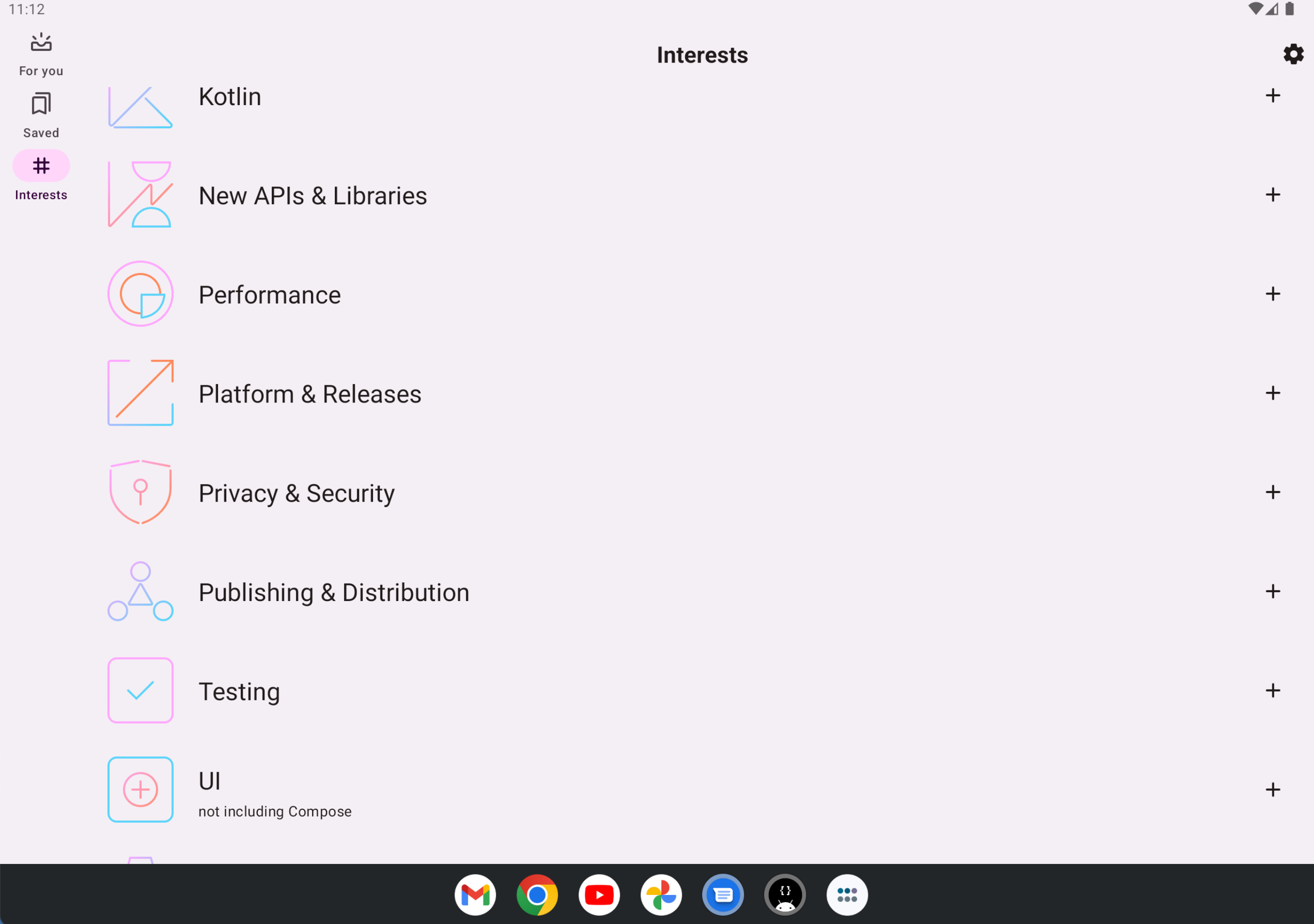
But right now if you are using large-screen tablets, the application will still use the single panel style to show contents, which is not very user-friendly in large-screen devices.
I hope NIA will show a good example of combining different feature modules into one screen. In the current design, if you wanna navigate to a new screen, you need to use Compose navigation but looks like it doesn't fit into the dual panel case.
Describe the solution
JetNews shows a good example of how to adapt for every screen. https://medium.com/androiddevelopers/jetnews-for-every-screen-4d8e7927752
But NIA is a fully modularized project, which is quite different from JetNews, I doubt the tutorial can't apply to the NIA. Looks like we need to use different code pieces to show contents (one for the small screen and the other one for the large screen, which looks 'dirty'.) Looking forward to finding a way to support tables elegantly.
Additional context
No response
Code of Conduct
- [x] I agree to follow this project's Code of Conduct
