
ABFillButton
 ABFillButton copied to clipboard
 andresbrun
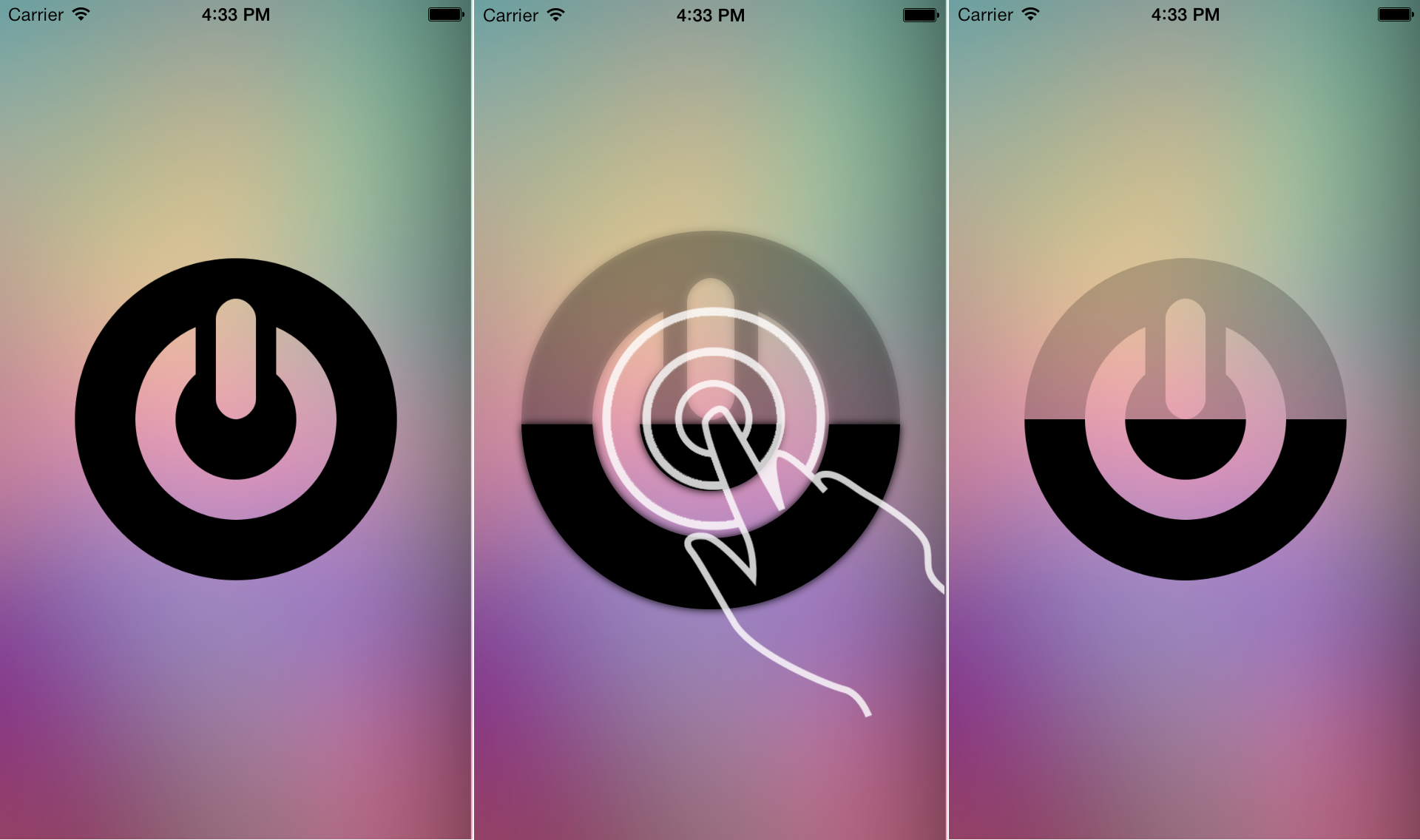
An UIButton subclass that allows you to represent a fill porcentage stylishly.
ABFillButton
An UIButton subclass that allows you to represent a fill percentage stylishly.
Installation
You only have to copy the ABFillButton folder to your project.
Usage
- Init the
ABFillButtonlike a regular UIButton - Add the delegate if you want to be notified when the button is empty:
- (void)buttonIsEmpty:(ABFillButton *)button
{
    NSLog(@"buttonIsEmpty");
    [self.playButton setFillPercent:1.0];
}
Configuration
There are two main ways of use ABFillButton:
- Reducing by yourself the fill percentage through a regular
IBAction, for example:
- (IBAction)playButtonPressed:(id)sender
{
    //If we want to empty the button with every press
    _numberOfPulses++;
    [self.playButton setFillPercent:1-(_numberOfPulses*0.1)];

    if(_numberOfPulses>10){
        _numberOfPulses=0;
        [self.playButton setFillPercent:1.0];
    }
}
- Or reducing the fill percentage aumatically when user press the button using:
//If we want to empty the button with user pressing
[self.playButton setEmptyButtonPressing:YES];
Also we can add a grow up effect and shadow when user press the button using:
//If we want to add shadows and a grow up effect when user press the button
[self.playButton configureButtonWithHightlightedShadowAndZoom:YES];
Example
License
ABFillButton is available under the MIT license. See the LICENSE file for more info.
Metadata
49
Stars
6
Forks
Watchers
Owner
 andresbrun
Metadata
An UIButton subclass that allows you to represent a fill porcentage stylishly.