

 anbox
anbox
Custom Rom error Whatsapp not working
-
Please check that no similar bug is already reported. Have a look on the list of open bugs at https://github.com/anbox/anbox/issues
-
Make sure you are running the latest version of Anbox before reporting an issue. Update snap to latest:
snap refresh --devmode --edge anbox -
Make sure you have debug logs enabled:
sudo snap set anbox debug.enable=true -
Reproduce the error while debug logs enabled.
-
Run the anbox logs collection utility and attach the tar file.
sudo /snap/bin/anbox.collect-bug-info -
** Please paste the result of
anbox system-infobelow:**
anbox system-info output
[please paste printout of `anbox system-info` here]
Please describe your problem:
Custom Rom error in Whatsapp. Otp Screen not launch.
but Custom rom not supported by whatsapp. how to fix ?
https://faq.whatsapp.com/android/download-and-installation/about-rooted-phones-and-custom-roms/?lang=en
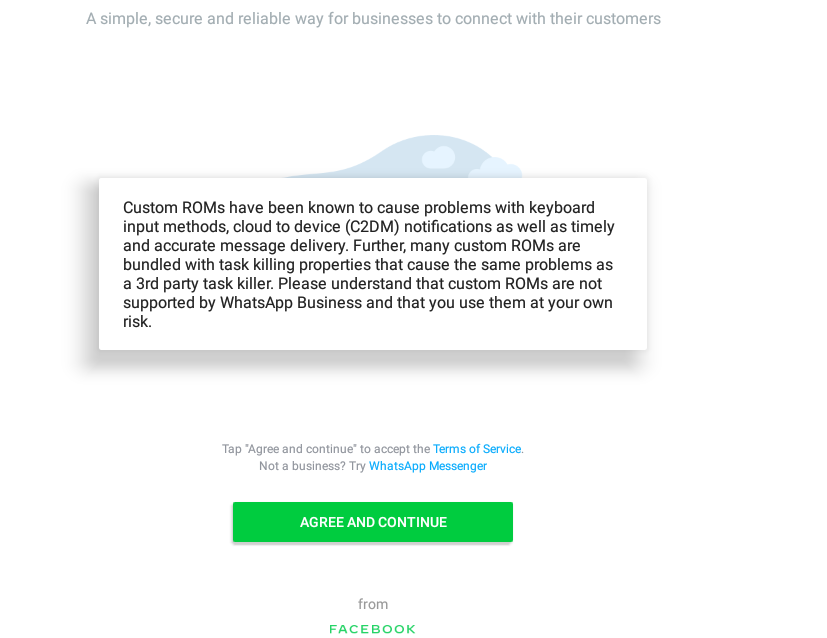
What were you expecting?: Whatsapp need to work fine
Additional info:

It looks like it is just a warning message. If you click on: "Agree and Continue" what happens?
Also, are you using WhatsApp Business or WhatsApp Messenger?
(I also don't think this is the right place for support with specific apps, but if it is related to Anbox we can try helping you)

This issue has been automatically marked as stale because it has not had recent activity. It will be closed if no further activity occurs. Thank you for your contributions.
![stale[bot] avatar](https://avatars.githubusercontent.com/in/1724?v=4 "Published by a pub.dev verified publisher")

