
dim
 dim copied to clipboard
 amouat
Distraction-free writing with Docker and Vim
dim
Distraction-free writing with Docker and Vim.
Dim creates a standalone and isolated Vim install tailored for editing text documents (especially markdown) in a "distraction free" manner (think Writeroom or iA Writer).
The use of Docker means dim will not interfere with your existing Vim install or vimrc. You can safely play with dim without worrying about breaking your existing Vim configuration.
You can read more about bundling applications with Docker and the thinking behind Dim on the container-solutions blog.
Warning: This is an experimental project and its use could potentially result in data loss. Please be careful if you use it to edit valuable documents.
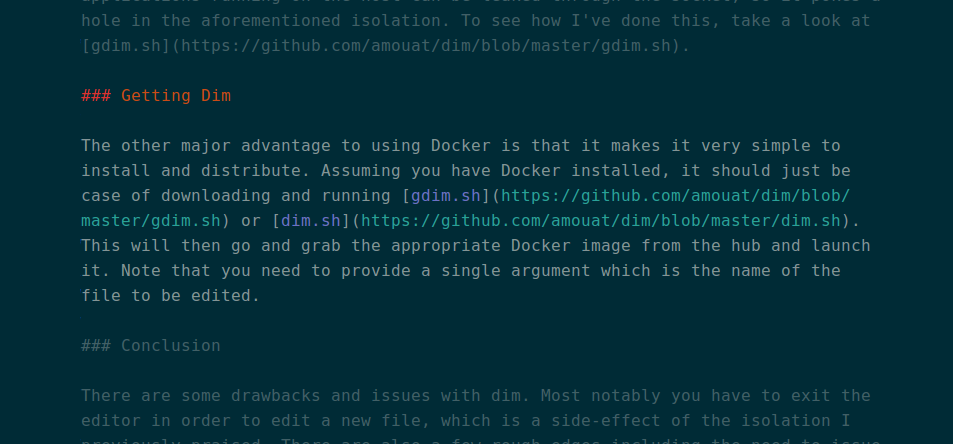
Screenshot
Dependencies
You will need to have Docker installed in order to use dim.
If you are using boot2docker on MacOS, note that dim.sh should work, but
currently gdim.sh will not.
Components
There is almost no code in dim. It simply installs Vim, the solarized colourscheme and the following Vim plug-ins:
Dim also uses an opinionated and customised vimrc which sets up line-breaking, word wrapping etc.
Usage
Just download either the dim.sh or gdim.sh script and run:
$ curl -L https://raw.githubusercontent.com/amouat/dim/master/gdim.sh -o gdim.sh
$ ./gdim.sh file_to_edit
or:
$ curl -L https://raw.githubusercontent.com/amouat/dim/master/dim.sh -o dim.sh
$ ./dim.sh file_to_edit
Where file_to_edit is an existing file. Using gdim.sh will call the gVim
version of dim, use dim.sh to run plain Vim in a terminal. If you use
dim.sh, for best results go fullscreen by hitting F11 (on Ubuntu at least).
gdim should run maximized automatically.
The first time you run this command, the dim image will be downloaded. You can
run build.sh to build it locally instead.
To turn on spell checking, hit \s.
Limelight (dimming of surrounding text) can be turned on with :Limelight. Use
:Limelight! to turn it off.
If you use gdim.sh, note that it runs via a mounted X11 socket, not VNC or ssh
forwarding. Whilst this is more efficient, it potentially breaks the sandboxing
provided by Docker.
Customising
If you want to customise dim, edit dim/vimrc. After making changes, rebuild
the images by running build.sh. In future versions I might map in a "gdimrc"
file which would allow user customisations without requiring a rebuild.
 amouat