

 alvr-org
Waiting for server to load...Forever (Fedora 36)
Description
Using alvr_server_linux.tar.gz
ALVR just says "Waiting for server to load" and SteamVR says "Headset not detected". Chromium is installed
General Troubleshooting
- [Yes? No setup wizard on Linux] I carefully followed the instructions in the README and successfully completed the setup wizard
- [Yes] I read the ALVR Wikis here and here
Environment
Hardware
Note: for Linux, an upload to the hw-probe database is preferred: hw-probe -all -upload
CPU: Ryzen 5 5600x
GPU: RX 6700 XT
Audio:
Installation
ALVR Version: v18.2.3
SteamVR Version: 1.23.7
Install Type:
- [ ] Packaged (
exe,deb,rpm, etc) - [I used the regular tar.gz not the one labeled "portable"] Portable (
zip) - [ ] Source
OS Name and Version (winver on Windows or grep PRETTY_NAME /etc/os-release on most Linux distributions): Latest update Fedora 36 Cinnamon
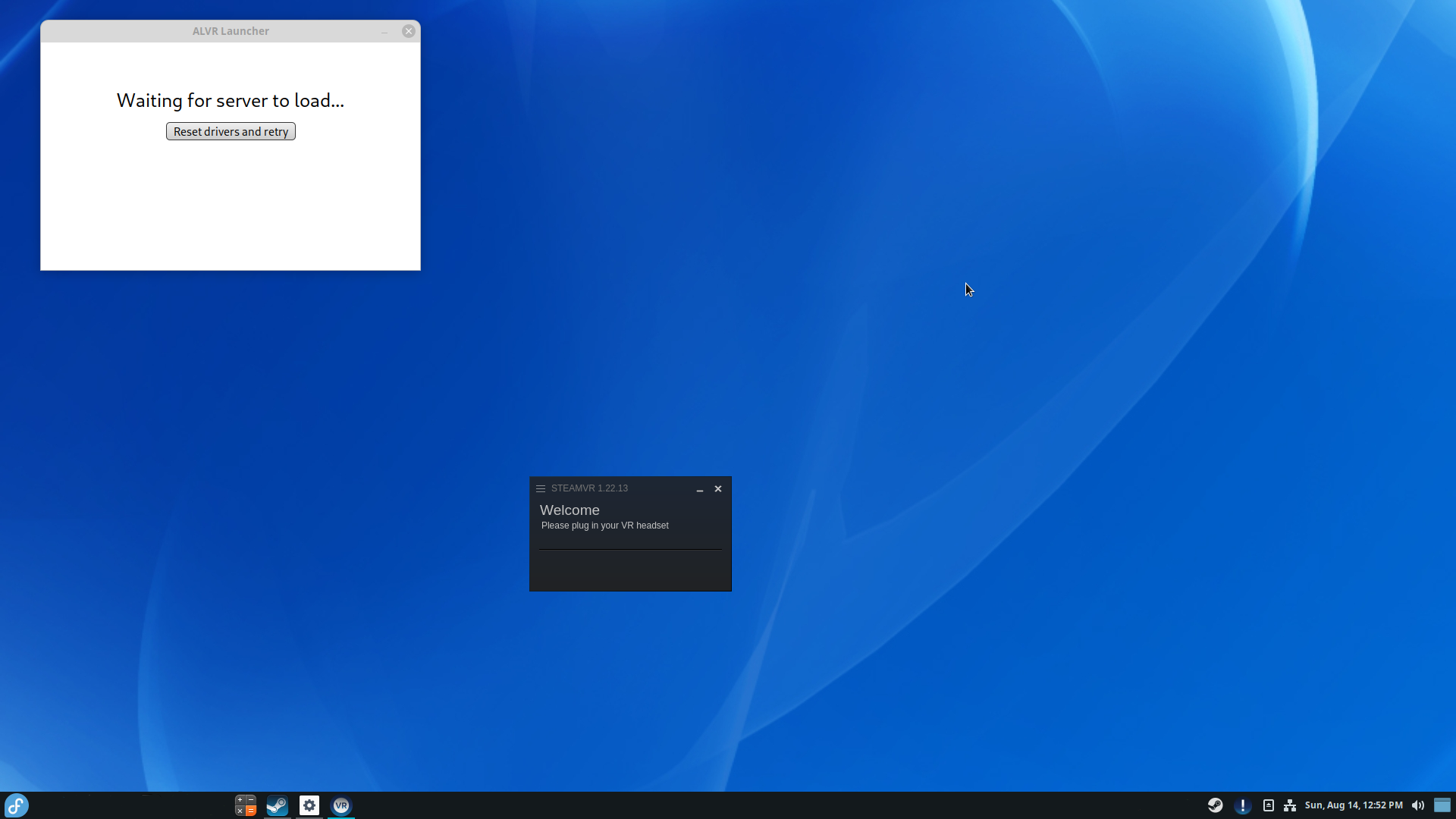

Pretty much my exact experience of ALVR so far on Linux Mint. SteamVR doesn't detect my Quest 2 and after using SideQuest to install ALVR it just sits there waiting for server to load which, as you've mentioned, never happens.
I did also try the portable install as well as the nightly, but no joy with any of them so far. I'm guessing there's something I'm not doing right, but haven't found anything yet to tell me what.
[Edit] There are also these errors in the Steam vrserver.txt log:
Unable to read app config file from /home/linux/.steam/debian-installation/config/appconfig.json. No applications will be available
Unable to load driver alvr_server from /data/Applications/ALVR/lib64/alvr/bin/linux64/driver_alvr_server.so (libssl.so.1.1: cannot open shared object file: No such file or directory)
ASSERT: "DriverManager alvr_server load error libssl.so.1.1: cannot open shared object file: No such file or directoryu" at /data/src/common/vrcommon/drivermanager.cpp:405.
Unable to load driver alvr_server because of error VRInitError_Init_FileNotFound(103). Skipping.

Thank you for the log. It is a known issue that our "portable" builds aren't truly portable and I'm working on a solution for that. But because ALVR is composed of so many languages this isn't the easiest task.
See #1154

Thanks. Does this also include the builds not marked as portable? alvr_server_linux.tar.gz for example? They all seem to have the same problem. Add to that I've been unable to compile from source either - see https://github.com/alvr-org/ALVR/discussions/1148.
ALVR and SteamVR load fine for me:
- Fedora 36 (5.19.9-200.fc36.x86_64)
- Radeon 6600 XT
- SteamVR beta 1.24.3
- ALVR v19.0.0-dev02+nightly.2022.09.19

This issue has been automatically marked as stale because it has not had recent activity. It will be closed if no further activity occurs. Thank you for your contributions.
![stale[bot] avatar](https://avatars.githubusercontent.com/in/1724?v=4 "Published by a pub.dev verified publisher")