

 allure-framework
Not possible to generate a report in pytest on Ubuntu 18.04 LTS
Hi! My commands are:
- py.test --browser opera -v --alluredir=PytestFrameworkProject/reports/allure-reports
- allure serve /reports/allure-reports
Python version is 3.6.9.
These are correct according to the documentation [https://pypi.org/project/allure-pytest/]
Can't generate report via CLI. Any suggestions?


Where did you get allure?
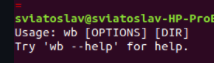 This part is weird for me, looks like it linked to wrong binary file
Also
This part is weird for me, looks like it linked to wrong binary file
Also
 You using absolute path here? It's not a mistake? May be you want to use relative path from your current folder with . before first /

@rad96 It is not mistake, I have used absolute path locally many times before which was working perfectly fine.
I have used this command to install allure https://pypi.org/project/allure-pytest/
I have used this command to install allure https://pypi.org/project/allure-pytest/
You installed pytest adapter For allure report generation you need to install allure from its repo https://github.com/allure-framework/allure2/releases
Then, if you add allure binary into your path, you can exec allure serve or allure generate commands
I have used this command to install allure https://pypi.org/project/allure-pytest/
You installed pytest adapter For allure report generation you need to install allure from its repo https://github.com/allure-framework/allure2/releases
Then, if you add allure binary into your path, you can exec allure serve or allure generate commands
pytest adapter could be installed with this command https://pypi.org/project/pytest-allure-adaptor/ which I have not used
So not the case for me

pytest adapter could be installed with this command https://pypi.org/project/pytest-allure-adaptor/ which I have not used
Thats deprecated one You installed correct one for pytest, but you also need to install allure itself, not only report plugin for pytest I provided link to it earlier
it is installed, how should I add allure binary into your path?
There is nothing about binary in doc here https://docs.qameta.io/allure/#_linux
it is installed, how should I
add allure binary into your path?
Can you just copy paste that quote into google?
There is nothing about binary in doc here https://docs.qameta.io/allure/#_linux
Sometimes something from docs is getting old and deprecated, nothing to do about that
Can you just copy paste that quote into google?
yes, I did which did not help since I do not understand which path is correct, so this could take forever and should be covered by the docs
- Download last one https://github.com/allure-framework/allure2/releases for your system
- Install/unpack it
- If unpack option choosen add allure folder into your path
- call allure --version and check version is latest one
that should work via CLI with correct commands since all the automation mostly is running on Linux machines for which official doc is not relevant, no words on github readme as well
Hi!
This is not a bug report of a feature request. It's better to ask such questions on https://stackoverflow.com/ I'm closing it now because it is old and doesn't seem to be related to allure python integrations.
