
ralph
 ralph copied to clipboard
 allegro
Polish characters in name field results 500 error
Hi, i have fresh install of ralph and tried to populate it with polish names such as "Świat", "piętro" but im getting 500 sever error while POST. I don't think thats my env fault because your demo site also is giving 500 errs
/var/log/nginx/ralph-access.log: POST /data_center/datacenter/add/ HTTP/2.0" 500 27 "https://server_addr/data_center/datacenter/add/" "Mozilla/5.0 (X11; Ubuntu; Linux x86_64; rv:65.0) Gecko/20100101 Firefox/65.0
- Ralph version(from dpkg): ii ralph-core 20190124.2 amd64 Ralph is an DCIM/CMDB - asset management for Data Centers/ Back Office.
- Operating system: Ubuntu 18.04 LTS
- Method of installation: Deb

The problem perhaps is in the settings of your database server. Could you please ensure you have configured correct encoding and the charset there?
Proof that it works in Ralph:
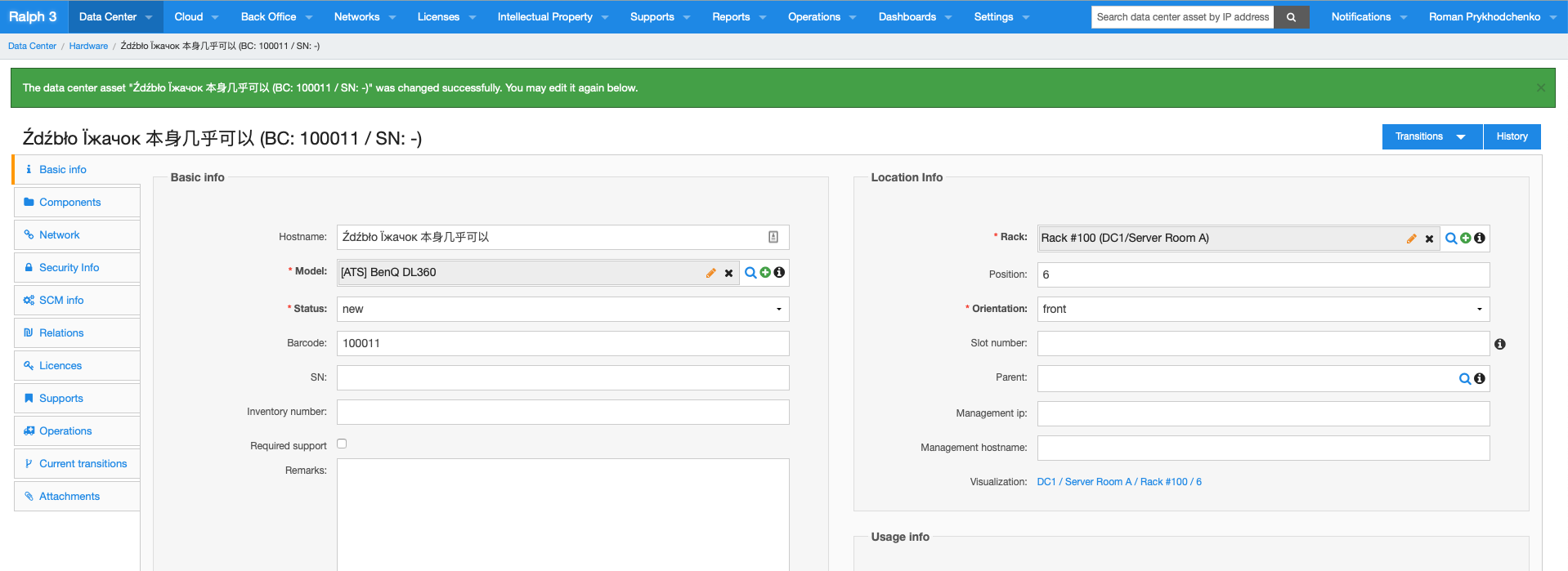

@titago I will close this issue to keep it from dangling unattended. If the problem keeps happening despite correct encoding and charset in your mysql database, feel free to re-open it.
apparently You haven't used mentioned char "Ś" and "Ę"
there is my mysql encoding:
mysql> show variables like 'collation%'; +----------------------+-----------------+ | Variable_name | Value | +----------------------+-----------------+ | collation_connection | utf8_general_ci | | collation_database | utf8_unicode_ci | | collation_server | utf8_unicode_ci | +----------------------+-----------------+ 3 rows in set (0.01 sec)
mysql> show variables like 'char%'; +--------------------------+----------------------------+ | Variable_name | Value | +--------------------------+----------------------------+ | character_set_client | utf8 | | character_set_connection | utf8 | | character_set_database | utf8 | | character_set_filesystem | binary | | character_set_results | utf8 | | character_set_server | utf8 | | character_set_system | utf8 | | character_sets_dir | /usr/share/mysql/charsets/ | +--------------------------+----------------------------+ 8 rows in set (0.01 sec)
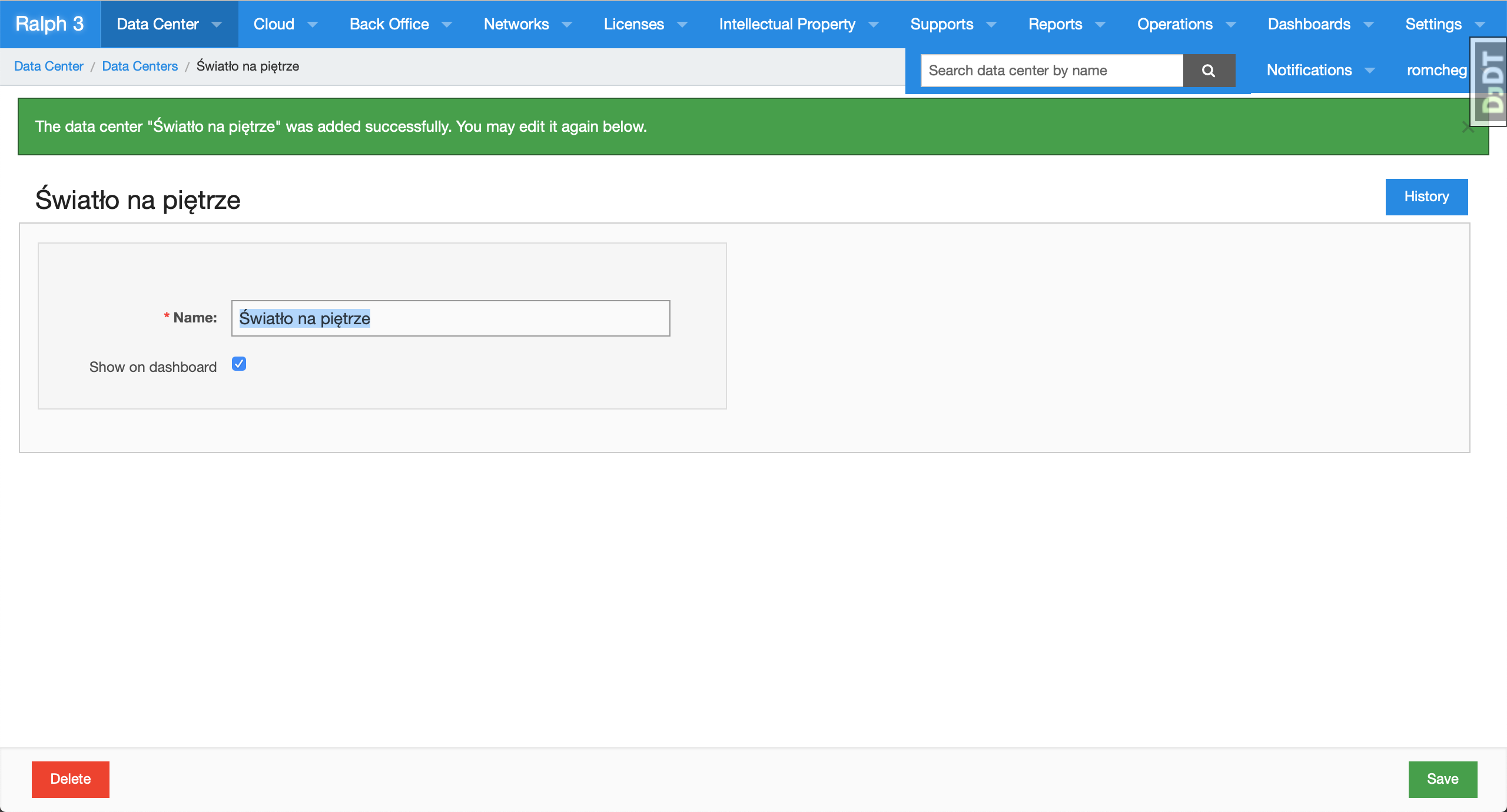
mysql> \u ralph_ng
Reading table information for completion of table and column names
You can turn off this feature to get a quicker startup with -A

Database changed
mysql> select * from data_center_datacenter;
+----+-----------------------+-------------------+
| id | name                  | show_on_dashboard |
+----+-----------------------+-------------------+
|  1 | Światło na piętrze    |                 1 |
+----+-----------------------+-------------------+
1 row in set (0.00 sec)

mysql> SHOW VARIABLES LIKE '%character_set%';
+--------------------------+----------------------------+
| Variable_name            | Value                      |
+--------------------------+----------------------------+
| character_set_client     | utf8                       |
| character_set_connection | utf8                       |
| character_set_database   | utf8                       |
| character_set_filesystem | binary                     |
| character_set_results    | utf8                       |
| character_set_server     | utf8                       |
| character_set_system     | utf8                       |
| character_sets_dir       | /usr/share/mysql/charsets/ |
+--------------------------+----------------------------+
8 rows in set (0.00 sec)

mysql> SHOW VARIABLES LIKE '%collation%';
+----------------------+-----------------+
| Variable_name        | Value           |
+----------------------+-----------------+
| collation_connection | utf8_general_ci |
| collation_database   | utf8_general_ci |
| collation_server     | utf8_general_ci |
+----------------------+-----------------+
3 rows in set (0.00 sec)
@titago I was still not able to reproduce the behavior you described with the latest version of Ralph. However, I did manage to reproduce it on the demo setup. Let me investigate it further.
Hi, for example you can check encoding for change message column using this query:
SELECT character_set_name FROM information_schema.`COLUMNS` WHERE table_schema = "ralph_ng" AND table_name = "django_admin_log" AND column_name = "change_message";
