

 alibaba
数据源面板丢失数据源配置
Describe the bug (required) / 详细描述 bug(必填)
A clear and concise description of what the bug is. / 请提供清晰且精确的 bug 描述 @alilc/lowcode-demo项目1.0.27,直接build启动dev服务器后,数据源面板点击固定面板按钮后,数据源配置会丢失。
To Reproduce (required) / 如何复现 bug?(必填,非常重要)
Steps to reproduce the behavior: / 详细复现步骤:
1.git clone 该项目,yarn install,yarn run build,yarn run start启动dev server。
2.在浏览器弹出的默认示例页面上点击边栏数据源图标,弹出数据源面板。
3.点击数据源面板右上角图钉图标,订住面板,再解除订住,默认的info数据源消失,同时浏览器console中print警告:
react_devtools_backend.js:4026 Warning: Event "UPDATE_DS" was sent to stopped service "dataSourcePane". This service has already reached its final state, and will not transition. Event: {"type":"UPDATE_DS","payload":[{"type":"fetch","isInit":true,"options":{"params":{},"method":"GET","isCors":true,"timeout":5000,"headers":{},"uri":"mock/info.json"},"id":"info","shouldFetch":{"type":"JSFunction","value":"function() { \n console.log('should fetch.....');\n return true; \n}"}}]}
4.点击schema图标,发现页面schema中dataSource.list已被清空。
Expected behavior (required) / 预期行为(必填,非常重要)
A clear and concise description of what did you expect to happen. / 请清晰和精确的描述你预期的行为
数据源不应被清空
Screenshots (optional) / bug 截图(可选)
Sceenshots for further information. (If applicable.) / 一些有用的截图将会帮助我们更好的明确以及定位问题
Environments (please complete the following information) (required): / 请提供如下信息(必填)
- AliLowCodeEngine version: [v1.0.14] / 低代码引擎版本
- AliLowCodeEngineExt version: [v1.0.4] / 低代码引擎扩展包版本
- Browser [Edge v107.0.1402.2] / 浏览器版本
- materials / plugins / tools / 其他物料 / 插件 / 工具链版本 node v14.18 npm v6.14.15 yarn v1.22.19 物料插件均与lowcode-demo相同。
(this information can be collected via the manual plugin / 版本信息可通过低代码用户手册插件收集)
Additional context (optional) / 更多额外信息(可选)
Any other context of the problem here. / 可以追加更多的额外信息,帮助定位问题

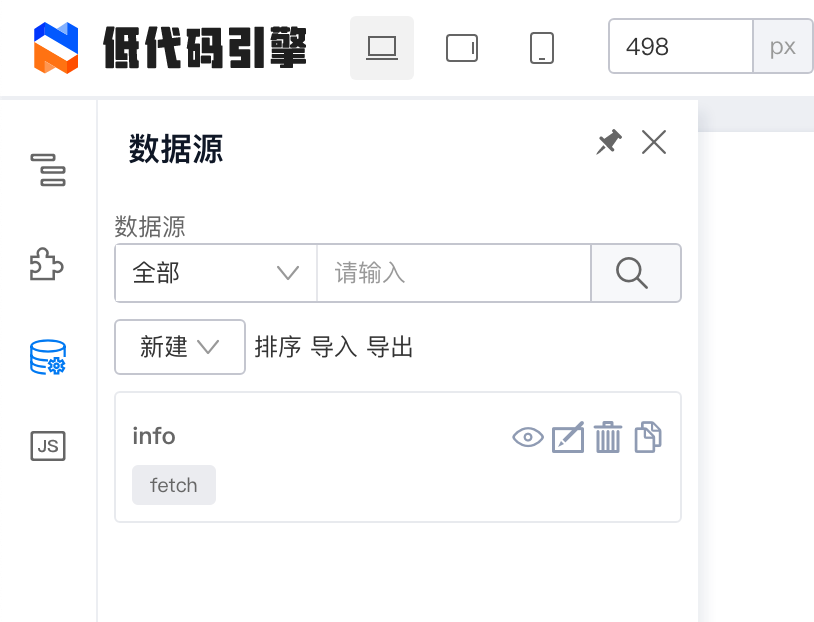
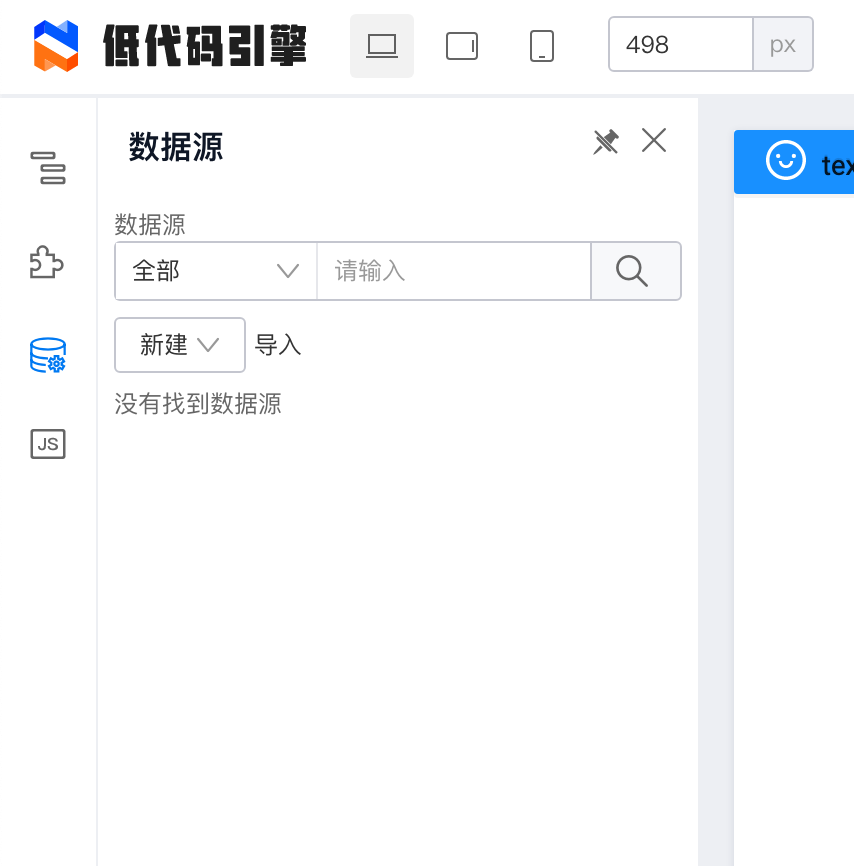

问题原因猜测,并未验证。 因为, 点击固定面板会让组件重新渲染.
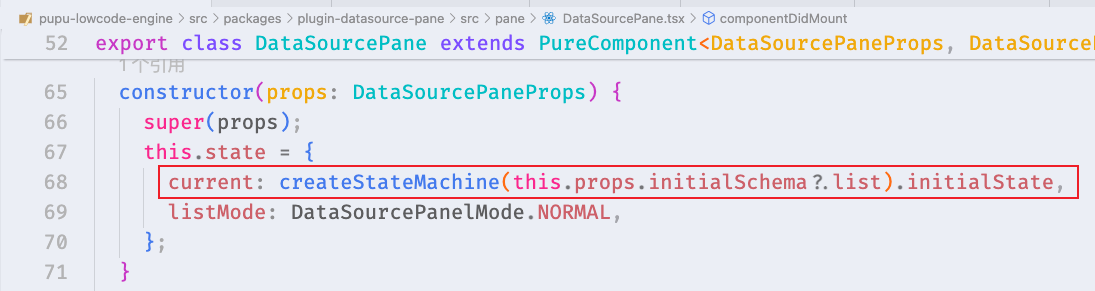
这里重建了一个state。
而componentDidMount那边的this.send, 其实是对this.context.stateService操作, 而stateService是单例的并没有因为重渲染而重建.
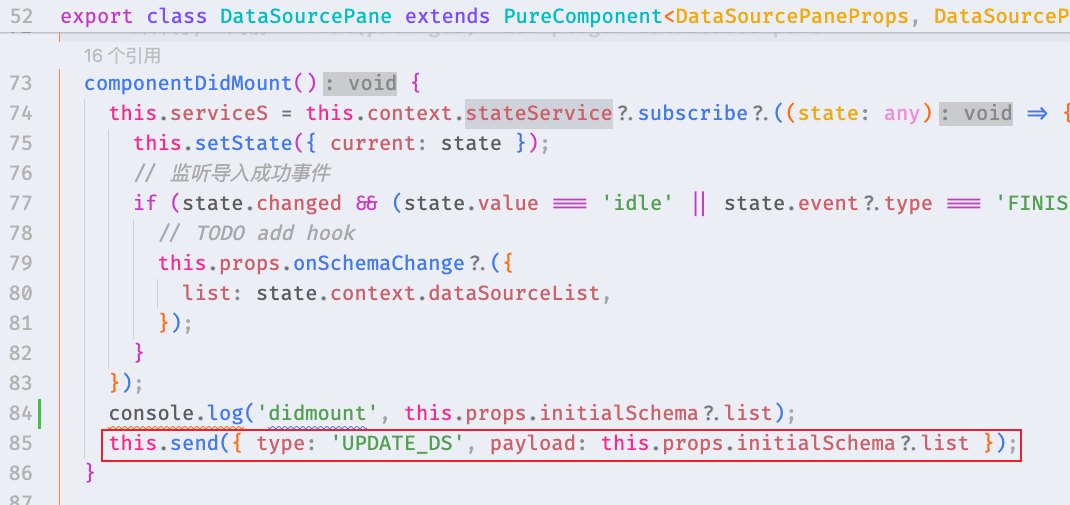
====
btw, 在这个场景用xstate做状态管理, 简直是脱裤子放屁,多此一举
