

 alibaba
macOS 11.0.1 证书安装失败

 系统是macOs 11.0.1
每次打开都会重新安装一个证书,所以即使我手动将之前安装的证书设为信任,也不解决问题,没有其他同学反馈这个问题,不晓得是不是我这边的系统环境导致的
系统是macOs 11.0.1
每次打开都会重新安装一个证书,所以即使我手动将之前安装的证书设为信任,也不解决问题,没有其他同学反馈这个问题,不晓得是不是我这边的系统环境导致的

不排除是 big sur 的权限设计出现了新变化,因为我是开发者机器可能权限不太一样,晚些时间我用别的同学电脑测试下
你可以尝试下临时解决方案:
sudo cp ~/Library/Application\ Support/LightProxy/files/proxy_conf_helper ~/Library/Application\ Support/LightProxy/proxy_conf_helper
sudo chmod +s ~/Library/Application\ Support/LightProxy/proxy_conf_helper
理论上会通过启动检测从而不再重新安装,然后再手动信任下新安装的证书

With macOS Catalina and earlier, the command line security tool can be used to change certificate trust settings if the effective user is running as root via the add-trusted-cert flag. In macOS Big Sur, simply running with UID 0 will no longer be sufficient to make this change: confirmation will be required with an administrator password. Apple will allow the change to take place without confirmation if the certificate payload is deployed with the root certificate using a configuration profile.
https://blogs.manageengine.com/desktop-mobile/desktopcentral/2020/09/09/macos-11-big-sur-a-birds-eye-view.html
确实是和 big sur 的权限变化有关,我研究下怎么解决这个问题比较合适。
看起来 big sur 已经完全封堵了自动安装证书的可能性,只能引导用户手动执行命令了。
可以帮忙测试下 https://github.com/alibaba/lightproxy/releases/tag/v1.1.41-beta-1 是否能解决你的问题么
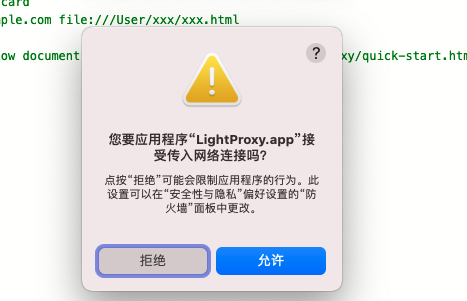
- 防火墙开启的情况下,每次打开都会提示,“接受传入网络申请”,防护墙的设置里已经是允许了

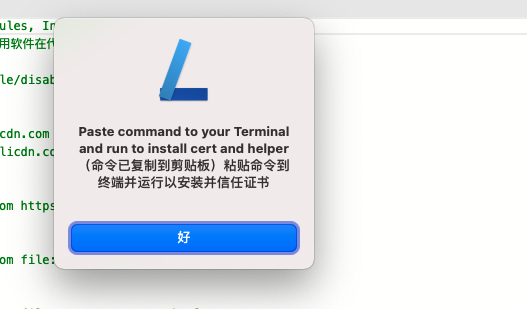
- 另外就是,安装证书的弹框也是每次都会提示
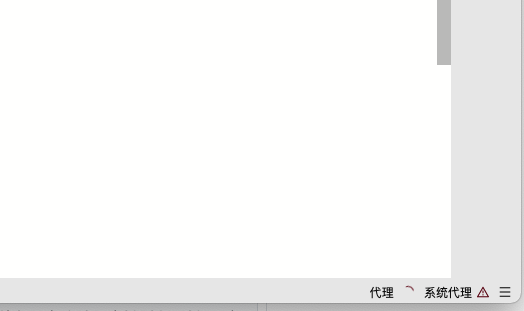
- 最后,点那个这两个弹框点掉之后,代理会启动不来,需要手动去”重启代理“,才可以
 这些都是小问题,不会太影响使用
最近打开的时候,又是需要重新复制命令才行
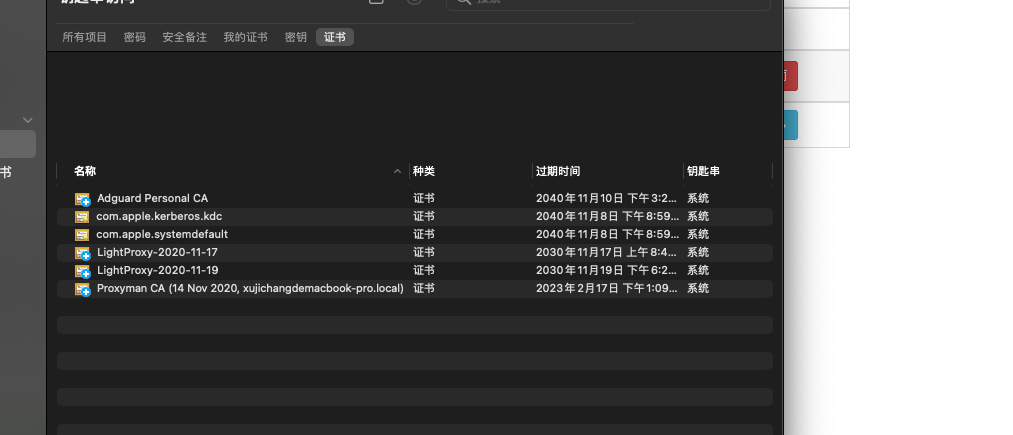
然后去“钥匙串访问”应用下看了一下,生成了两个钥匙串,不过名称不一样,怀疑是不是名称一样就不用每天生成一次了,
图如下:
确实是一个逻辑问题,其实不需要再安装一遍了,我有空修下
发自我的iPhone
------------------ 原始邮件 ------------------ 发件人: 稻草 <[email protected]> 发送时间: 2020年11月19日 18:31 收件人: alibaba/lightproxy <[email protected]> 抄送: xcodebuild <[email protected]>, Comment <[email protected]> 主题: 回复:[alibaba/lightproxy] macOS 11.0.1 证书安装失败 (#220)
最近打开的时候,又是需要重新复制命令才行 然后去“钥匙串访问”应用下看了一下,生成了两个钥匙串,不过名称不一样,怀疑是不是名称一样就不用每天生成一次了, 图如下:
— You are receiving this because you commented. Reply to this email directly, view it on GitHub, or unsubscribe.
尝试修复了逻辑问题,之前新的命令漏了 proxy helper 的安装:https://github.com/alibaba/lightproxy/releases/tag/v1.1.41-beta-2
@xujichang

开代理访问网页 chrome会报隐私错误的话说明证书并没有信任成功,脚本已经在 terminal 中执行过了么,有什么输出结果么 @ron0115
开代理访问网页 chrome会报隐私错误的话说明证书并没有信任成功,脚本已经在 terminal 中执行过了么,有什么输出结果么 @ron0115
@xcodebuild 粘贴命令,输入密码按回车 没有任何输出啊
命令如下: echo "Please input local login password 请输入本地登录密码" && sudo security add-trusted-cert -d -r trustRoot -k /Library/Keychains/System.keychain "/var/folders/dv/zv5642bn0dvfcb2dhms17qbm0000gn/T/248b012a-509b-4b40-aefb-ab15bee82a05/root.crt" && sudo cp "/Users/ron/Library/Application Support/LightProxy/files/proxy_conf_helper" "/Users/ron/Library/Application Support/LightProxy/proxy_conf_helper" && sudo chown root:admin "/Users/ron/Library/Application Support/LightProxy/proxy_conf_helper" && sudo chmod a+rx+s "/Users/ron/Library/Application Support/LightProxy/proxy_conf_helper" && touch /tmp/lightproxy-install-done
我这边是用apple m1的,因为文件夹含空格在这边会有问题啊,手动添加\ 后
echo "Please input local login password 请输入本地 登录密码" && sudo security add-trusted-cert -d -r trustRoot -k /Library/Keychains/System.keychain "/var/folders/dv/zv5642bn0dvfcb2dhms17qbm0000gn/T/8b814f62-0b7d-494a-9456-66c96f643afe/root.crt" && sudo cp "/Users/ron/Library/Application\ Support/LightProxy/files/proxy_conf_helper" "/Users/ron/Library/Application\ Support/LightProxy/proxy_conf_helper" && sudo chown root:admin "/Users/ron/Library/Application\ Support/LightProxy/proxy_conf_helper" && sudo chmod a+rx+s "/Users/ron/Library/Application\ Support/LightProxy/proxy_conf_helper" && touch /tmp/lightproxy-install-done
看了下是有这个文件的, 手动执行
sudo chown root:admin "/Users/ron/Library/Application\ Support/LightProxy/proxy_conf_helper" && sudo chmod a+rx+s "/Users/ron/Library/Application\ Support/LightProxy/proxy_conf_helper" && touch /tmp/lightproxy-install-done
控制台输出 cp: /Users/ron/Library/Application\ Support/LightProxy/files/proxy_conf_helper: No such file or directory
系统钥匙串中已经信任了lightproxy的证书,但是每次打开app还是会弹出复制命令的提示。
@ron0115 proxy_conf_helper 应该是存在的才对
另外这里的空格是在 "" 里面的,我在 zsh 下是没有问题的,你使用的是什么 shell
https://github.com/alibaba/lightproxy/releases/tag/v1.1.41-beta-5 应该修复了重新打开后仍然弹窗的问题
和空格无关,确实不应该有转义符号的。
https://github.com/alibaba/lightproxy/releases/tag/v1.1.41-beta-5 应该修复了重新打开后仍然弹窗的问题
和空格无关,确实不应该有转义符号的。
这个版本真的可以了,之前也看到过关于命令行中引号错误的提示,当时没有记录下来,现在已经不会重复提示了,命令回车后提示『安装成功』