

 algolia
Make it easier to show search results *above* the input
Right now, in all conditions (as far as I can tell) the search results appear below the input. This is clearly awkward if your input is at the bottom of the page.
This is made more awkward by the CSS used for this being included inline in the dropdown element, making it hard to easily customize. I've worked around this ourselves with the following:
	// Forcibly override the dropdown position
	.ds-dropdown-menu {
		top: initial !important;
		bottom: 100%;
	}

	// Remove the arrow/caret entirely, since it's awkward to fix
	.ds-dropdown-menu:before {
		display: none;
	}
It'd be nice to make this easier (in a perfect world, it'd happen automatically, the same as the left/right switch does), but it'd be good to at least document your recommended approach to this somewhere.

Hey Pim, as far as I know we haven't seen interfaces where the search is at the bottom yet. How does that look on your page? Glad you have a workaround though, although not sure yet if it should be default.
We might be able to use something like popper.js to make sure it always stays visible though.

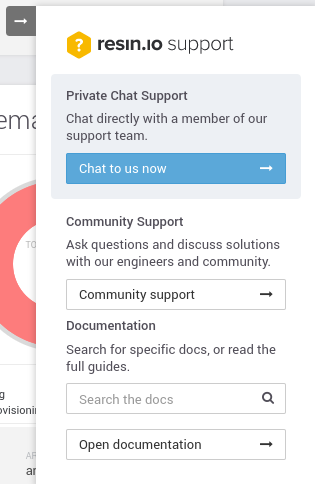
It's a little unusual, but I don't think it's too crazy. In our case, we're adding a search bar for our docs to our a 'Need help?' support menu, which lives in the bottom right of the page:
The hard part with an inverted search box is knowing which one is the most important, is it the one at the top or closest to the input box?
Thanks for your feedback anyway, we'll take it in account. If you have a PR for making this behaviour "default", without interfering with the regular direction, it's definitely welcome 🔥
As mentioned above, I think we should either draw inspiration from popper.js, or even depend on it directly as it is solving the issue properly already.


Some design inspiration - having search at the bottom of a mobile interface makes it very accessible for one handed usage. Gonna try hack support in with some CSS tweaks 👍 (I'm open to trying v3 but there's not really a build I can grab)
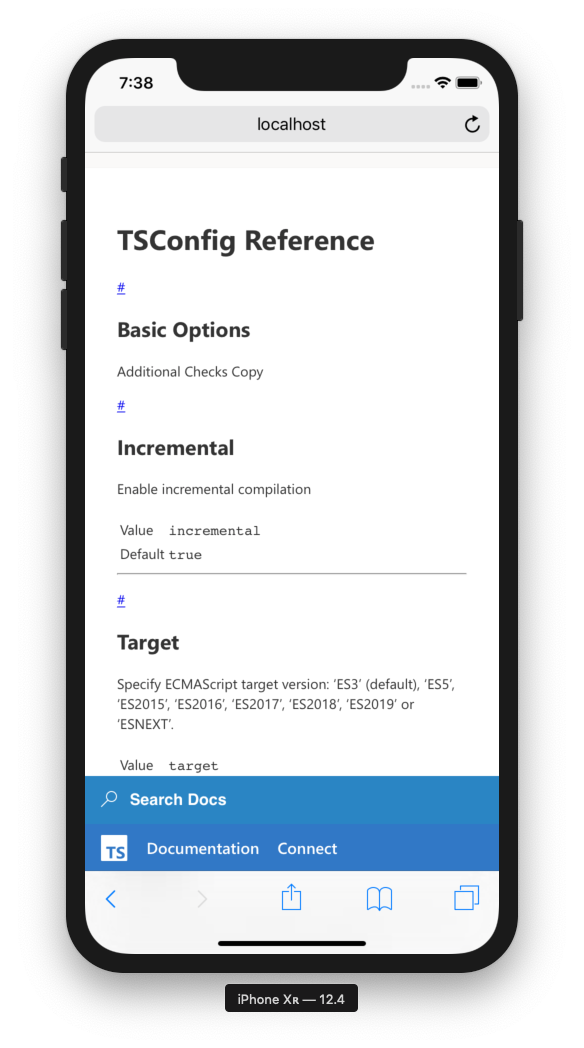
Super happy with how easy this was
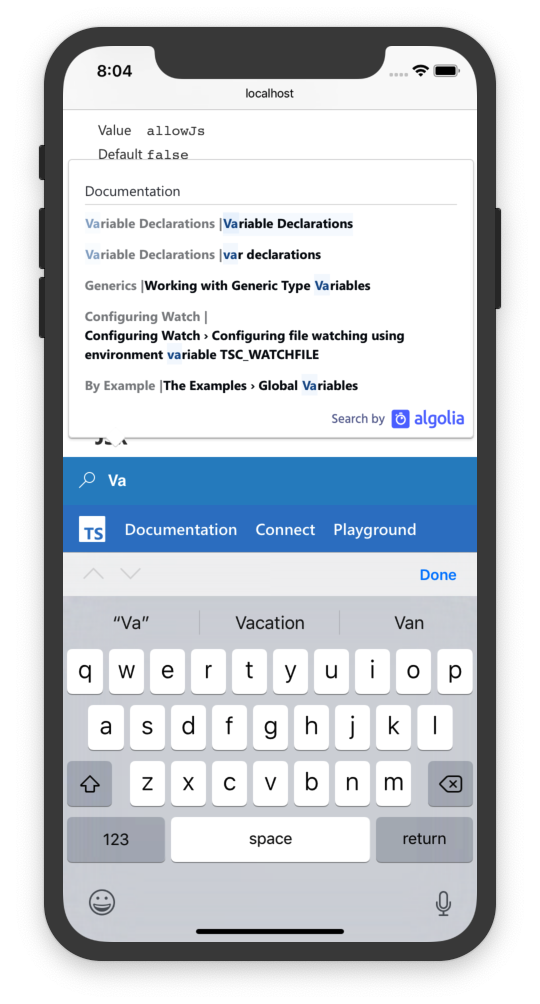
  /* Override search */
  #top-menu .ds-dropdown-menu {
    top: initial !important;
    left: 0px !important;
    right: -180px !important;
    bottom: 140%;
    min-width: 0;
    margin-left: -32px;
  }

  /* Hide triangle which is pointing to the wrong place */
  #top-menu .ds-dropdown-menu:before {
    top: auto;
    left: 40px;
    bottom: -7px;
    transform: rotate(135deg);
  }
