
grafana-flowcharting
 grafana-flowcharting copied to clipboard
 algenty
Long delay with a large number of objects and rules for them
Good day!
At the moment, I began to observe a long delay in the flowcharting response with a large number of objects and rules for them, can I somehow get around this? Maybe you should add resources for better performance? Because I need large circuits and their processing.
If there is a solution or advice, I would be grateful!

hi @vitorli
can you tell if your delay is due to metric queries download to complete? i've also got some pretty dense diagrams and they won't show up unless all metrics are downloaded.

Hi @CrashLaker I don't have a lot of metrics that are used, basically, a large number of objects and rules related to them (1500 objects and about 350 rules). Even simple editing takes a long time to load everything. Moreover, the hangs start after 100 rules stably.
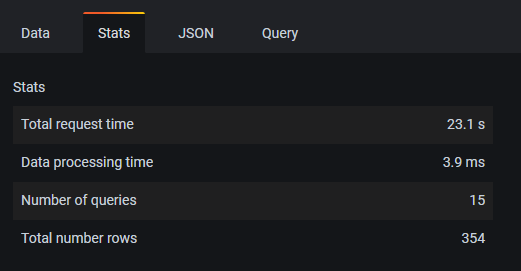
Yeah, it is not metric related, nor the complexity of the XML drawing.
It is specifically related to the number of rules. I have not seen any improvements with disabling things likes regexes, having no links. Just associating metrics, thresholds and colours. Around 80 rules, it will gradually and noticeably slow down as you add more and more rules. Could it be related to rendering the rules sections for display in Grafana? Could it be related to how the rules are trying to dynamically modify the XML? I dunno. @algenty would need to do some performance tracing to see what is actually slowing it down, when you start adding more rules.

In my project there are 350 rules, in general, everything takes a very long time to load, and if you need to make adjustments to the rules, it’s just unbearably long, sometimes the page just freezes and resets the changes when reloading and you need to start over
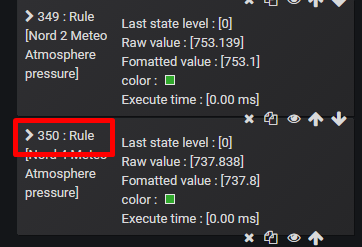


Thx @xkilian and @xkilian for you support during this pause. Next version will be better for response time. Since few month, i have upgraded with rxjs event but there are too many bugs at this time to publish it.

Mine is the latest version, and I still have the problem of loading slowly due to too many rules. Is there a workaround?

While this isn't the same issue, I have noticed that when editing the flow charting plugin, the memory allocation keeps growing and growing and I've had pages crash because of this.
