alexkay
Fonts on Y axis not visible
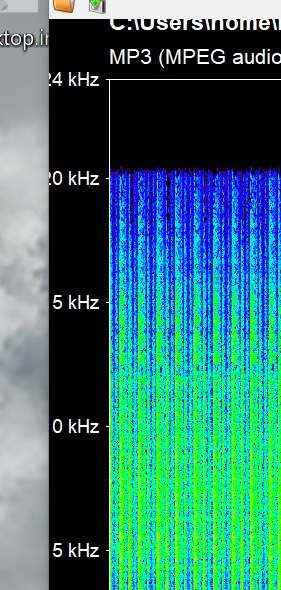

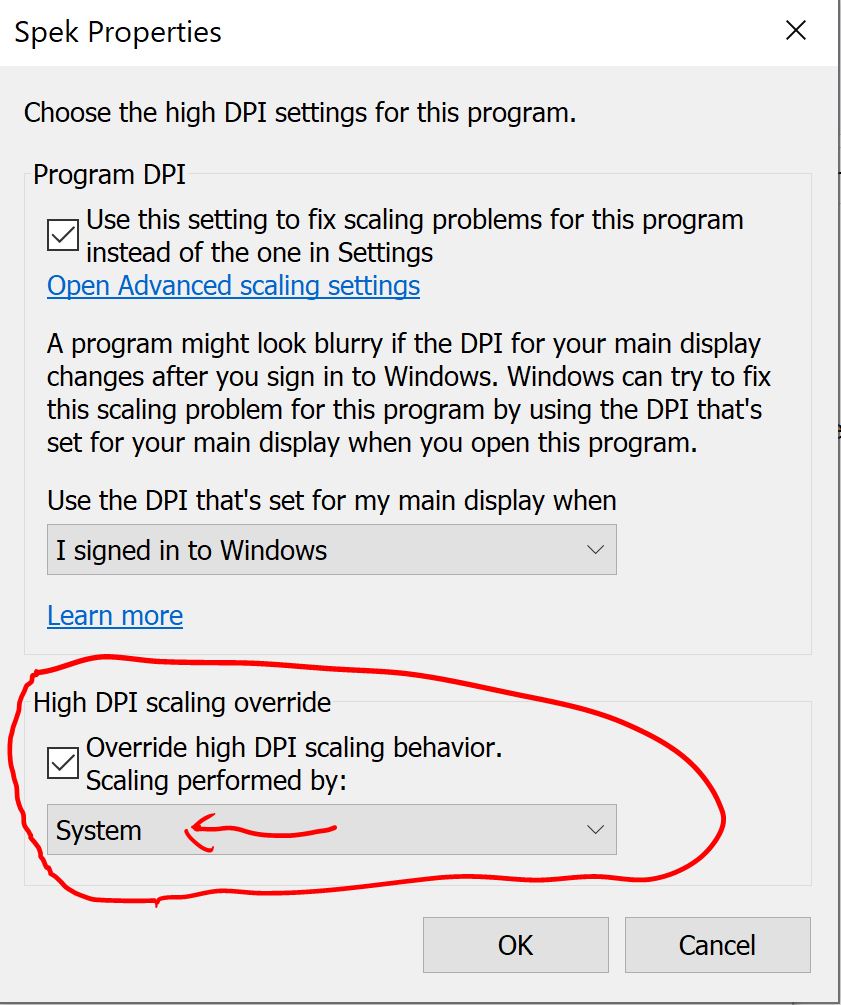
In my case the numbers did not show up at all on the Y axis. If the problem occurs in Windows 10, the temporary solution I applied was setting the High DPI Scaling Override so the System does the scaling. This can be done by accessing the spek.exe Properties -> Compatibility [tab] -> Change High DPI Settings. I attach PrtScreens. Hope it helps anyone who has the same problem and needs to use Spek right away in Windows.


Thanks that worked.
From: J4K8B [email protected] Sent: 23 June 2020 00:08 To: alexkay/spek [email protected] Cc: wayneLaw1 [email protected]; Author [email protected] Subject: Re: [alexkay/spek] Fonts on Y axis not visible (#196)
In my case the numbers did not show up at all on the Y axis. If the problem occurs in Windows 10, the temporary solution I applied was setting the High DPI Scaling Override so the System does the scaling. This can be done by accessing the spek.exe Properties -> Compatibility [tab] -> Change High DPI Settings. I attach PrtScreens. Hope it helps anyone who has the same problem and needs to use Spek right away in Windows. https://user-images.githubusercontent.com/37769714/85343735-e9253500-b4ed-11ea-836b-daab153f84e1.JPG https://user-images.githubusercontent.com/37769714/85343742-ecb8bc00-b4ed-11ea-8fc7-89afdaa7d40c.JPG
— You are receiving this because you authored the thread. Reply to this email directly, view it on GitHub https://github.com/alexkay/spek/issues/196#issuecomment-647812812 , or unsubscribe https://github.com/notifications/unsubscribe-auth/APWRXXDPDBINA4MFU4OFYITRX7P5BANCNFSM4OA5QHLA . https://github.com/notifications/beacon/APWRXXDM5REESTXUIKOXLITRX7P5BA5CNFSM4OA5QHLKYY3PNVWWK3TUL52HS4DFVREXG43VMVBW63LNMVXHJKTDN5WW2ZLOORPWSZGOE2ONNTA.gif
I have the same problem in Debian Buster Linux on 3840x2160 screen. It's fine on 1920x1080 screen with same OS. HiDPI support for Spek would be excellent.

HiDPI support is added in beta packages for Windows for the latest release. Try them out and let me know if anything is off: https://github.com/alexkay/spek/releases/tag/v0.8.5