

 alexkay
Incorrect spectrum with OPUS files
As the title says, the spectrum is displayed incorrectly with OPUS files.
Here an image of the original file:
 Here is an image of the OPUS 128 kbps file:
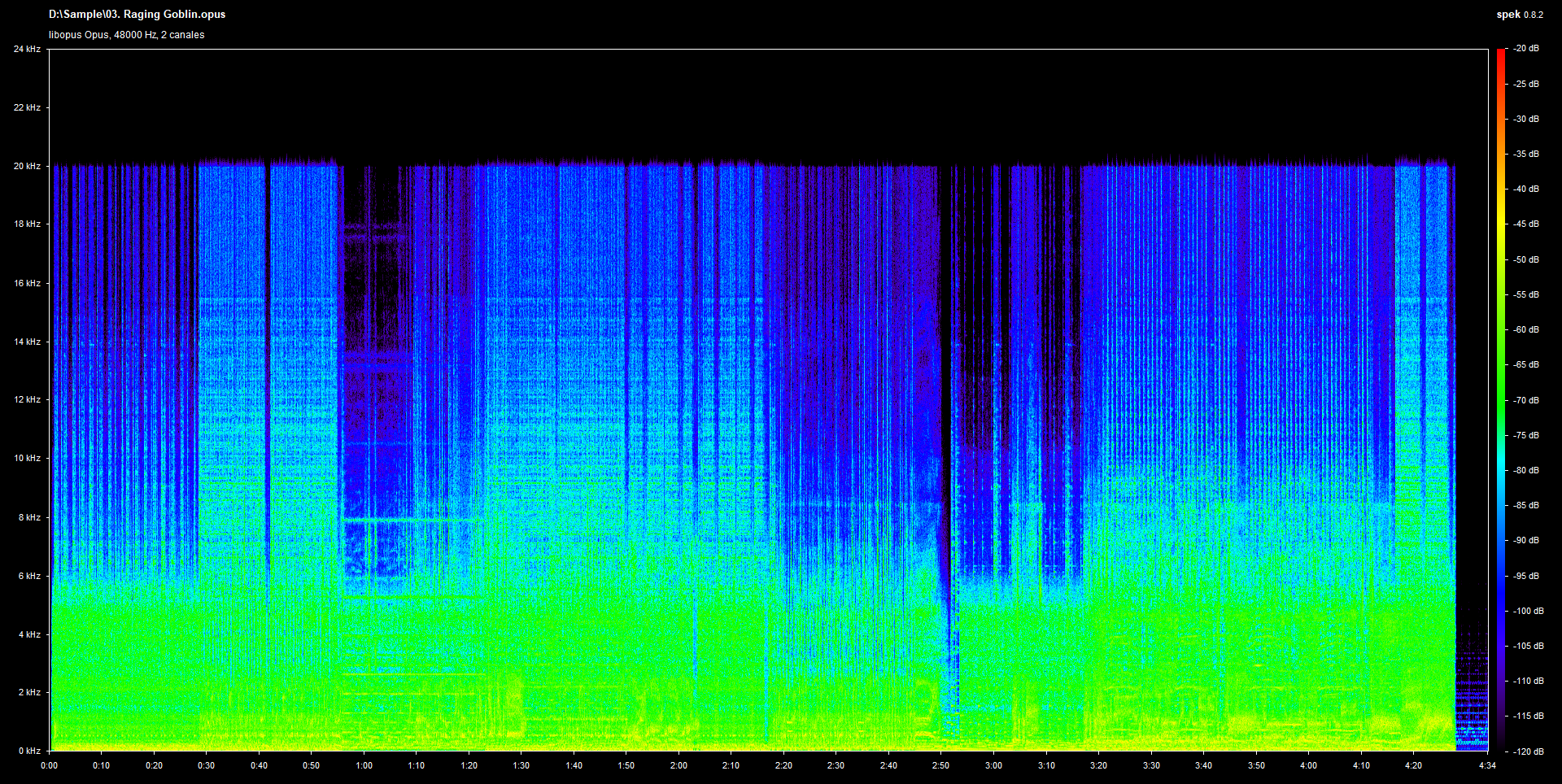 Here an image of the OPUS file converted to FLAC:

As you can see, OPUS files need to be converted to another format for the spectrum to display correctly.

Spek is showing the correct spectrum generated floating point decoded opus file.
By converting it to a fixed point file format (such as 16bit wav), the internal clipping gets cut off and those peaks you can see about 20kHz appear. These are not actual frequencies in the opus file. Convert the opus file to a 32bit floating point wav and the clipping will also not appear, with Audacity you can even apply negative volume and see the peaks.
It's the same with mp3 files, see here: https://github.com/alexkay/spek/pull/143
