alexed1
*DataTable v4.0.11* - _(Name Links)_ - Name Links & Custom Links Not Clickable
Steps to reproduce
Steps to reproduce the behavior:
- Add Datatable to Flow Screen
- Include collection of Leads or Contacts
- Add Name or Custom Link Field to display
- Ensure "Show navigation links on Name fields" is checked (for Name Links)
Expected behaviour
Table should render with name or custom link clickable
Actual behaviour
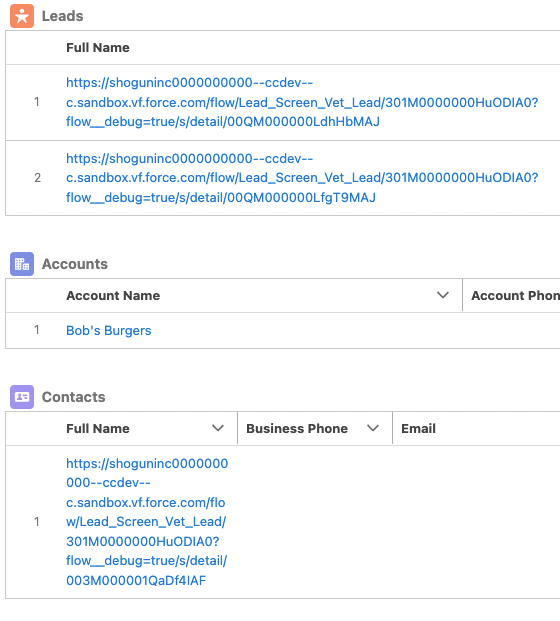
Name fields for Contact & Lead render as a URL when the flow is run, despite rendering correctly in the Configure Columns component. Custom Link Fields don't render at all.
Screenshots
DataTable Renders in Debug Screen
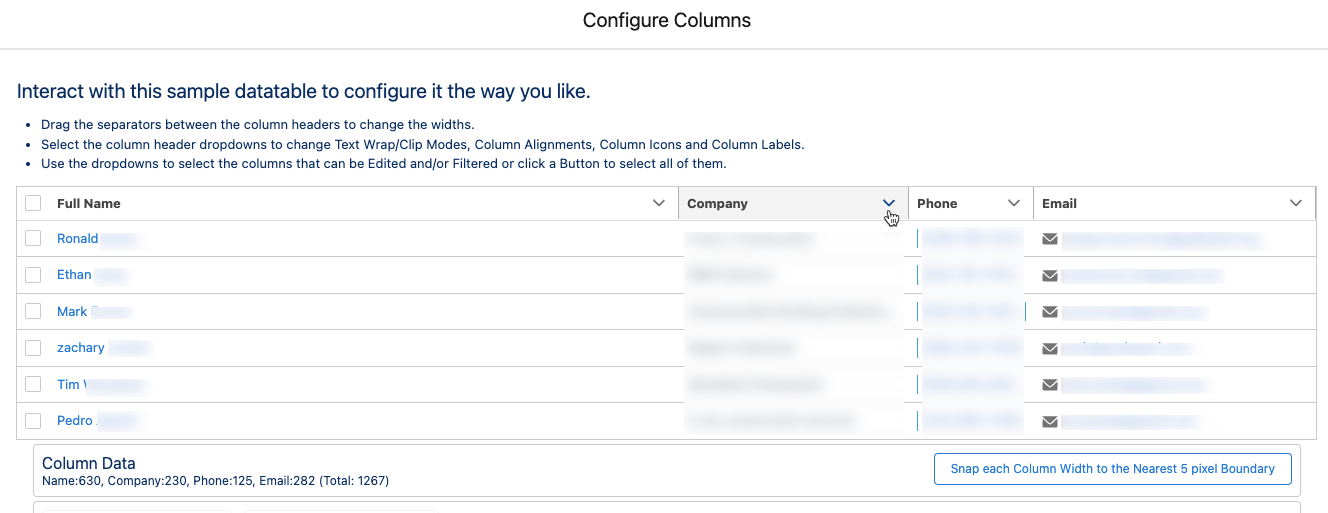
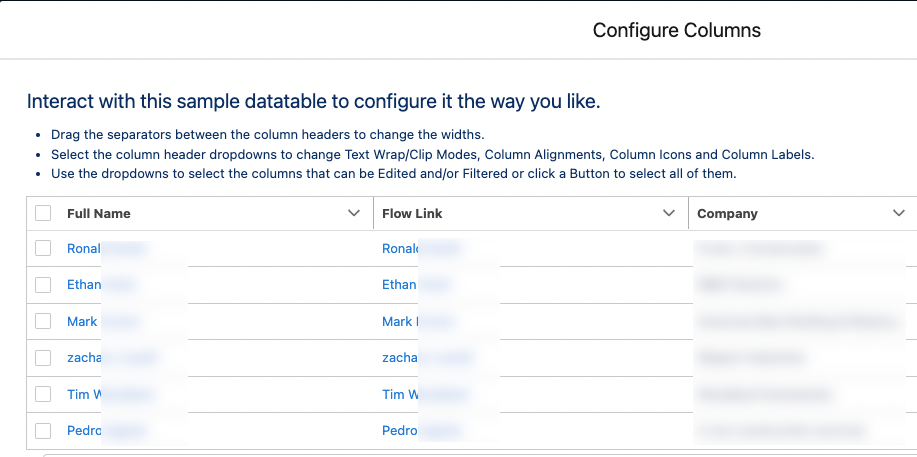
Column Configuration
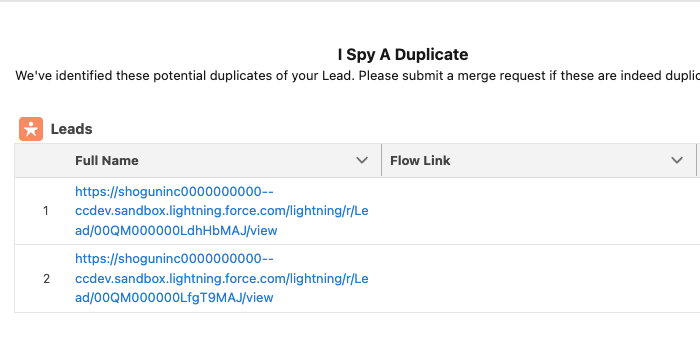
Rendering of active flow
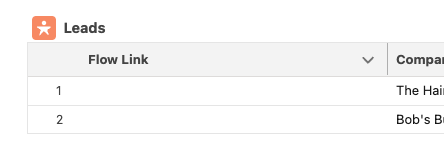
Debug Logs
If applicable, please insert debug logs here
Debug Log Information
Paste the output of the logs here.

In order for a lookup or master/detail field to display as a link, it must be “reparentable” In order to have the Datatable display a Lookup field as a link to the record rather than just the recordId value in the field, the running User must have Edit access to the object whose records are being displayed in the Datatable. For example, if you have a Datatable for Contact records and include the AccountId(Lookup) field, the running User needs to have Edit access for the Contact object in order for the AccountId field to show as a clickable link with the Account’s Name. Without Edit access to the Contact record, the Datatable will display, as unclickable, the Account’s recordId value. For information on how you can temporarily add then remove Edit access in a Flow, read the referenced Help Article and/or complete the referenced Trailhead. Help Article: Create a Flow That Can Activate or Deactivate a Session-Based Permission Set Trailhead: Session-Based Permission Sets and Security

That's not the issue though, it's the actual record name. If I pull "Name" in as a column for a collection of leads, it displays as a URL, not a hyperlink. Similarly, if I attempt to work around this by creating a custom field to hyperlink. It's working as expected on something like Account that has a OOTB Name field, but the "People" records where the Name field exists via code, but not declaratively seems to be causing the problem.
This is a screenshot of the Column Configuration wizard for my Lead Collection. You can see here that using the field "Name", it is rendering as expected in the wizard - the name of the person is there, and appears to be a clickable link. You can also see in this screenshot my custom "Flow Link" field is rendering the same way - it's literally a formula on the Lead I created in an effort to recreate the linked Name functionality (This is the formula: HYPERLINK('/' + Id, Full_Name__c) and for clarity this is using a custom Full_Name__c field because you of course can't reference the "Name" field in the formula builder, which is literally the same thing - I did not use Full_Name__c in my column configuration, I used Name)
This, however, is how it actually renders in the UI. What should be the Name of a lead linked to the Lead record is instead just the URL to view the record. And the Flow Link field doesn't render at all.