alex-hhh
crashing in charts for open water swimming activity
When I click "charts" for open water swimming - following messages are in console:
end: target is not an object
  target: #f
  method name: get-preferences-tag
  context...:
   .../private/class-internal.rkt:4680:0: obj-error
   .../session-inspector/inspect-graphs.rkt:2061:4: get-graphs-for-session
   .../session-inspector/inspect-graphs.rkt:2115:4: setup-graphs-for-current-session
   .../session-inspector/inspect-graphs.rkt:2142:4: set-session method in graph-panel%
   .../widgets/widget-utilities.rkt:59:0: with-busy-cursor
   .../session-inspector/view-session.rkt:343:4: switch-tabs
   .../common/queue.rkt:435:6
   .../common/queue.rkt:486:32
   .../common/queue.rkt:634:3
Restart of the app is required for recovery. Other tabs except for "Laps" seems to be working ok.
I can provide fit files if it can help to debug/fix
Thanks

Thanks for reporting this issue.
I pushed a fix to the ah/pr89 branch, or if you use Windows, there are some pre-built binaries here. Let me know if this fixes the problem for you.
The problem was that the code which selects the graphs to show for an activity type will normally use a previously selected set, but for a new user it creates some defaults which were incorrect. Since I already have previously saved preferences in my own data, I didn't notice this problem.

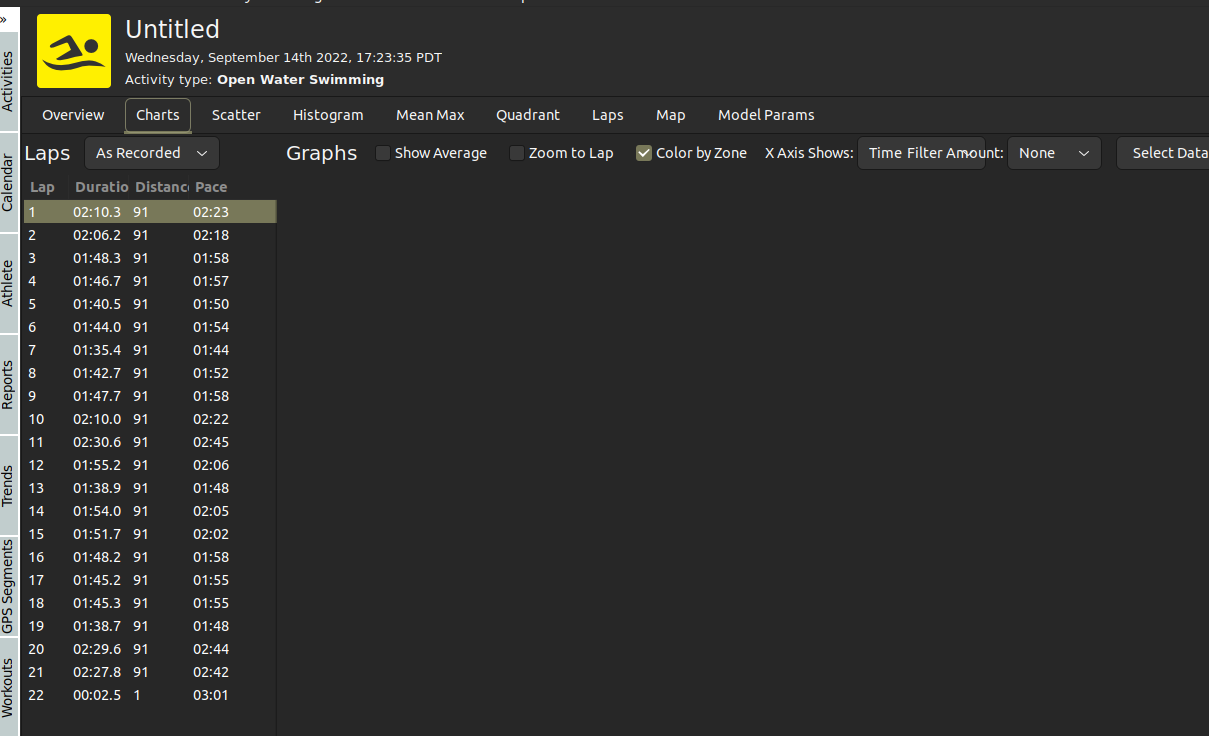
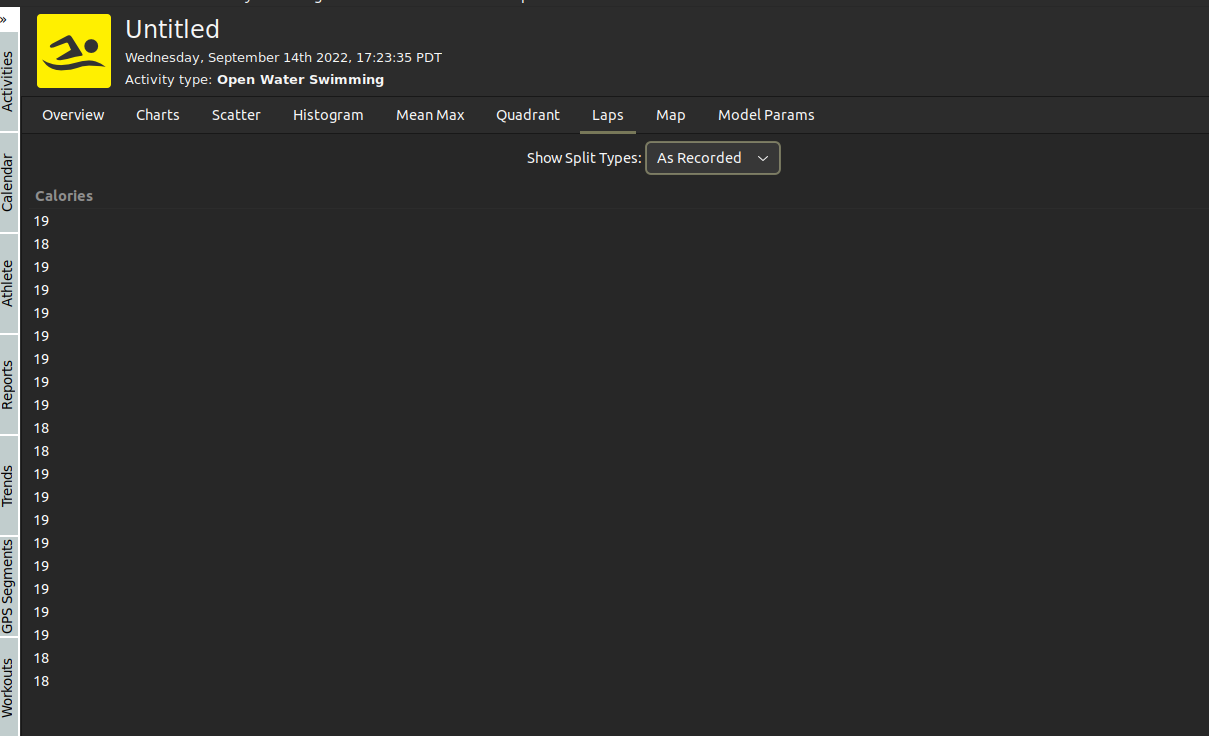
Alex, thanks for the fix, the app is no longer frozen, but still now working properly with open water activity. looks like laps are not processed properly. Attaching screenshots:
Thanks
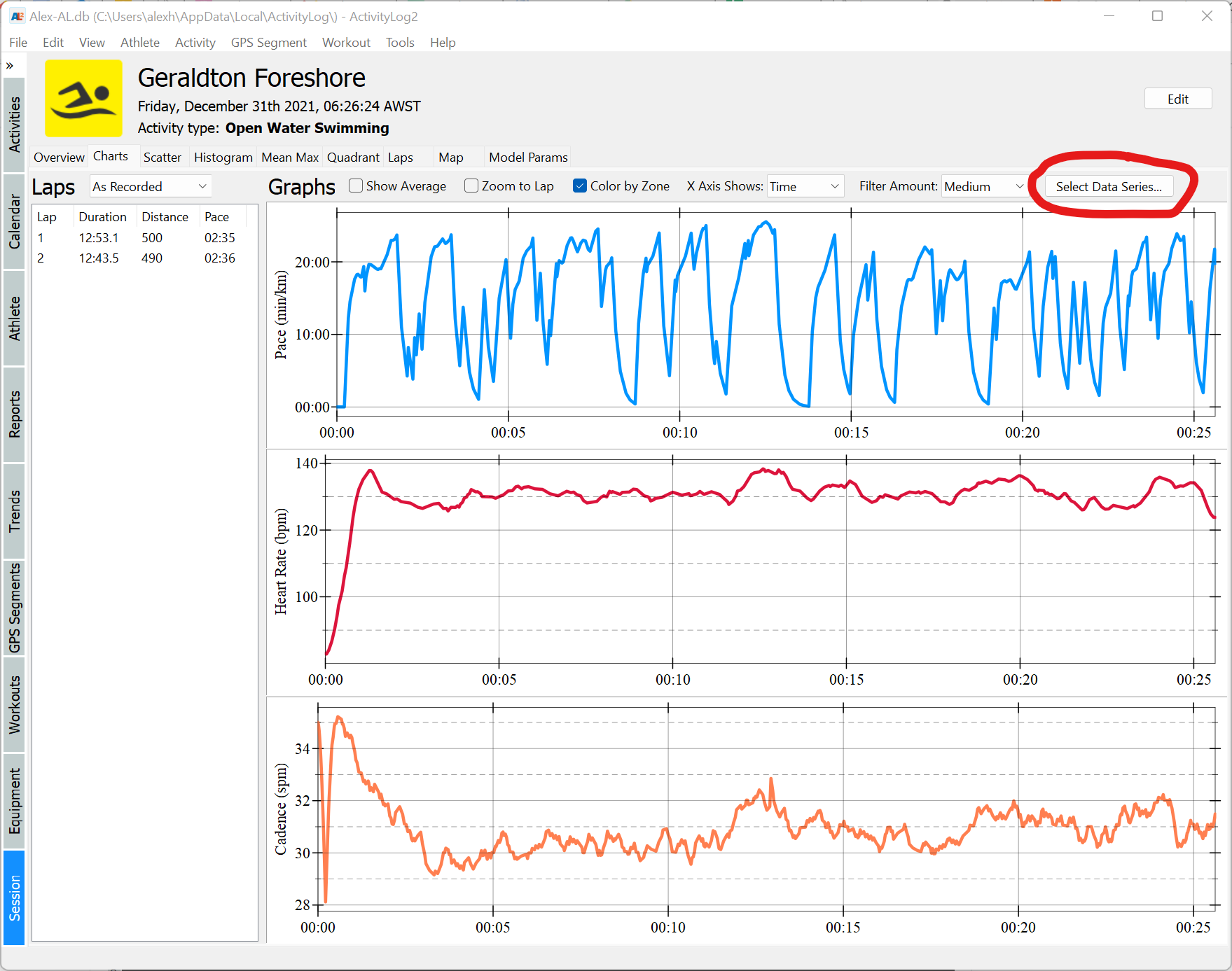
One possible cause of this problem is that no valid data series are selected. You can select which data series to be plotted by clicking on "Select Data Series..." (see image below). Note however that even if you select a series, it will only be shown if data for this series was collected by the watch (for example, if your watch does not record heart rate while swimming, it will not be shown even if you select it).
For the laps view, you can select which columns to be shown from the "View / Setup Columns ... " menu (note that you have to click inside the laps view once for this menu to be active.
If the above suggestions don't fix the problem, I would need to have a look at the file you imported, if you are willing to share it.
Thanks, my fault in charts - data series selections solves the problem. For laps - still the same.
"View / Setup Columns ... " click ( active, with selected lap ) - doesn't open a new window with selection. the only errors I see are:
(ActivityLog2.exe:74999): Gtk-WARNING **: 12:07:29.350: Negative content width -12 (allocation 1, extents 6x7) while allocating gadget (node button, owner GtkButton)

(ActivityLog2.exe:74999): Gtk-WARNING **: 12:07:29.350: Negative content width -12 (allocation 1, extents 6x7) while allocating gadget (node button, owner GtkButton)
attaching fit file as an example
2022-09-20T00:27:03+00:00_9638868462.zip
Thank you !
I tried the activity you attached, and I can see the column editor without any problems (see screenshot below). One difference is that I run the application on Windows, and it looks like you are running it on Linux.
Unfortunately, I don't have access to a Linux desktop for development and cannot verify the problem, however, the errors seem to be at the GTK layer, which is below what the ActivityLog2 application uses (which is the Racket GUI toolkit, built on top of GTK). Also, the application does not specify explicit content size in the dialog box, so I am not sure where the "negative content width -12" comes from.
The only thing I can suggest is to check if the preferences file, which ActivityLog2 creates, has been corrupted. The preferences file is named ActivityLogPrefs.rktd and should be stored in the config folder for the local user (I think on Linux, this would be ~/.config/ActivityLog/, but you can just search for that file name in your home directory. I would suggest you find that file and move it somewhere else, so ActivityLog2 creates a new one, and try again. Let me know if this solves the issue.
Thanks, Alex.
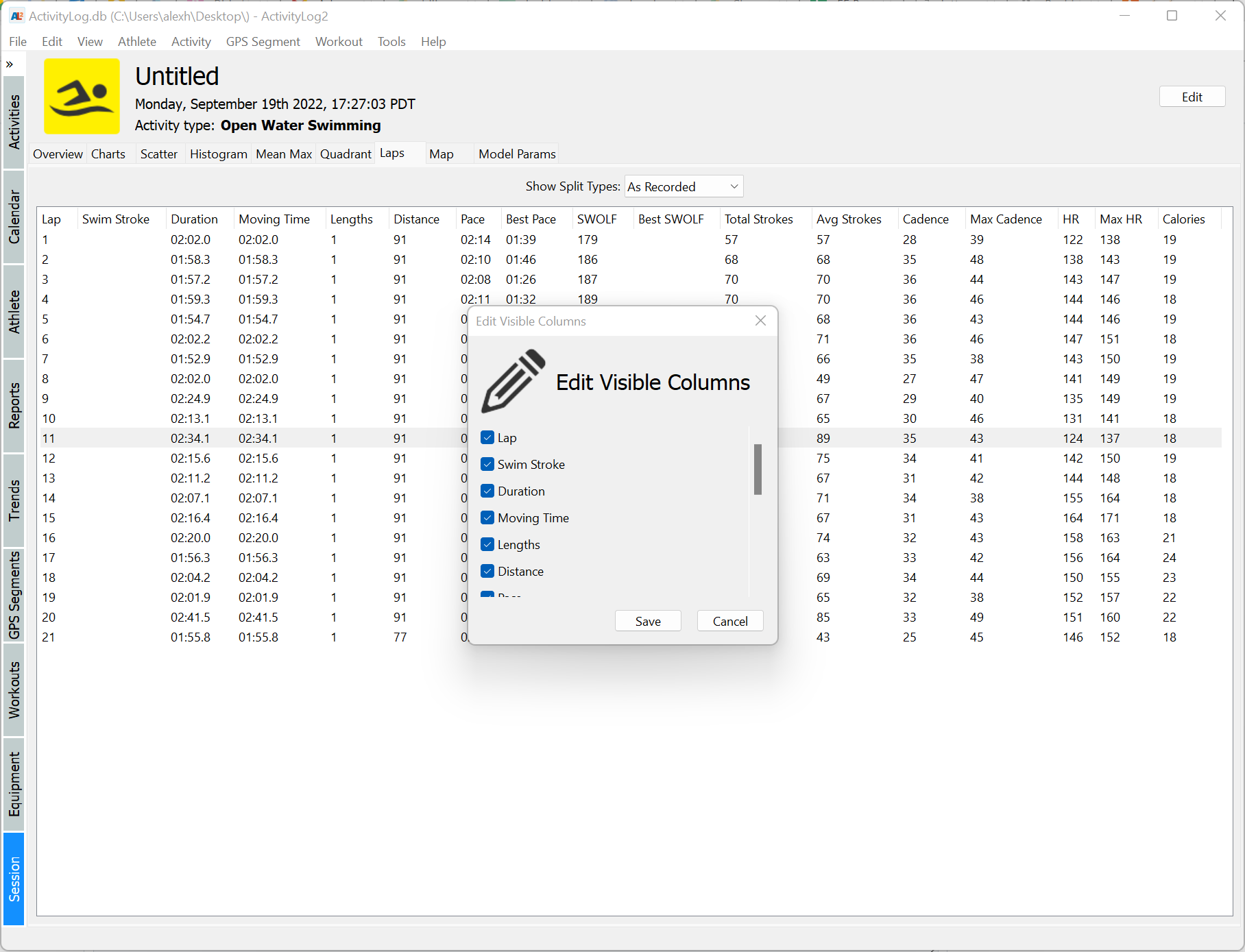
Thanks, I checked the same on Windows - no issues. on Linux I removed ~/.config/racket/ActivityLog. with recreated db and config files laps looks fine and no charts problem.
Dialog in "View / Setup Columns ... " is still not working , no GTK errors, but it is linux specific, not a big problem and is irrelevant to the reported issue. I checked all ( or most ) other dialogs in menu - looks OK. I believe this issue can be closed.
Thanks again !
I tried to reproduce the "View / Setup Columns ... " problem on a Linux VM (Ubuntu 22.4 with Racket 8.6 installed as a snap), and I could not -- the dialog opens fine. I suspect this problem is somehow related to your Linux installation, but I am not sure how, as I am not an expert in this area.
However, it looks like the original problem is solved, so I will close this issue.