

 alainm23
Cannot load the old data after update to ver. 3
Describe the bug I tried to update and I am now unable to find all of my old records. A few numbers appear in place of the old records after updating the app. I did the update through Ubuntu Software app.
Screenshots
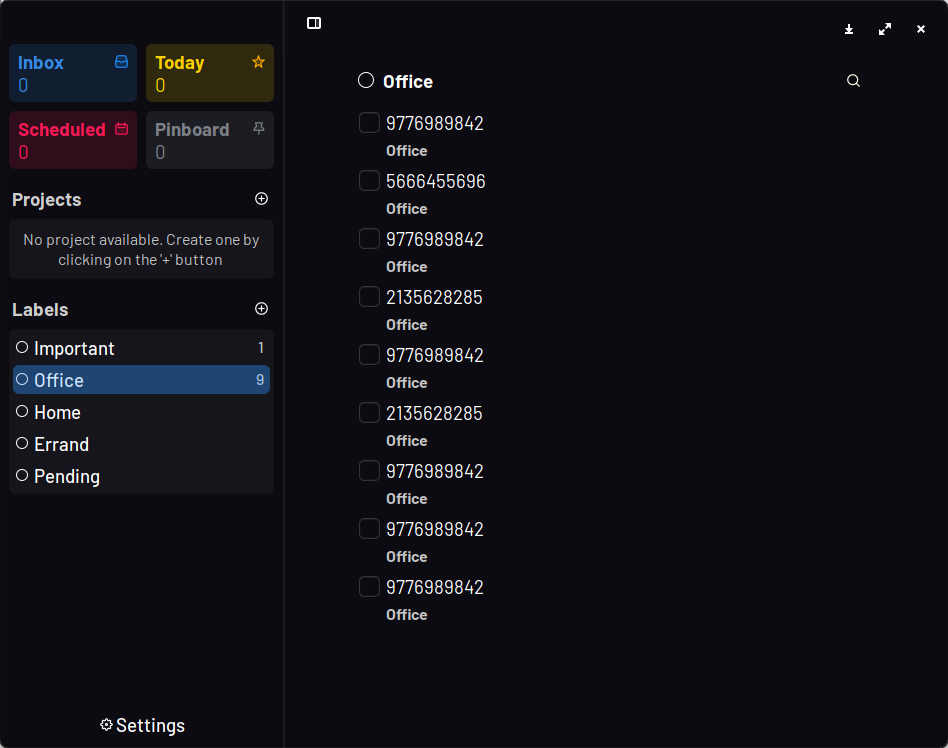
Desktop:
- OS or DE: Ubuntu Gnome 20.04.03
- Version:
- Planner old version: I don't know but I'm sure it has the old UI (perhaps ver. 2)
- Planner new version: 3.0.6

I have the same issue, rolling back to version 2 resolves the problem. Unfortunately, the flatpak version available through snap on Ubuntu 20.04 has a bug that keeps it from masking the new update. This means that the update simply gets installed over and over again. Would love to see a compatibility layer that makes it possible to keep the data from version 2.x.

you can use these commands to roll back to version 2
 sudo flatpak update --commit=3e5e1ec487007f434f37ffa3c4b3036e6777475976492b48868397117ac0ef7a com.github.alainm23.planne
sudo flatpak mask com.github.alainm23.planner`

Planner has been discontinued and was replaced by Planify, I'll close this issue for the same reason.
