
planify

planify copied to clipboard
 alainm23
Unable to Change Font Size
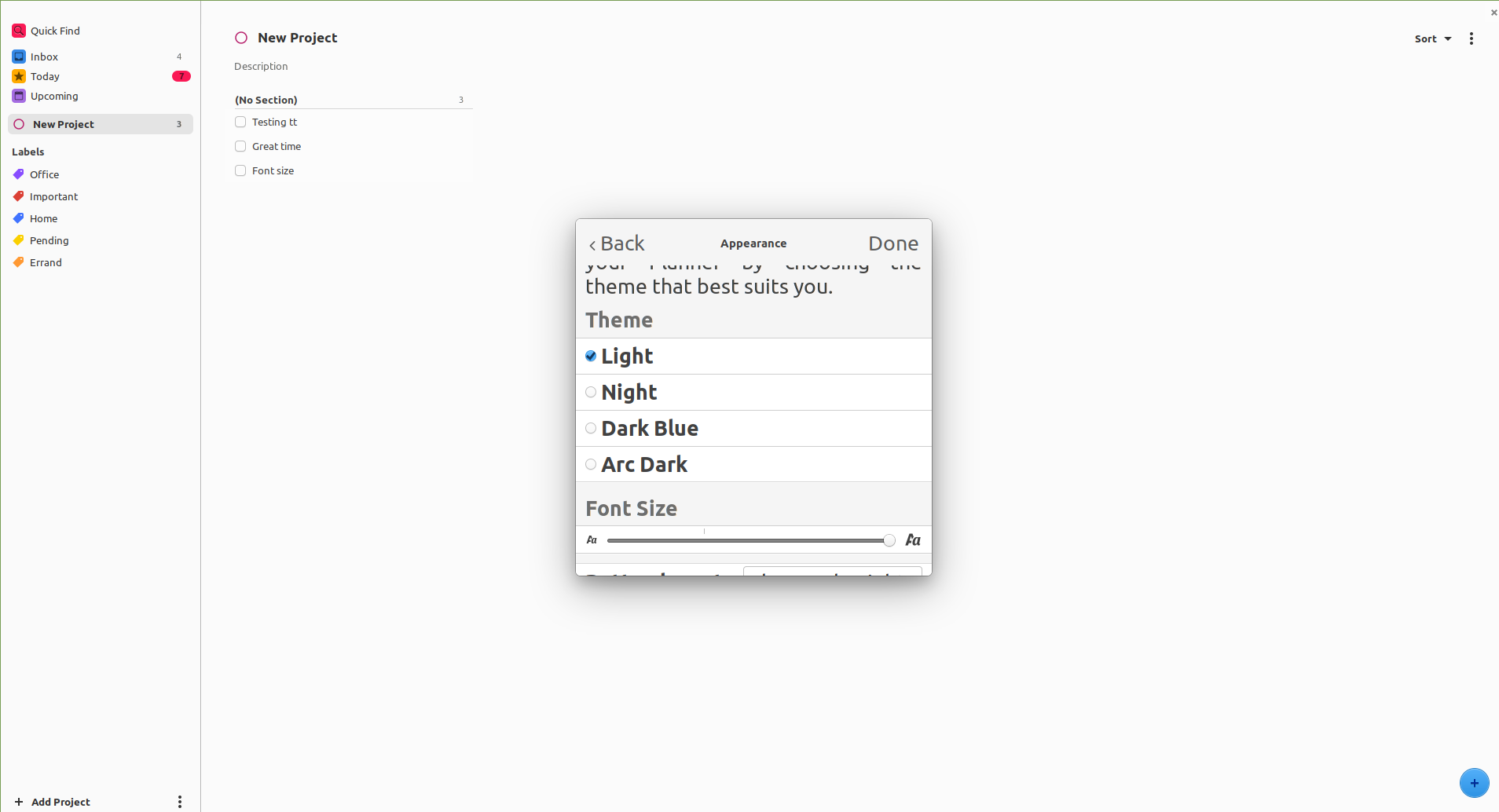
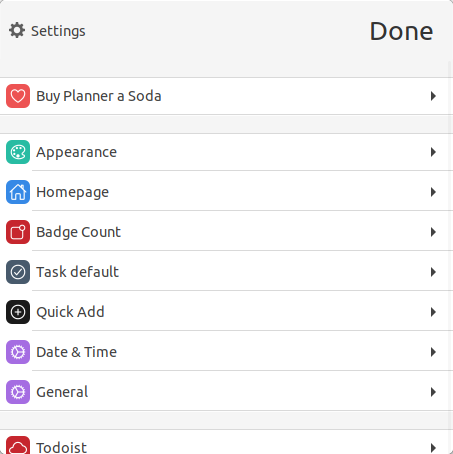
Describe the bug After updating to Planner 2.7, trying to change the font size only affects the subsections of Preferences. The rest of Planner, including the main Preferences window is unaffected. Restarting the app didn't make a difference.
To Reproduce Steps to reproduce the behavior:
- Go to Appearance under Preferences.
- Change the font size.
- Notice the difference in font size.
Expected behavior The font size is changed throughout Planner.
Screenshots
Desktop (please complete the following information):
- OS or DE: Linux Mint (Cinnamon)
- Version: 19.3
- Installation Method: Flatpak

I really like the app, but this is something that's a major annoyance in version 2.7. Not every element in the UI follows the slider setting. The text is too tiny on high resolution displays.


