

 akveo
akveo
Can not position the Modal component
💬 Question
Hi, I can not set the position of the Modal component provided by this library. I tried styling the actual component, styling the parent View component. I want to position it on the bottom of the screen but it refuses to stay any other position than center. I can only move it to the bottom by setting the height:"105% but than I can't use the onBackdropPress method. I really appreciate your help.
PS: Thank you for the package !
This the code:
  <Modal
      backdropStyle={{alignItems: 'flex-start'}}
      visible={props.visible}
      style={{
        backgroundColor: 'rgba(0, 0, 0, 0.7)',
        marginTop: 'auto',
      }}
      onBackdropPress={props.toggle}
      backdropStyle={{backgroundColor: 'black'}}>
      <MyComponent toggle={props.toggle} />
    </Modal>
This the look i want:
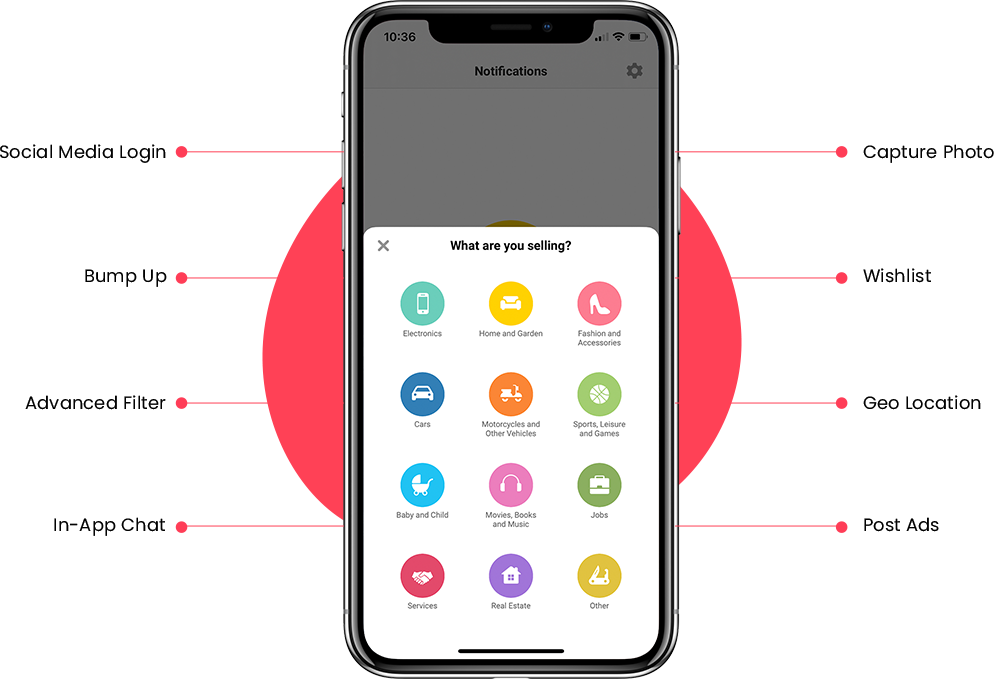
this the parent view component:
  <View
        style={{

          backgroundColor: 'pink',
        }}>
        <MyModalComponent
          visible={modelvisible}
          toggle={() => setMVisible(!modelvisible)}
        />
      </View>
UI Kitten and Eva version
| Package | Version |
|---|---|
| @eva-design/eva | ^2.0.0 |
| @ui-kitten/components | 5.0.0" |

you can set position to absolute and then give it a top or bottom number as needed
style={{width: '100%', position: 'absolute', top: 50}}

you can set position to absolute and then give it a top or bottom number as needed
style={{width: '100%', position: 'absolute', top: 50}}
I tried this out and it doesnt seem to work as the position of all top, bottom,right and left is in the center of the screen

you can set position to absolute and then give it a top or bottom number as needed style={{width: '100%', position: 'absolute', top: 50}}
I tried this out and it doesnt seem to work as the position of all top, bottom,right and left is in the center of the screen
it worked fine for me:
<Modal style={{width: '100%', position: 'absolute', top: 0.1,}} visible={isShown} onBackdropPress={onCloseIconPress}> {'your child items...'} </Modal>
top seems to work properly, but bottom does not. As a replacement for bottom: 0, one could use top: '70%', height: '30%', for example.

Looks like we fix this issue in new version of UIKitten, please check it, and let us know in this ticket by reopening, if issue still there!
