
CustomToastLibrary
 CustomToastLibrary copied to clipboard
 akhilbv1
Android Custom Toast
Super Toast Library 
Written Purely in Kotlin:heart:
Usual Toast but with super powers!!! :muscle:
A Fully Customised and Customisable Toast.
 ]( https://android-arsenal.com/details/1/7328 )
| Type | Output |
|---|---|
| Success |  |
| Warning |  |
| Error | 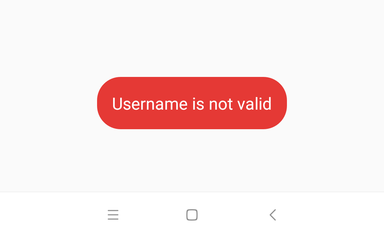 |
| Information |  |
| Default |  |
Gradle Dependencies
Please do check release notes for latest version.
implementation 'com.github.akhilbv1:CustomToastLibrary:v1.0.2'
Add Jitpack to repositories in Project level Build.Gradle
repositories {
        google()
        jcenter()
        maven { url "https://jitpack.io" }
    }
How To Call
CustomToast.makeText(this, Toast.LENGTH_SHORT,CustomToast.DEFAULT, "Toast is working",false).show();
| Method | Paramter | Description |
|---|---|---|
| makeDefaultToast() | Context context,String message | Default Toast |
| makeSuccessToast() | Context context,String message,int shouldShowIcon | Success Toast with message and icon visibility |
| makeErrorToast() | Context context,String message, int shouldShowIcon | Error Toast with message and icon visibility |
| makeWarningToast() | Context context, String message, int shouldShowIcon | Warning Toast with message and icon visibility |
| makeInfoToast() | @NonNull Context context, String message, int shouldShowIcon | Information Toast with message and icon visibility |
How to add Custom Layout
please make sure your Custom Layout Textview id is toastMessage otherwise Exception will be thrown.
CustomToastView.makeText(this@Sample,Toast.LENGTH_SHORT,"Toast is working",R.layout.toast)
To show your layout without altering
CustomToastView.makeText(this@Sample,Toast.LENGTH_SHORT,R.layout.toast)
If direct call to makeText is popping any error then please use CustomToatView.build (name of companion object)
Future Release Points
- Add Animations
 akhilbv1