

 ajayyy
Only full video in dropdown after selecting exclusive access
I don't know if this is done by design or not, but to set the Sponsor label full video, i first have to change category to Exclusive access and then change to Sponsor and now i only have Full video.
If i by mistake select Exclusive access and i then change it to Sponsor, i have to delete the segments and start over.
It seems that after selecting Exclusive access, all the other categories will have Full video.
I only have full video to select.
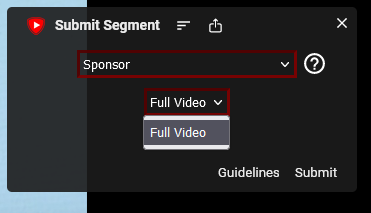
Firefox 109 SponsorBlock 5.1.12


Update: It seems that if i close the Submit segment window and open it again, all the options are back.
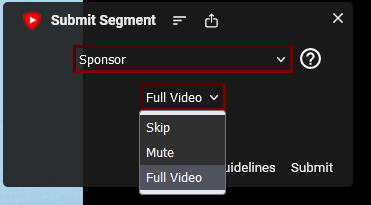
I do need to fiddling around a bit.
Look at this video: https://user-images.githubusercontent.com/5789283/216174102-e31c9ba7-3356-44b0-a962-ea0b1dfba9e5.mp4
Something's wrong there. There is no skip drop-down for sponsor before either
I was going to submit a Filler tangent/Jokes and there was no Skip/Mute to choose, but when a new segment was skipped the Skip/Mute was suddenly there.
Here is a video: https://github.com/ajayyy/SponsorBlock/assets/5789283/abc50992-c2ef-48ba-ba40-5a0629db63b3
I have noticed that Skip/Mute will show up when jumping in the video, same as happen when SponsorBlock jumps at that last segment you can see in the above video.