

 aissat
Localized languages are not showing in iOS App Store
I added 4 translations for my app and the app shows the correct language on both iOS and Android. However, the 4 languages I have are not showing in the iOS App Store. Only "English" is to be seen.
Current App Store page:

Expected App Store page:

I followed everything in the localization example.. My Info.plist has:
<key>CFBundleLocalizations</key>
    <array>
        <string>en</string>
        <string>es</string>
        <string>de</string>
        <string>ar</string>
</array>
in my main.dart, I configured the languages like this:
  runApp(
    EasyLocalization(
      supportedLocales: [
        Locale('en'),
        Locale('es'),
        Locale('de'),
        Locale('ar'),
      ],
      path: 'assets/translations',
      fallbackLocale: Locale('en'),
      child: MyApp(),
    ),
  );
In Xcode, I can see the 4 languages in
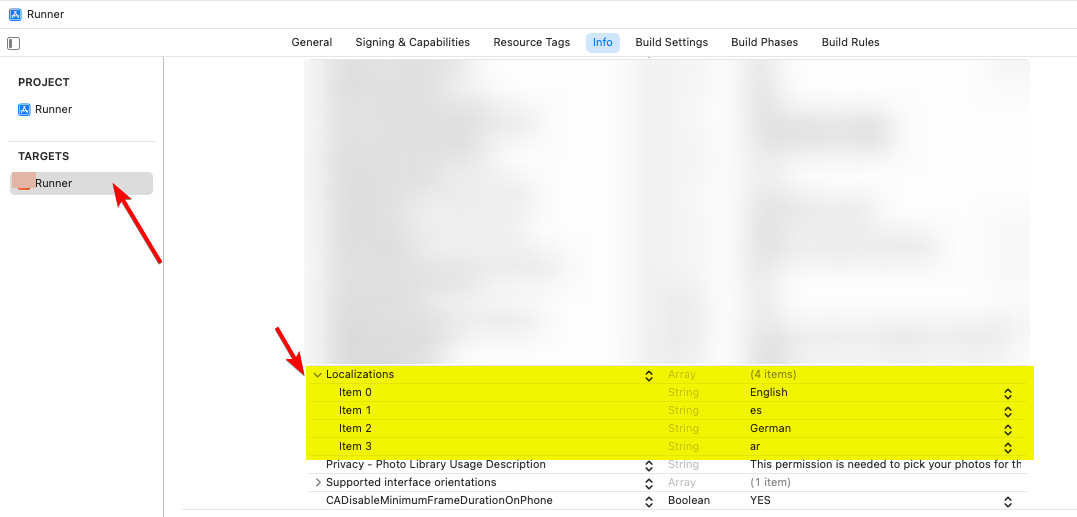
but not in
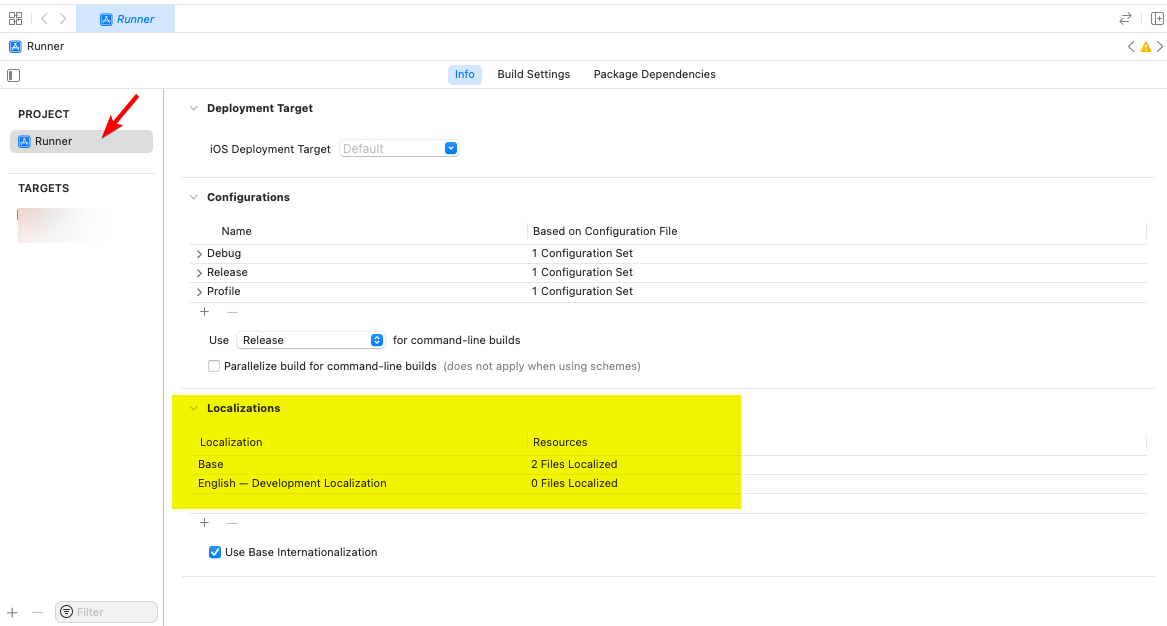
This might be the reason, but I'm not sure what to use here, or if this is the right place to edit.
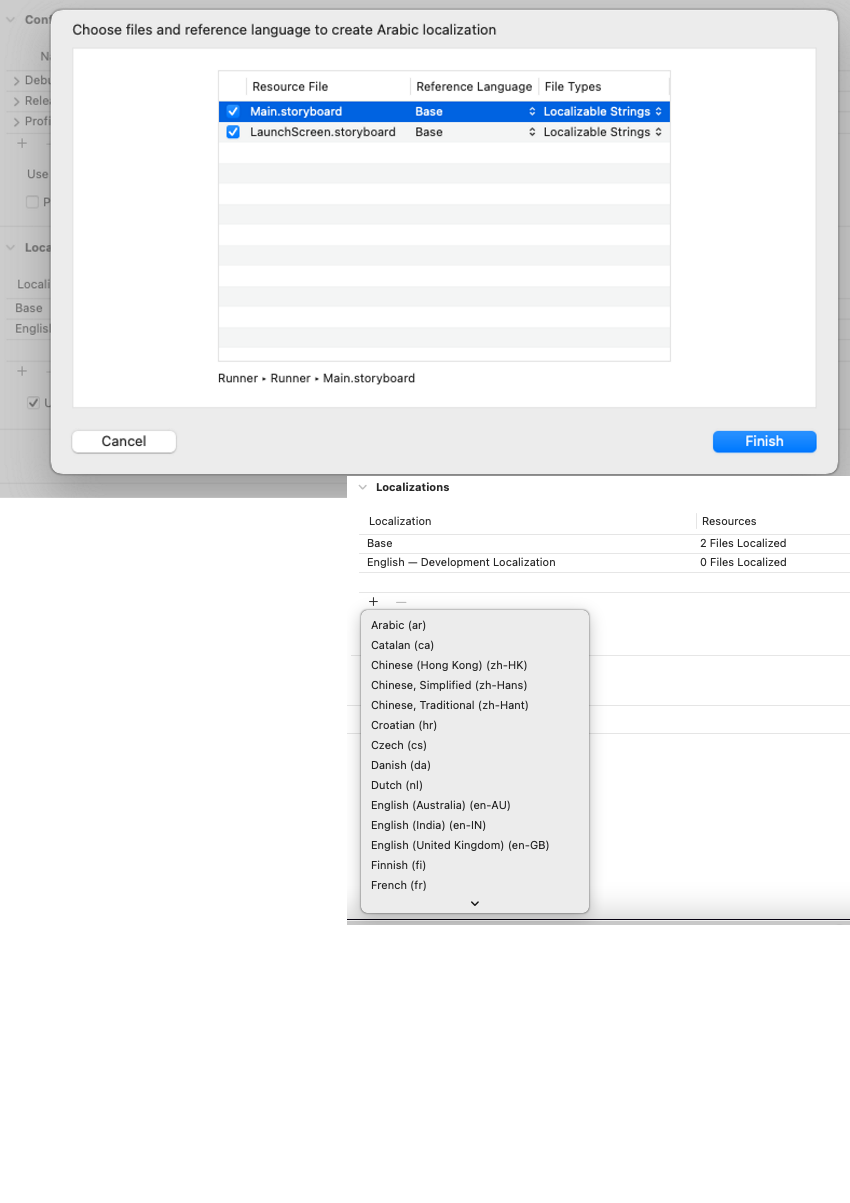
Can you please advise? a small fix might be needed in the "Easy localization" code or in the documentation.


Just had this back from Apple Support:
The languages that are listed for your app in the App Store are determined by the localization (.lproj) folders in your app bundle. Missing or invalid localizations in your app bundle are typically caused by misconfigured localizations in your Xcode project. For more information on localization, read the Internationalization and Localization Guide. If you would like to file a Technical Support Incident (TSI) with an Apple engineer to help resolve this issue, click here.
