
Adobe-Runtime-Support
 Adobe-Runtime-Support copied to clipboard
 airsdk
How to remove UIRequiredDeviceCapabilities
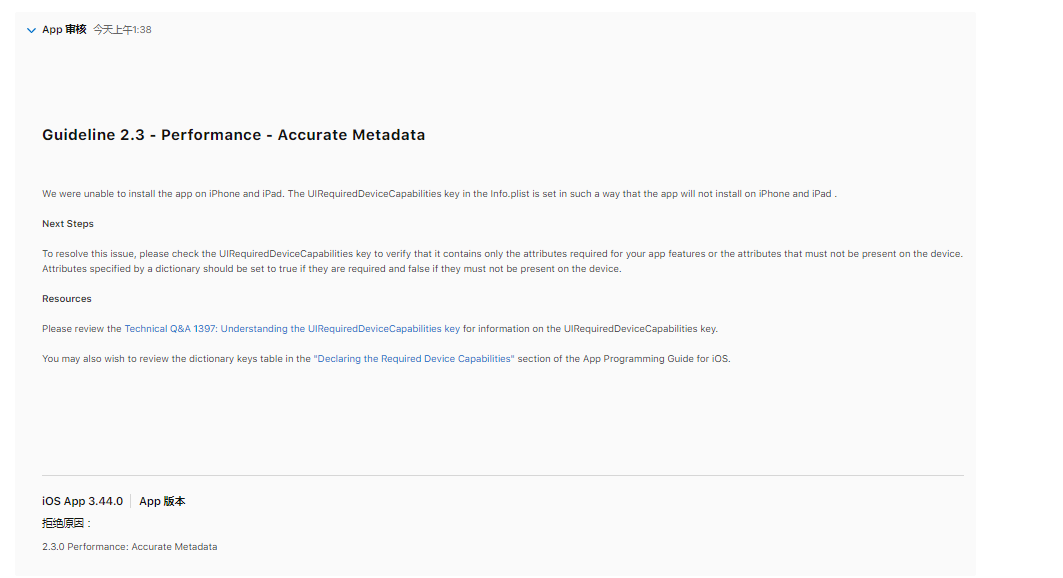
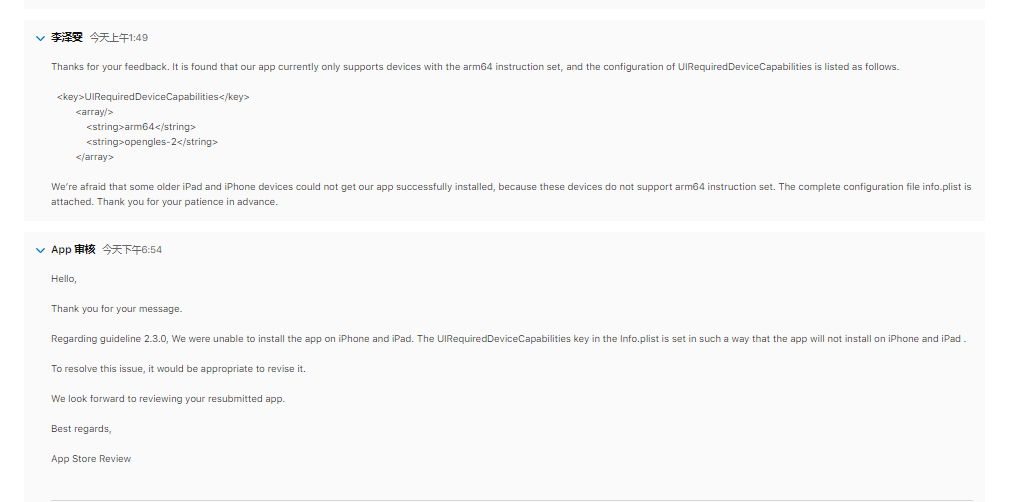
Our ios app review was rejected multiple times because of UIRequiredDeviceCapabilities. I want to remove UIRequiredDeviceCapabilities, but found that armv7 and opengles-2 is automatically added when packaging , is there any way to not add it?@ajwfrost

Hi
Is this an update to an existing app? or just a new one..?
See the "Important" box towards the end of this article: https://developer.apple.com/documentation/bundleresources/information_property_list/uirequireddevicecapabilities?language=objc
So, this is a required key, you have to have it, and it defines the minimum required device capabilities for your app to run. There shouldn't be anything wrong with the list that's given there - the arm64 bit is because we no longer support 32-bit (or universal) binaries because the toolchain for this requires you to be using a machine that's capable of running 32-bit tools (and that's not the case for developers using macOS, since 10.15..)
So I'm wondering if the issue here is caused by an existing app that was deployed with armv7 as the minimum spec, now being updated to have arm64 as the minimum spec, which is against Apple policy...
thanks

Hi
Is this an update to an existing app? or just a new one..?
See the "Important" box towards the end of this article: https://developer.apple.com/documentation/bundleresources/information_property_list/uirequireddevicecapabilities?language=objc
So, this is a required key, you have to have it, and it defines the minimum required device capabilities for your app to run. There shouldn't be anything wrong with the list that's given there - the arm64 bit is because we no longer support 32-bit (or universal) binaries because the toolchain for this requires you to be using a machine that's capable of running 32-bit tools (and that's not the case for developers using macOS, since 10.15..)
So I'm wondering if the issue here is caused by an existing app that was deployed with armv7 as the minimum spec, now being updated to have arm64 as the minimum spec, which is against Apple policy...
thanks
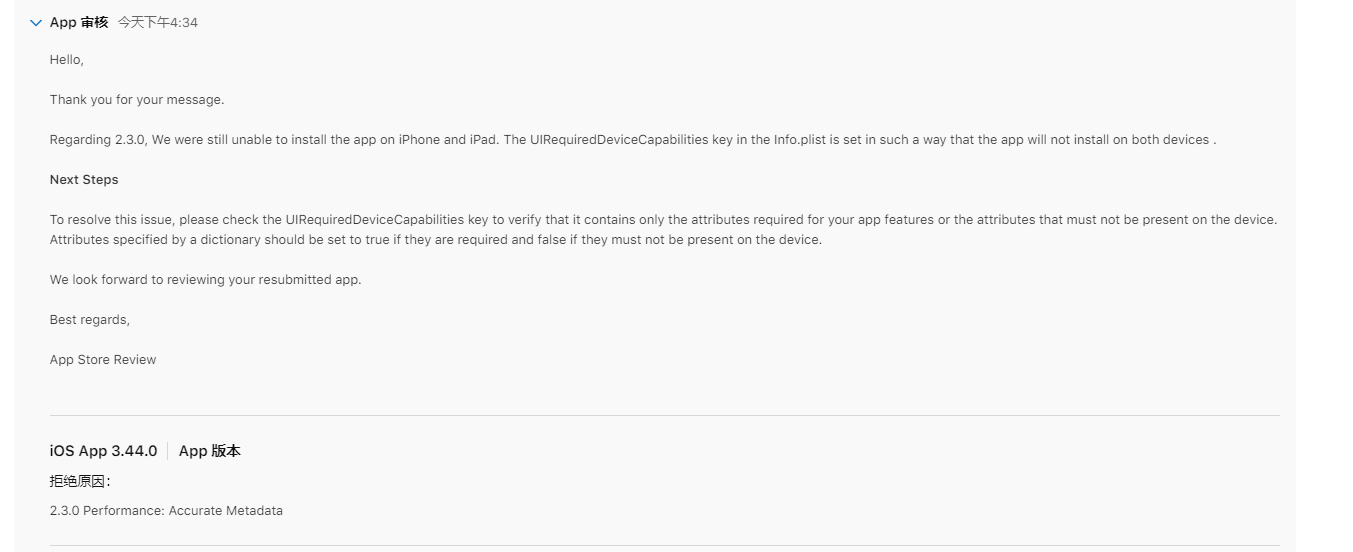
Sorry I got it wrong, arm64 was added automatically. And,it is an update to an existing app,not new one.We never manually modified UIRequiredDeviceCapabilities, so it should always be the default(arm64 and opengles-2). Our test installation via testFlight is ok, but Apple reviewers keep saying no. I don't know where the problem is, so I want to try to remove UIRequiredDeviceCapabilities, maybe it will work. thanks!
Hi
I'm 99% certain that it won't work if you remove that section... but will put instructions below.
In terms of this:
arm64 was added automatically. And,it is an update to an existing app,not new one We never manually modified UIRequiredDeviceCapabilities, so it should always be the default(arm64 and opengles-2).
in the latest AIR SDK, yes arm64 is added automatically, but in earlier builds of the SDK (when run from a machine that supports 32-bit binaries) the default would have been armv7. So if you have the previously published version of your app, in IPA form, can you check it to see what the value is there? The issue may then be that the earlier version was saying armv7 and Apple don't like it if you try changing this to arm64. i.e. you may need to drop back to an older AIR SDK version in order to publish it with armv7 support...
To check the value in the IPA, and to change these values:
- open a terminal window and move into the folder where the IPA is sat (preferably just the IPA and nothing else)
- unzip the IPA file via
unzip filename.ipa cdinto thePayload/applicationname.appfolder- view or edit the
Info.plistfile viacatorvior similar.. - if you've changed it, you can re-zip up the file (from the original folder,
zip -ry NewApp.zip Payload) and rename (mv) the zip to an ipa file - you'll also need to re-sign the .ipa file, there are scripts for this e.g. https://github.com/distriqt/ANE-LineSDK/wiki/i.iOS-Signing
thanks