
Adobe-Runtime-Support
 Adobe-Runtime-Support copied to clipboard
 airsdk
In Generating .aab Android App bundle, I keep getting the following Error. JAVA_HOME does not point to a VALID JDK Installation. Please What version of Java is needed and via which link can I install it. Thanks
Good day
Please what version of Java is required for use with Adobe Animate 2021 and Android Studio SDK installed via command line tools in generating .aab (Android App bundle) for google Playstore Upload
## Problem Description
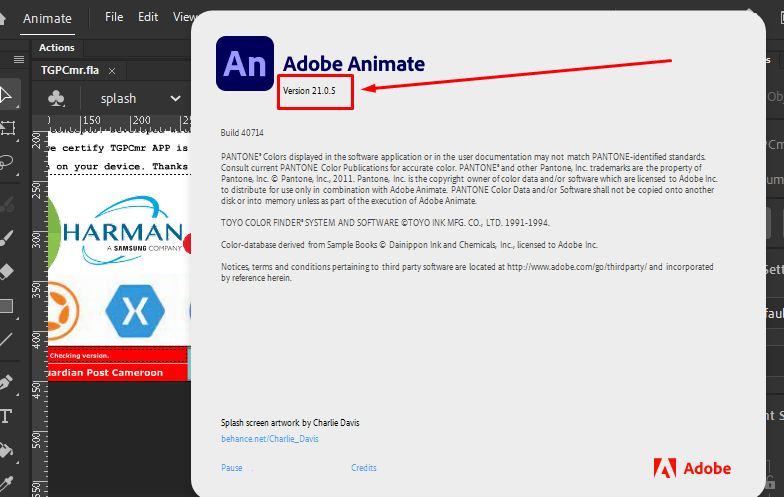
I am using Adobe Animate 2021 version 21.0.5 Build 40714

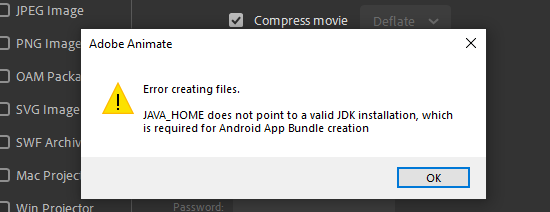
Every time I try to publish for android, I get the following Error.

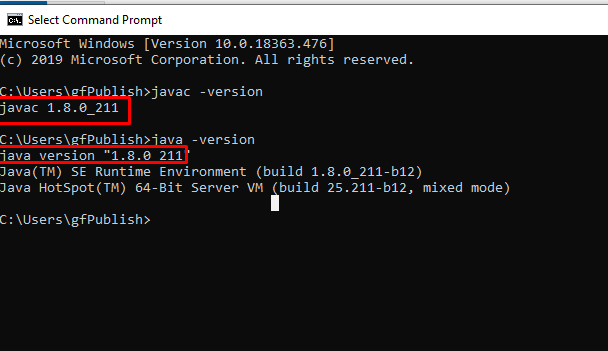
I have my Java Environment setup correctly, and can trace the version of JAVA & JAVAC
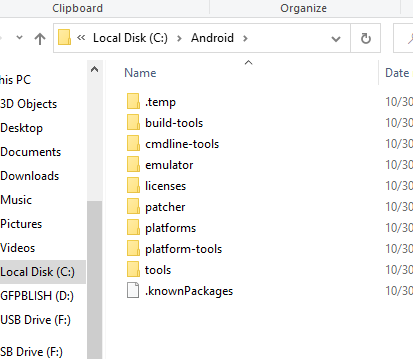
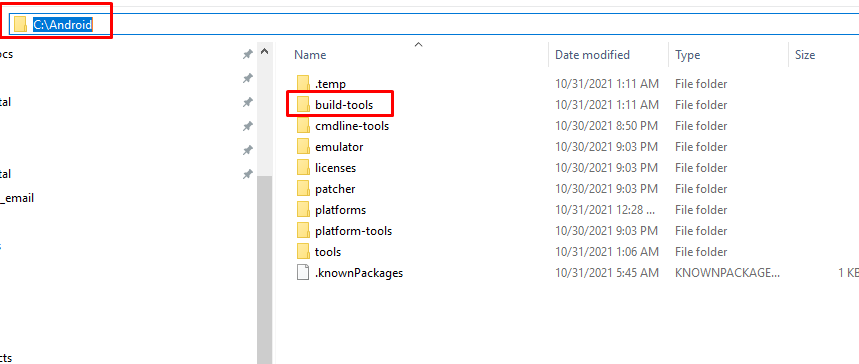
My Android Studio SDK folder structureis as follows ( I installed via SDKManager)
My adt.cfg configuration file is set up as follows

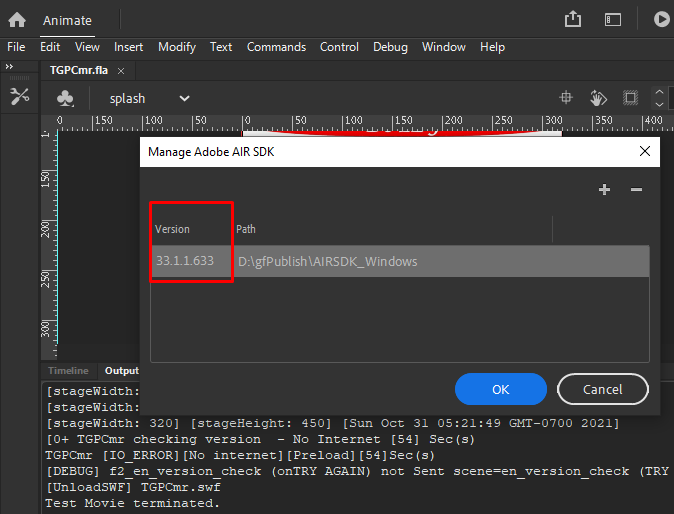
- My Air SDK version is:
-
Only Android Publishing gives me this problem.
-
I reproduce it myself.
Steps to Reproduce
- Set the adt.cfg to output .aab
- Enter certificate password
- click on Publish
I actually see it asking me to install a valid JDK version . Please can you kindly share a guide on how to install the JDK version required by Android SDK to generate .aab files when using Adobe flash animate.
Thanks for your assistance

Hi
If the java.exe and javac.exe commands are in your C:\Java\bin folder, then you should strip off the bin part for the JAVA_HOME variable. Plus it needs forward-slashes (or escaped backslashes), so could you please try:
JAVA_HOME=C:/Java
thanks

I am most grateful for your reply and assistance.
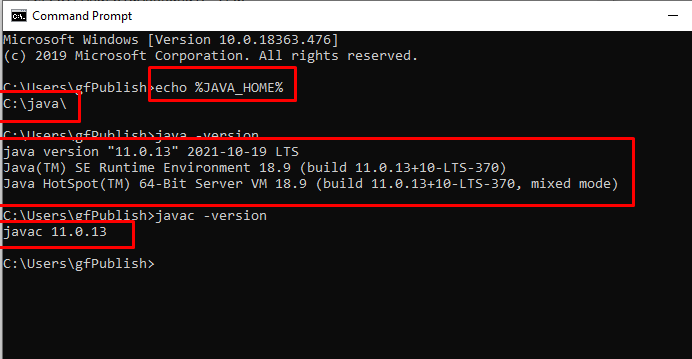
After following the steps, I was able to install JDK version 11 and the JAVA_HOME directory error disappeared.
But In publishing the .aab file, Adobe Animate encountered an error saying unable to run JAVA.
- My Java Setting is as follows
- My adt.cfg setting is as follows
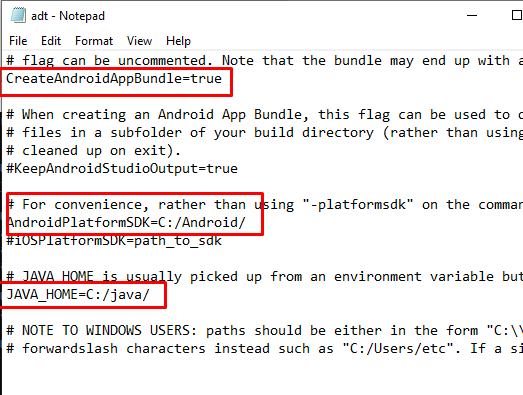
- My Android Studio SDK Structure.
I followed the instructions on command line tools from : https://developer.android.com/studio#command-tools
As instructed by https://airsdk.dev/docs/tutorials/platform/android/packaging-android-app-bundles
- Adobe Animate returns this Error , when i try to publish .aab

- My Adobe animate version
Please what build tool did I missed from my SDK download and how do I fix this gradle Error.
Thanks for your usual support.
The problem appears to be the "UnknownHostExecption" where it's failing to find services.gradle.org - this is generally required the first time you run it, as it would need to download the appropriate versions of Gradle and the Android plug-in. Is your machine internet-connected? It may be worth trying to just create a basic/empty Android app and compile this using Android Studio so that this triggers all the necessary downloads..
thanks
Please what version of Adobe Animate can you confirm not to have these Issues so i can switch to it.
I think may be my version of Adobe Animate is too old.
I had install Android Studio and got same Error before switching to commandlinetools android SDK.
Thanks for your usual assistance.
I uninstalled Android Studio
Now am re-Installing it afresh and will try to run the Open Source Linphone Android Project
Once it works I guess Android Studio will have had all missing files
I will share my finding once am done
Thanks for your usual support
Okay thanks - I don't think there is any dependency on a specific version of Adobe Animate here btw, Animate is just calling the ADT tool from our AIR SDK and it's this that's then calling the Gradle tool which is trying/failing to download something...
Good day I was able to set Output android studio project and Air SDK generated a sample version of the project to open in Android studio.
When I ran syn, i realize it needed gradle 4.1.1, after i got it gradle 4.1.1 is not supported supported by JDK 11. I tried in install JDK 8 but lastest version of android studio could not build the .aab
So i got Adobe animate 2022 edition and did same, it generated an android studio project which uses Gradle 6.5. once i syn my new installation of android studio, and try to publish .
But if its not possible to generate .aab, i will have to start learning Kotlin to transition, its been 2 weeks now and no luck for me...
I thought it will just be a plug and play experience. Thanks for your usual support. I will update you on my next findings.
Our next release (out this week all being well) switches to needing the 7.x version of Gradle and the Android Gradle plug-in (which needs JDK 11, which is part of the Android Studio release). So this should resolve that issue I would hope..!
Yes the failure is due android gradle 6.5 and 4.1.1 and java version that runs on Air SDK.
Android studio keeps advising to upgrade to gradle 7xxx and java still fails. Unable to run Java ...
But am able to use same installation to produce .apk and .aab for linphone app.
I will appreciate if this works it has killed my business.
I do animated app and its hard to find an alternative tool that is as flexible as adobe animate.
Thanks for your usual support.
Hi guys,
I am also having the ~ same issues as @gfmecompany , while trying (for the first time) to publish aab via Animate 2021 on my window 10 pc.
At first, I have received this:
After that, I have tried Going to Android Studio and install more updated when trying to run an empty project like you have suggested. [Note: after doing that I got :
Android SDK is up to date. Running Intel® HAXM installer Intel HAXM installation failed! ]
After doing this, I now get this error on animate:
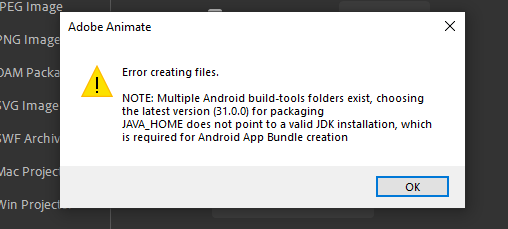
In command line, I get: C:\Users\Edan>java -version java version "1.8.0_311" Java(TM) SE Runtime Environment (build 1.8.0_311-b11) Java HotSpot(TM) 64-Bit Server VM (build 25.311-b11, mixed mode)
C:\Users\Edan>echo %JAVA_HOME% C:\Program Files (x86)\Java\jre1.8.0_311
In my adt.cfg, I set: JAVA_HOME=C:/Program Files (x86)/Java/jre1.8.0_311 and AndroidPlatformSDK=C:/Users/Edan/AppData/Local/Android/Sdk
What should I do ?

It looks like the JAVA_HOME variable may be pointing to a JRE i.e. just the java.exe runtime environment? But we need to have a JDK i.e. you should also have the javac.exe compiler available under %JAVA_HOME%\bin
There's normally a JDK installed with Android Studio e.g. in the below folder (confusingly this is named "jre"....)
C:\Program Files\Android\Android Studio\jre
which for me is using OpenJDK 11
thanks
I have not tested with latest: JAVA_HOME=C:\Program Files\Java\jdk-17.0.1
and got this:
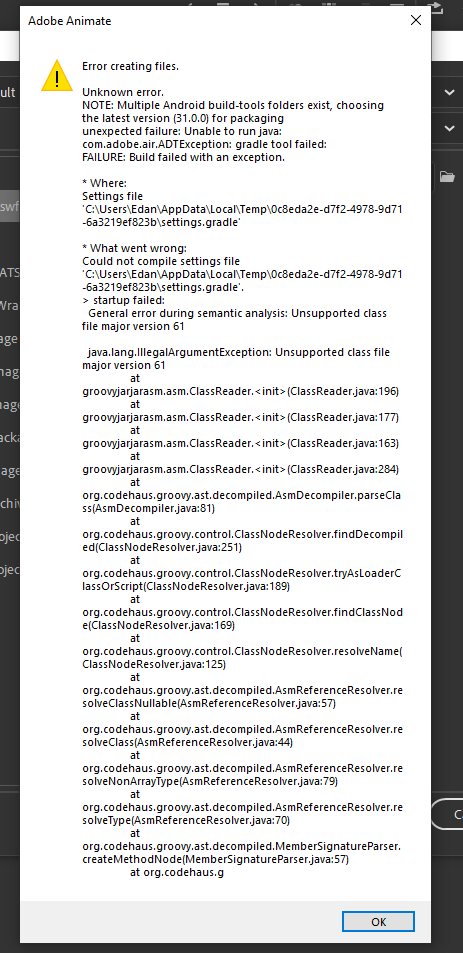
Trying to implement what you have just suggested now
So this I think is due to a mismatch between what Java version is found on a command-line vs what is set up via JAVA_HOME. But it seems odd that the failure is that it can't read class file version 61 when the JAVA_HOME is set to JDK17 (which is equivalent to version 61) - it looks like the Gradle command is triggering the use of some other Java runtime (perhaps from Android Studio?!) which is then unable to run this...
So many different combinations and permutations of different versions and settings (JAVA_HOME, path settings, plus config files for Gradle) so this definitely makes it a bit tricky.
I would hope if you had JAVA_HOME set up to be JDK 11, and if %JAVA_HOME%\bin was at the start of your PATH environment variable, then it should work consistently..
thanks
and if %JAVA_HOME%\bin was at the start of your PATH environment variable, then it should work consistently..
Did not understand it. where is this PATH param ?
on my Enviroments Varaialbes (System Settings) I have set JAVA_HOME TO C:\Program Files\Android\Android Studio\jre
which is where the JDK 11 is.
when I open a command line, I get this other version:
C:\Users\Edan>java -version java version "17.0.1" 2021-10-19 LTS Java(TM) SE Runtime Environment (build 17.0.1+12-LTS-39) Java HotSpot(TM) 64-Bit Server VM (build 17.0.1+12-LTS-39, mixed mode, sharing)
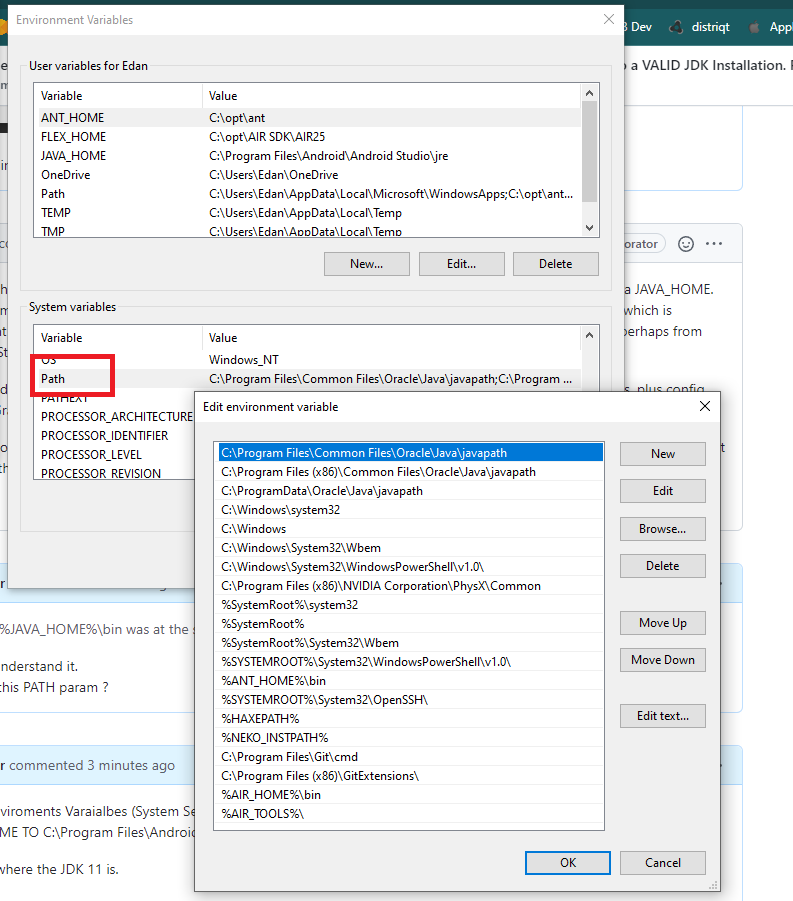
ok Andrew, so I have added %JAVA_HOME%\bin; to the most upper value in 'Path' environment variable.
now, in command line I finally get: C:\Users\Edan>java -version openjdk version "11.0.10" 2021-01-19 OpenJDK Runtime Environment (build 11.0.10+0-b96-7249189) OpenJDK 64-Bit Server VM (build 11.0.10+0-b96-7249189, mixed mode)
and, when publishing still get this:
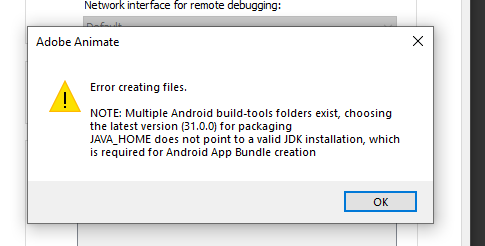
I know nothing about Gradle and using android studio :( dont know what to do
Hi @idanasher - sorry, yes, that was what I meant by the PATH variable (echo %PATH% in your command line, and e.g. set PATH=%JAVA_HOME%\bin;%PATH% can be used to update it, although you found the GUI way of doing that...)
But if you're still seeing that message from Animate/ADT, then can I check what's in the AIR SDK lib\adt.cfg file? It should have
JAVA_HOME=C:/Program Files/Android/Android Studio/jre
(needing forward-slashes, or \\ double back-slash)
thanks
ok, so I did what you @ajwfrost regarding setting the Path variable , and then , after restarting, I got this:
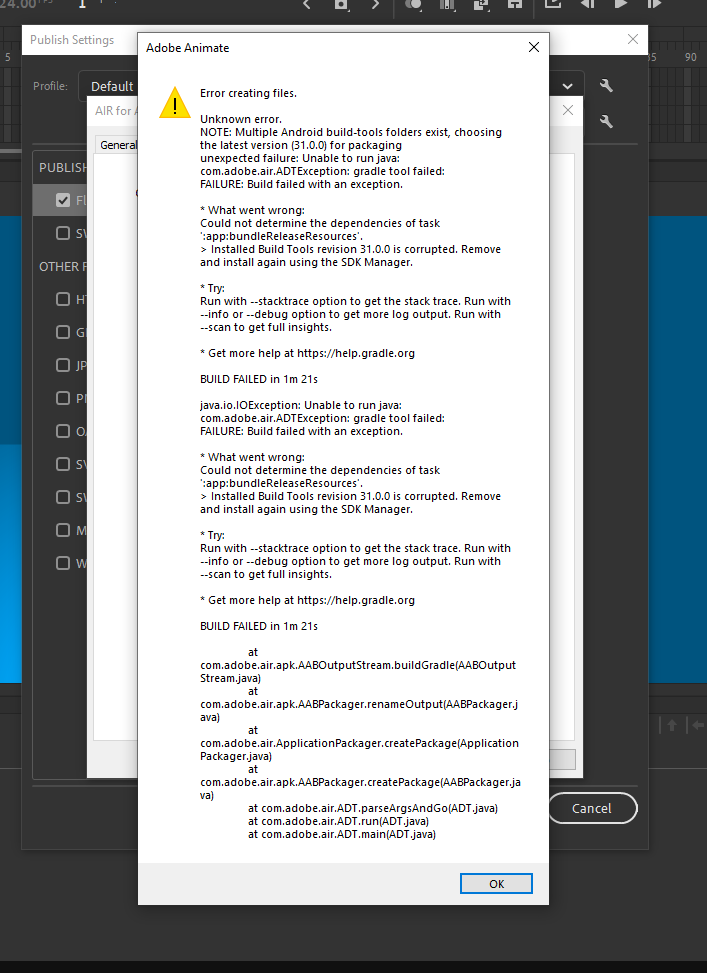
Hi Andrew
Yes, in my lib\adt.cfg I have set: JAVA_HOME=C:/Program Files/Android/Android Studio/jre
I now get:
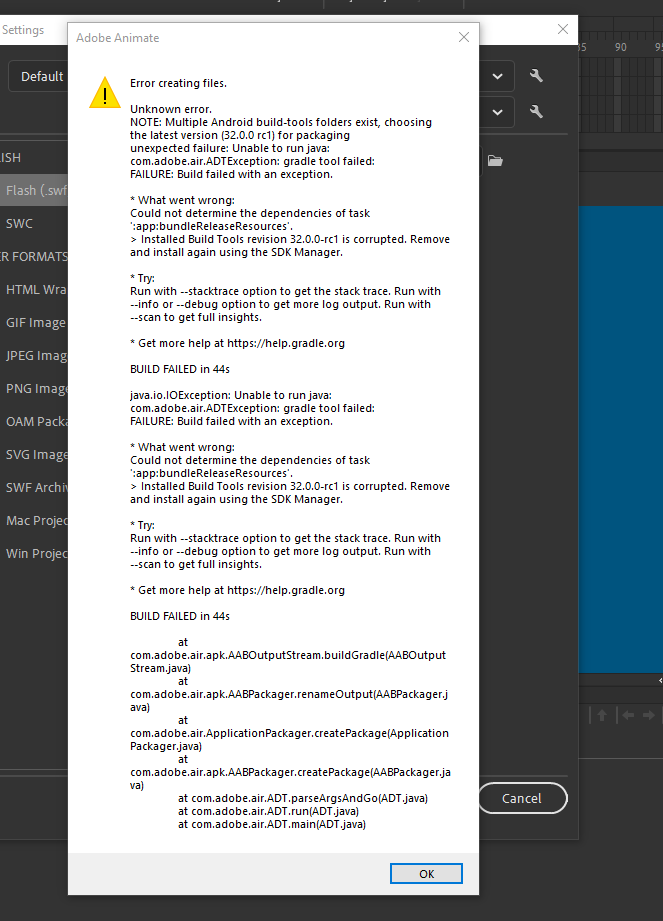
Using latest Air 33.1.1.633
Andrew, at this point, should I still be trying something ? or just to wait for the air sdk fix on next version ?
@idanasher thanks - that's actually good, as it means everything seems to be set up properly, but you've hit an incompatibility between the projects we're generating (and Gradle version) vs the latest build tools from Android. So the options are (a) wait until our next release, hopefully in a day or two, or (b) if you go into your "build-tools" folder in the Android SDK, you can change the 31.x and 32.x folders to "hidden" which means the AIR SDK will pass them over and will pick up the 30.x folder instead; or (c) you can 'fix' these latest build-tools folders by taking the dx.bat and dx.jar files from earlier 30.x folders and copying these to the similar places in the 31.x or 32.x folders.
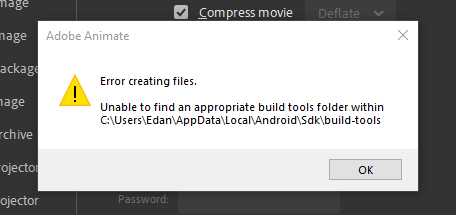
:-) yes that would be an appropriate response if you don't have any visible folders left under build tools! Sorry I should have expanded that comment..
So if you make them un-hidden again, you can try copying the dx tools into that 31.x or 32.x folder (there will already be d8.bat and d8.jar in there). If you've not got the 30.x folder then you won't have those files though: you can grab them from here: https://github.com/airsdk/Adobe-Runtime-Support/discussions/1184#discussioncomment-1374145
thanks
Hallelujah ! I have managed this.
I did not have 30.X api. so tried what you said with the dx.zip but it did not work for me for some reason.
I then used the Android Sdk manager to remove a lot of new\old api's and sdk's, and then installed it, version 30.0.3 ONLY including the build-tools.
[ in C:\Users\Edan\AppData\Local\Android\Sdk\build-tools i have only 30.0.3 folder now ]
and with this configuration , I was able to successfully publish my apk with Animate 2021. then convert it to an aab file and uploaded t the Google Play Console with no rejection up until now.
Regrading my new signing way I have used my old certificate p12 file. i used to keytool to generate a *.keystore file, then I used the online 'java -jar pepk.jar ' command and got the new 'encrypted_private_key_path'
Okay great! Nice one
Here's hoping it doesn't break everything when we release the next version that uses the latest Android Gradle plug-in ... needing JDK 11 (but not 8 or 17 .....)
@ajwfrost
Thanks a lot for your support in trying to resolve this issue.
I have about 10 Apps to publish and will prefer to wait for the Gradle 7xxx integrated solution.
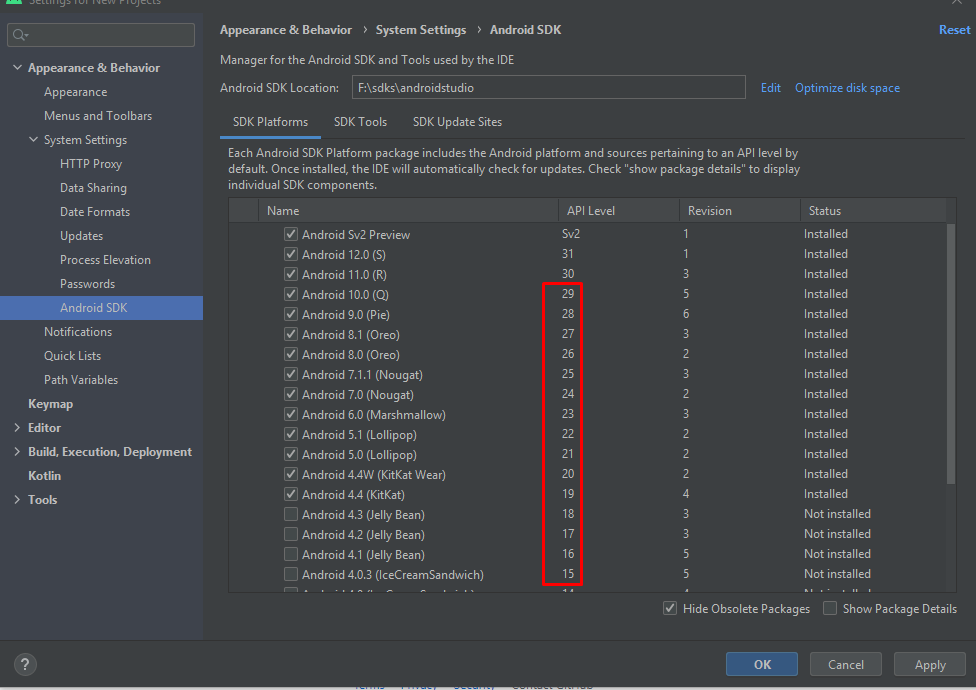
Please in android Studio setup I am trying to get my apps to work across more devices.
From the walk around as you indicated in previous post, I see its only possible to generate .aab with android build tools version 30.0.3
Please what is the best practice, to install only API 30 and above or from API 14 to 30 and above.
Thanks for your usual support in this regard.
You would normally only need the latest (or a recent) version of the build tools, generally to match the API level that you're using as the target. So for AIR we're still targeting v30 hence that's what build tools we also have here. Then it means this is your "target" but you can also install on older Android API levels using the "minimum" version value which we default to 14 on 32-bit and 21 on 64-bit (Android 4.0 and 5.0 respectively). This just means that in the AIR runtime, we don't use APIs that aren't available on those devices: you shouldn't really need to worry about any of this when using ActionScript...
Next release has now passed QA after a couple of adjustments and should land tomorrow (12th)... the one comment from one of the QA folk checking the Android implementation is that he had to set up the JAVA_PATH to use the Android Studio one, before it would work properly...
thanks
Thanks a lot for that Clarification.
Its really good knowing the applied fix is already working as confirmed by the QA team but we are concerned about the dynamic change of the android studio updates.
As you can see today they are asking me to update my build tools again.
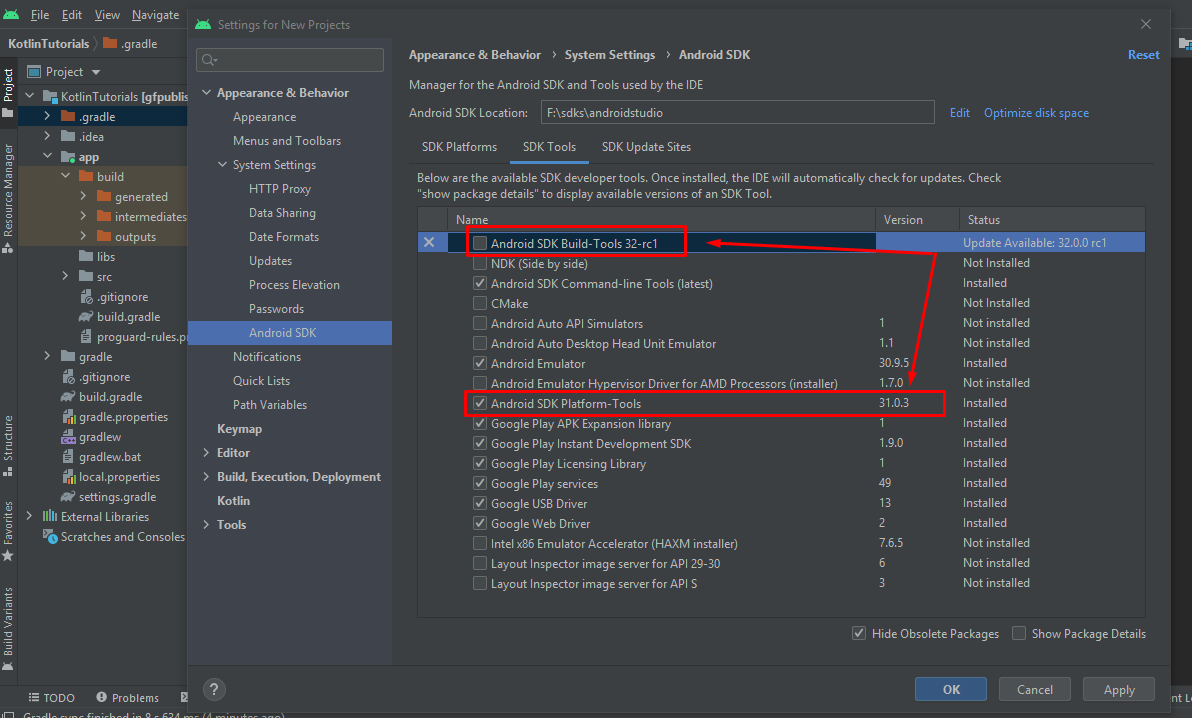
Is it possible to add a bridge plugin to the Air SDK that will automatically match and download the latest build tools, gradle tool & JDK if missing before building the .aab app file?
This way we will be sure of always producing google playstore acceptable .aab files.
Thanks for your usual support in this regard.
Hi
Normally it's not a problem for us to have different build tools versions.. the only problem we faced recently is that Android updated the build tools to remove the older DX compilation tool, but the older Android Gradle plug-in didn't cope with that missing and threw an error. With the updated Gradle plug-in we should be find with build tools 32 I believe: the updates of each component tend to happen at separate rates and from separate teams...
But yes I think the ideal would be for the AIR SDK to just require an installation of Android Studio and for us then to pick up the full set of tools from this:
- Java -> C:\Program Files\Android\Android Studio\jre
- Gradle -> C:\Program Files\Android\Android Studio\plugins\gradle\lib
- Android SDK & Build tools -> by default %LOCALAPPDATA%\Android\Sdk
I think we may still need some configuration options in case these aren't installed to the normal paths, but that's something we'll be looking at as part of the refactoring of how AIR SDK configuration happens..
thanks