

 ageron
Problems about extra_capsnets
Hello!
I downloaded the extra_capsnets.ipynb and try to run it.
In the Training part, no matter how many epochs it trained, the Val accuracy is always about 10%.
I failed to find why it doesn't work in training although I checked some instructions and the dataset.
I tried to change parameters like the batch_size to find the reason, and it also doesn't work.
I wonder why it happened and how I can restore it. Thank you very much!

Hi . I have run "extra_capsnets" and the is no problem and accuracy was about 99% did you used the original MNIST from tensorflow?

Hi . I have run "extra_capsnets" and the is no problem and accuracy was about 99% did you used the original MNIST from tensorflow?
Hi!em...you mean the original MNIST?
i just run these codes as the notebook originally wrote to load the MNIST
from tensorflow.examples.tutorials.mnist import input_data

mnist = input_data.read_data_sets("/tmp/data/")
and it is the MNIST load api in tensorflow. I also try to change the directory and it doesn't work.
Now I just download this notebook and don't change anything, just run it, it shows:
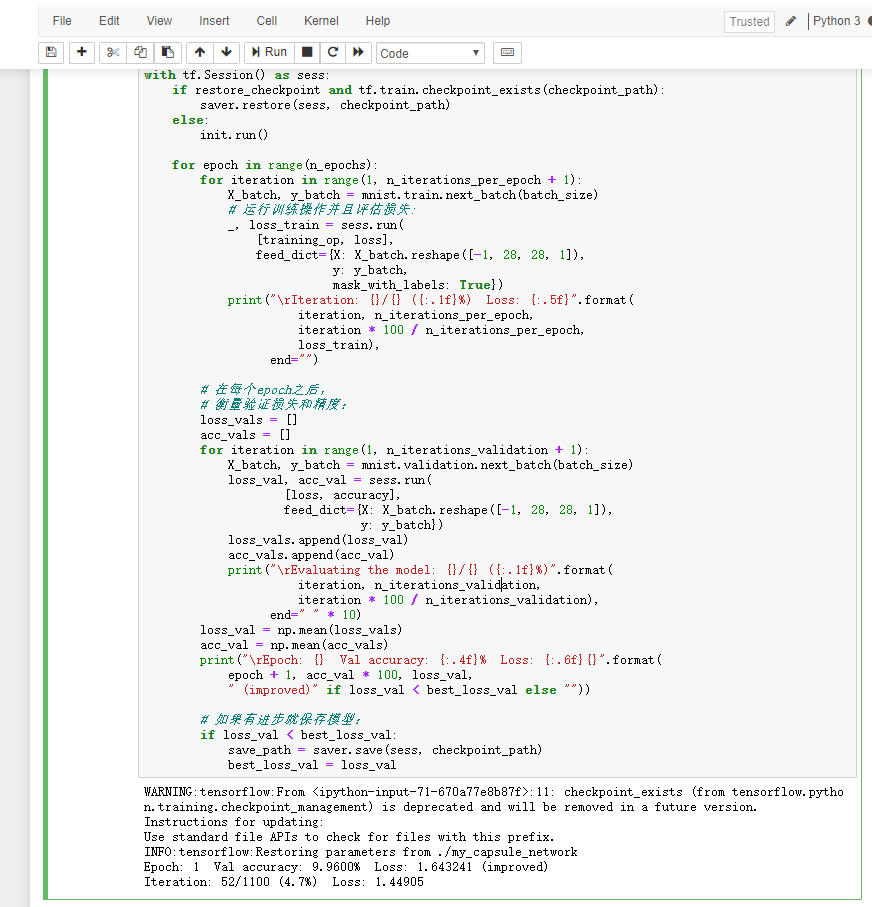 I don't know why ... that's annoying :(
Hi @CCCCCaO ,
I could not reproduce the problem, I also get 99% accuracy.
Perhaps the problem is that there is some instability in the training algorithm, so sometimes it works, and sometimes it doesn't. To make sure it works, try using exactly the code in the Jupyter notebook, including the random seed.
Another possibility is if you're running the code on a GPU: some TensorFlow methods are not deterministic (see my video on this topic). In this case, I'm afraid you will need to try various hyperparameter tweaks, and perhaps changing the random seed, and hope for the best. Or just deactivate the GPU, just to see if that's the problem. You can do that by setting the NVIDIA_VISIBLE_DEVICES to an empty string.
Hope this helps.

Hi @CCCCCaO , I could not reproduce the problem, I also get 99% accuracy. Perhaps the problem is that there is some instability in the training algorithm, so sometimes it works, and sometimes it doesn't. To make sure it works, try using exactly the code in the Jupyter notebook, including the random seed. Another possibility is if you're running the code on a GPU: some TensorFlow methods are not deterministic (see my video on this topic). In this case, I'm afraid you will need to try various hyperparameter tweaks, and perhaps changing the random seed, and hope for the best. Or just deactivate the GPU, just to see if that's the problem. You can do that by setting the
NVIDIA_VISIBLE_DEVICESto an empty string. Hope this helps.
Yes,it was runned on a GPU and i found that the occupied video memory when training is abnormal. When i am using a GTX1060(6GB), the occupied VRM was about 4GB and when i run it in the lab's workstation using a RTX2080(8GB), the occupied VRM was about 6GB. Maybe the random seeds or some other problems happened? Thanks for your advice! I'll try to find out why.