
unbug
 unbug copied to clipboard
 agamm
agamm
Unbug your code via GitHub CI and OpenAI
Unbug
Got a code base? Want an automatic bug detector that runs during your CI stage on GitHub? For free? Just follow the installation step below.
✅ Using GPT 3.5 Turbo (waiting for GPT4).
✅ Integrated with GitHub CI.
✅ Use your own OpenAI key.
✅ Hostable for free on Render.com
✅ Should work with any language you throw on it.
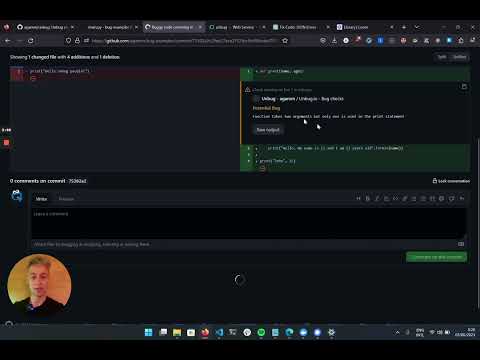
Preview Video:
Background
I'm the creator of Unzip.dev a developer trends newsletter (3,500+ subs). A few months ago I thought about jumping the LMM hype train. Creating a DevTool in the space sounded interesting. At the time there wasn't a single GitHub marketplace app that tackled bug detection (at least not using LLMs). So I decided to build it.
As time passed I started seeing Co-Pilot suggesting they would also get into the CI space and then saw others joining the marketplace. So I decided to give my (MVP) code for free, no reason for you to pay for a thin wrapper on top OpenAI ;)
May the force be with you, and find all your pesky bugs :pray:
Installation
This should take around 5-10 minutes.
- Clone this repo:
git clone [email protected]:agamm/unbug.git - Create a new GitHub application.
- Fill the webhook url with some value for now (we will change it later).
- We need read and write permissions for "Checks", and read permission for "Contents" and "Pull request".
- Subscribe to "Pull request".
- Create your App.
- Now "Generate a private key"
- Edit the .env file to the details (app id, webhook secret, openai key...)
-
Deploy to your favorite provider, I'm using render: a. Create a new web service (free could also work). b. Connect it to your repo. c. Fill out the form, and make sure to change the following:
- Branch:
main - Build command:
npm i - Start command:
npm run start
d. Open 'advanced' and click 'Add Secrets File' (
.env), also add thePRIVATE_KEYsecret as an env var. e. Deploy (it should not work yet because we need to configure the.envfile) - Branch:
-
Now let's fix the webhook URL, if you use render copy your URL and insert it into the .env (no extra path, mine was
WEBHOOK_PROXY_URL=https://unbug.onrender.com/) file and upload it as a secret file again. -
It should deploy it again automatically after adding the valid
.envfile. -
Go back to the application page and add the new render URL as the webhook URL.
-
Go to your app page and check that it is installed on a repo you want to have unbug active ("Install tab").
-
Create a pull request on that repo and check if you get results!
-
I would recommend to fiddle with
./src/ilb/ai.ts's prompt variable, so you get better results.
Happy coding!
Local deployment
TBD, but I used https://smee.io
TODO
- Check TODO.md
Extra
I also aquired https://unbug.io, if you want to buy it, let me know :) I might sell it.
 agamm
agamm