

 adoptium
Dragging desktop file into a JPanel causes the application and Windows 10 desktop to freeze
This is as of AdoptOpenJDK 11.0.10+9.
I tried with 11.0.6+10 and 11.0.9+11 and it works fine.
The problem still exists in 11.0.11+9.
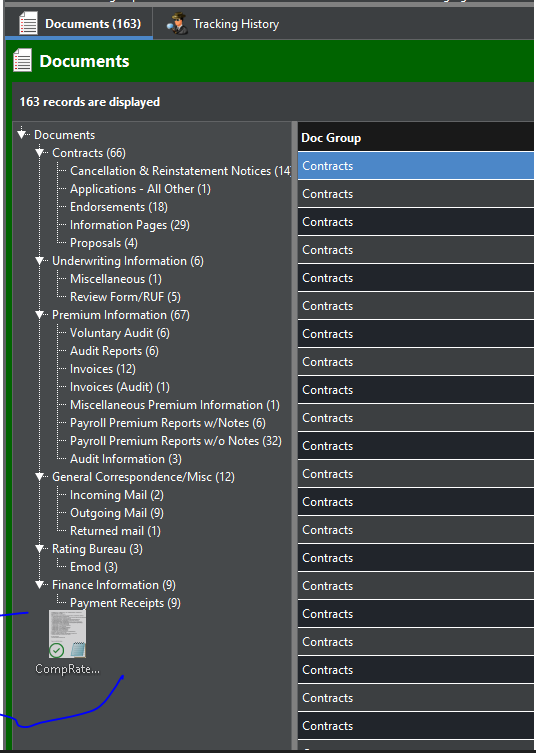
We have an internal Swing application. I just received a jira on this problem yesterday. My users are all on 11.0.10+9. We are all running Windows 10 64 bit. I have two files on my desktop; one is an Excel file (xlsx) and the other is an Outlook message file (msg). I open our java application, and then open a new Panel inside that. I switch between trying to drag each file into the application, and then the icon freezes inside the panel. It appears to be a problem painting the little red "O with a slash" that indicates that the panel is not a drop target. It not only freezes the java application, but the entire Windows desktop. As soon as I kill my java application, it all unfreezes. I commented out all Drag and Drop code in the application, and the problem remains.
Please let me know if you need anymore detail
Sam


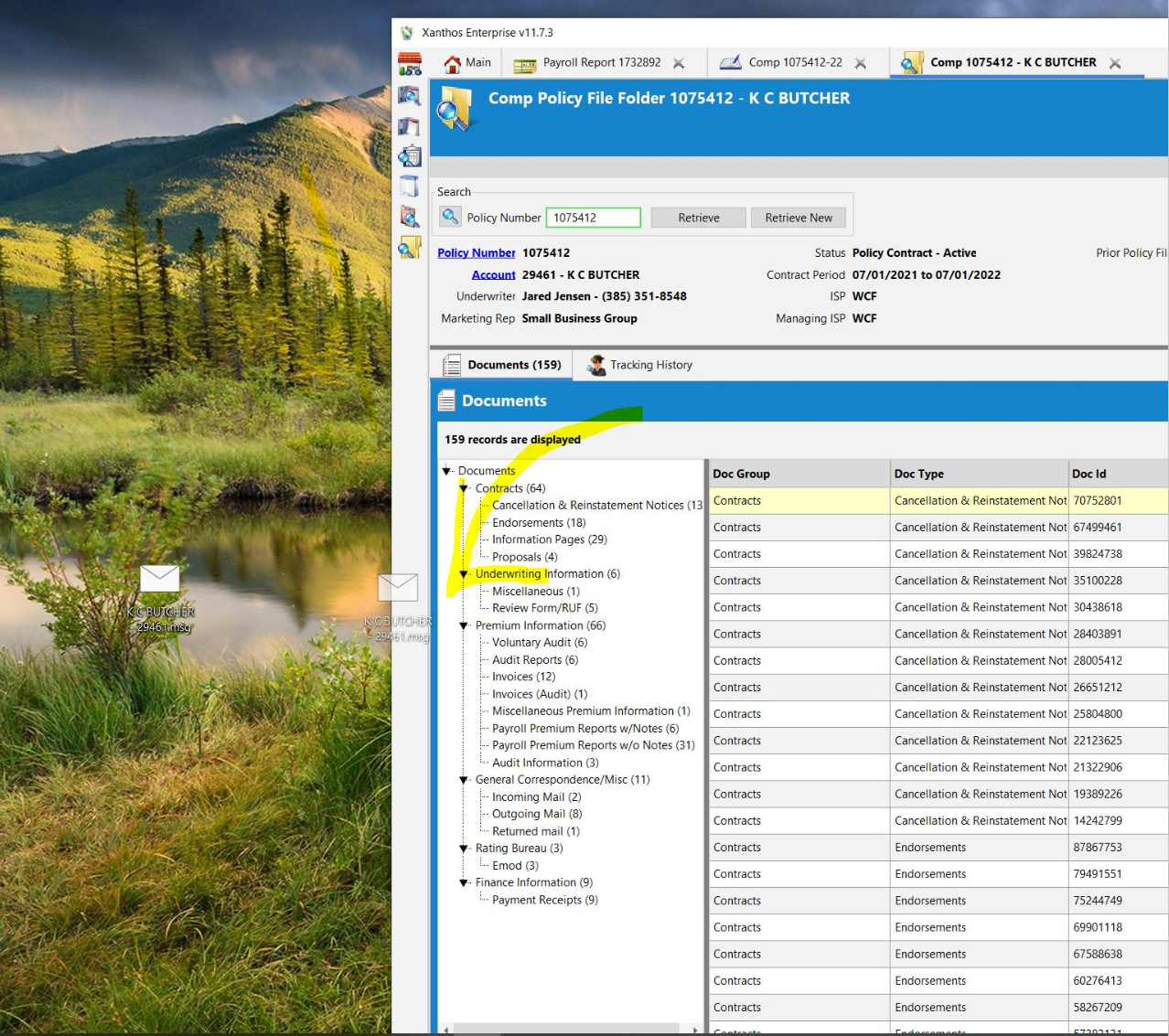 Picture of icon frozen while dragging into application
here is a bug report on openjdk https://bugs.openjdk.java.net/browse/JDK-8262446 I think in 11.0.12, this issue is fixed.

My users are still experiencing this problem. I tried copying another screenshot to this comment, but it won't let me. Getting "we can't process that file" error
11.0.14.1+1 fail 11.0.14 +7 fail 11.0.13 +8 fail 11.0.12 +7 fail 11.0.9+11 works 11.0.6+10 works
https://bugs.openjdk.java.net/browse/JDK-8274751 could be the upstream bug. To be fixed with 11.0.16 (July). There aren't any early access builds for those yet, unfortunately.

We are marking this issue as stale because it has not been updated for a while. This is just a way to keep the support issues queue manageable. It will be closed soon unless the stale label is removed by a committer, or a new comment is made.
![github-actions[bot] avatar](https://avatars.githubusercontent.com/in/15368?v=4 "Published by a pub.dev verified publisher")
Please check if you can still reproduce with JDK 11 nightly builds (11.0.16 ea): https://adoptium.net/temurin/nightly/?version=11
Hmm, it's hard for us to reproduce this. Is there short code sample you can provide that replicates this behaviour?
public class TestDND { private JFrame _popup = new JFrame("PopUp"); private MyWindowListener _windowListener = new MyWindowListener();
public static void main(String[] args) {
    JFrame mf = new JFrame("Test Drag & Drop");
    mf.setBounds(100, 100, 500, 375);
    mf.setDefaultCloseOperation(JFrame.EXIT_ON_CLOSE);

    JPanel panel = new JPanel();
    mf.getContentPane().add(panel, BorderLayout.CENTER);
    panel.setLayout(new BorderLayout(0, 0));

    JToolBar toolBar = new JToolBar("Menu");
    toolBar.setOrientation(SwingConstants.VERTICAL);
    toolBar.setFloatable(true);
    panel.add(toolBar, BorderLayout.WEST);

    JPanel mainPanel = new JPanel();
    panel.add(mainPanel);

    mf.setDefaultCloseOperation(WindowConstants.DISPOSE_ON_CLOSE);
    mf.setMinimumSize(new Dimension(1000, 900));

    JButton button = new JButton("Open Popup");
    toolBar.add(button, 0);

    TestDND testDND = new TestDND();
    testDND._popup.setSize(new Dimension(250, 400));
    testDND._popup.addWindowListener(testDND._windowListener);

    button.addActionListener(new ActionListener() {
        @Override
        public void actionPerformed(ActionEvent e) {
            Component comp = toolBar.getComponent(0);
            Point los = toolBar.getLocationOnScreen();

            testDND._popup.setLocation(new Point(los.x, los.y + comp.getHeight() + 5));
            testDND._popup.setVisible(true);
        }
    });

    new DropTarget(mf, new DropTargetListener() {
        @Override
        public void dragEnter(DropTargetDragEvent e) {
        }

        @Override
        public void dragExit(DropTargetEvent e) {
        }

        @Override
        public void dragOver(DropTargetDragEvent e) {
        }

        @Override
        public void drop(DropTargetDropEvent e) {
            e.acceptDrop(DnDConstants.ACTION_COPY_OR_MOVE);
        }

        @Override
        public void dropActionChanged(DropTargetDragEvent e) {
        }
    });

    mf.pack();
    mf.setVisible(true);
}

private class MyWindowListener implements WindowListener {
    @Override
    public void windowActivated(WindowEvent e) {
    }

    @Override
    public void windowClosed(WindowEvent e) {
    }

    @Override
    public void windowClosing(WindowEvent e) {
    }

    @Override
    public void windowDeactivated(WindowEvent e) {
        if(_popup.isVisible()) {
            _popup.setVisible(false);
        }
    }

    @Override
    public void windowDeiconified(WindowEvent e) {
    }

    @Override
    public void windowIconified(WindowEvent e) {
    }

    @Override
    public void windowOpened(WindowEvent e) {
    }
}
}
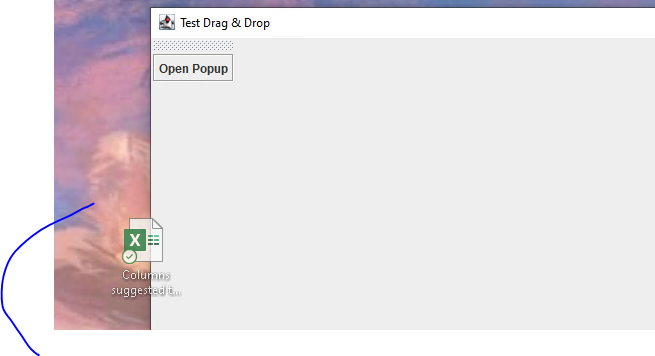
I am running Windows 10. and jdk 11.0.16+7.
I run this from Eclipse.
It opens on my desktop.
I click the Open Popup button.
Then I try dragging an Excel file into the window.
Most of the time it freezes within two or three tries.
We are marking this issue as stale because it has not been updated for a while. This is just a way to keep the support issues queue manageable. It will be closed soon unless the stale label is removed by a committer, or a new comment is made.
We are marking this issue as stale because it has not been updated for a while. This is just a way to keep the support issues queue manageable. It will be closed soon unless the stale label is removed by a committer, or a new comment is made.