

 adi1090x
Error

Whats?
Em qui, 26 de ago de 2021 09:07, kirillstrelaev4 @.***> escreveu:
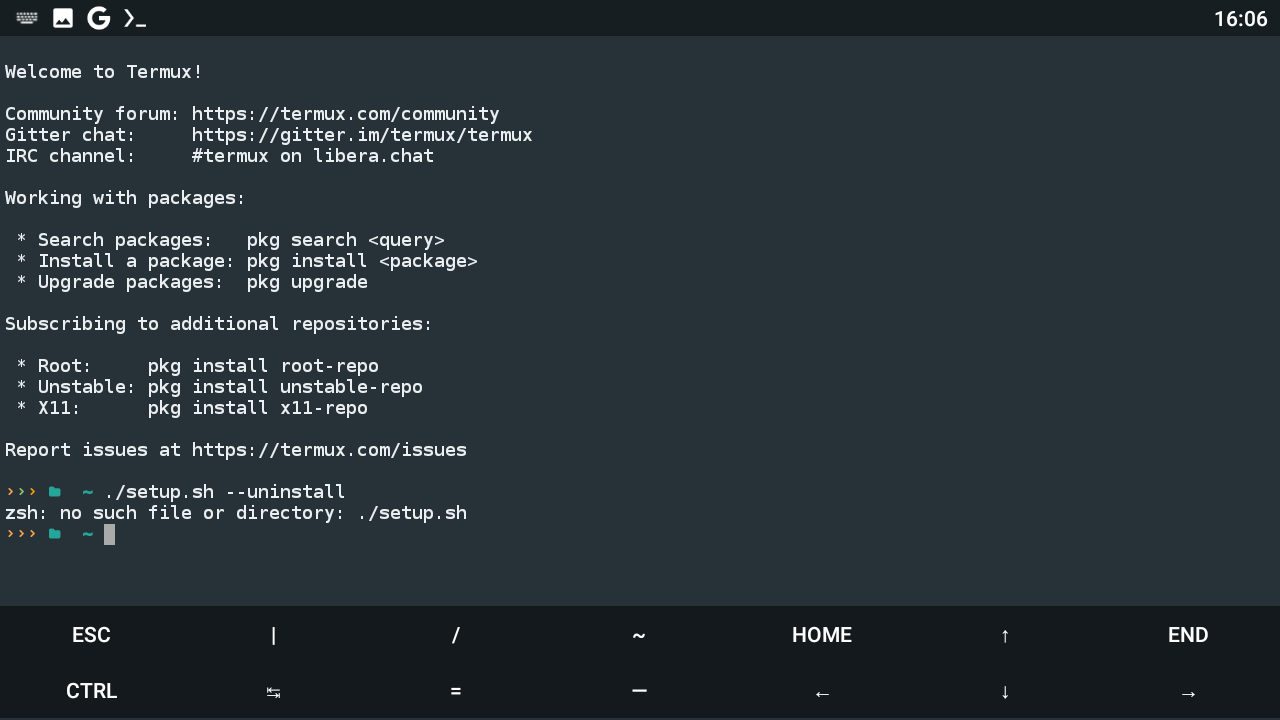
[image: Screenshot_2021 08 26_16 06 55 733] https://user-images.githubusercontent.com/69953709/130959867-29087459-5eb8-4c6b-a51e-2cdadefad2d6.png
— You are receiving this because you are subscribed to this thread. Reply to this email directly, view it on GitHub https://github.com/adi1090x/termux-desktop/issues/87, or unsubscribe https://github.com/notifications/unsubscribe-auth/AUALZYCLB6N7QLXCYAAWZTDT6YVBDANCNFSM5C3GSFCQ . Triage notifications on the go with GitHub Mobile for iOS https://apps.apple.com/app/apple-store/id1477376905?ct=notification-email&mt=8&pt=524675 or Android https://play.google.com/store/apps/details?id=com.github.android&utm_campaign=notification-email .

you sure you're in the right path? You should cd to your termux-desktop directory and then execute the command. If you don't have the folder, you can try cloning the repository again and then termux-desktop and ./setup.sh --uninstall.
If you really want, just do
apt remove bc bmon calc calcurse curl dbus desktop-file-utils elinks feh fontconfig-utils fsmon \ geany git gtk2 gtk3 htop-legacy imagemagick jq leafpad man mpc mpd mutt ncmpcpp \ ncurses-utils neofetch netsurf obconf openbox openssl-tool polybar ranger rofi \ startup-notification termux-api thunar tigervnc vim wget xarchiver xbitmaps xcompmgr \ xfce4-settings xfce4-terminal xmlstarlet xorg-font-util xorg-xrdb zsh -y --purge --autoremove
to uninstall the packages
rm -rf .fehbg .icons .mpd .ncmpcpp .fonts .gtkrc-2.0 .mutt .themes .vnc Music
to delete all homefiles
for FILE in hunar geany gtk-3.0 leafpad netsurf openbox polybar ranger rofi xfce4; do rm -rf $HOME/.config/$FILE; done
to remove all config files
for LOCALFILES in bin lib 'share/backgrounds' 'share/pixmaps'; do rm -rf $HOME/.local/$LOCALFILES; done
to delete all local files.


Type ls and see if there is any file named setup.sh. If not.. u are in the wrong directory.. from the screenshot I can understand that u are in /data/data/com.termux/files/home so when u type ls u will see termux-desktop directory... Open it with cd termux-desktop command and then type ls... Check if setup.sh is there or not and then run the command
