
WatchYourPorts
 WatchYourPorts copied to clipboard
 aceberg
Open ports inventory for local servers. Exports data to InfluxDB2/Grafana


 WatchYourPorts
Open ports inventory for local servers. Exports data to InfluxDB2/Grafana
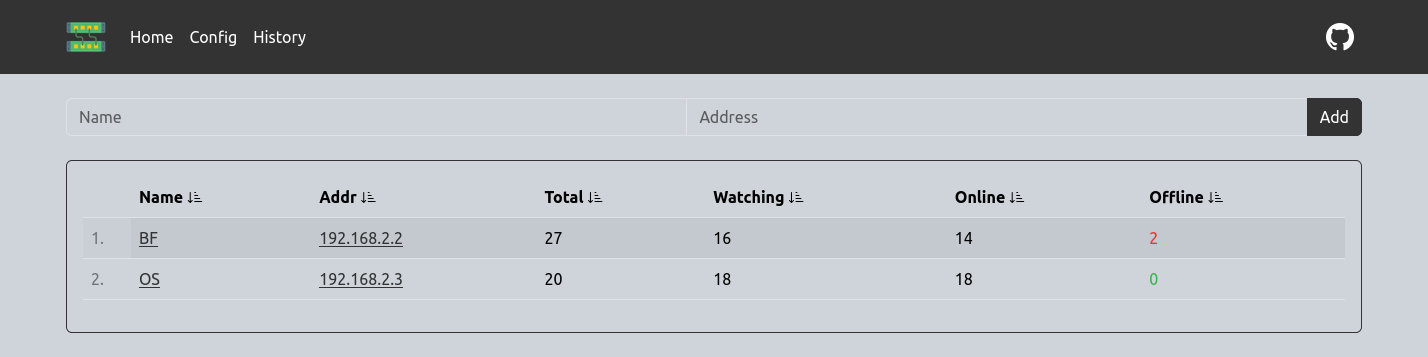
More screenshots
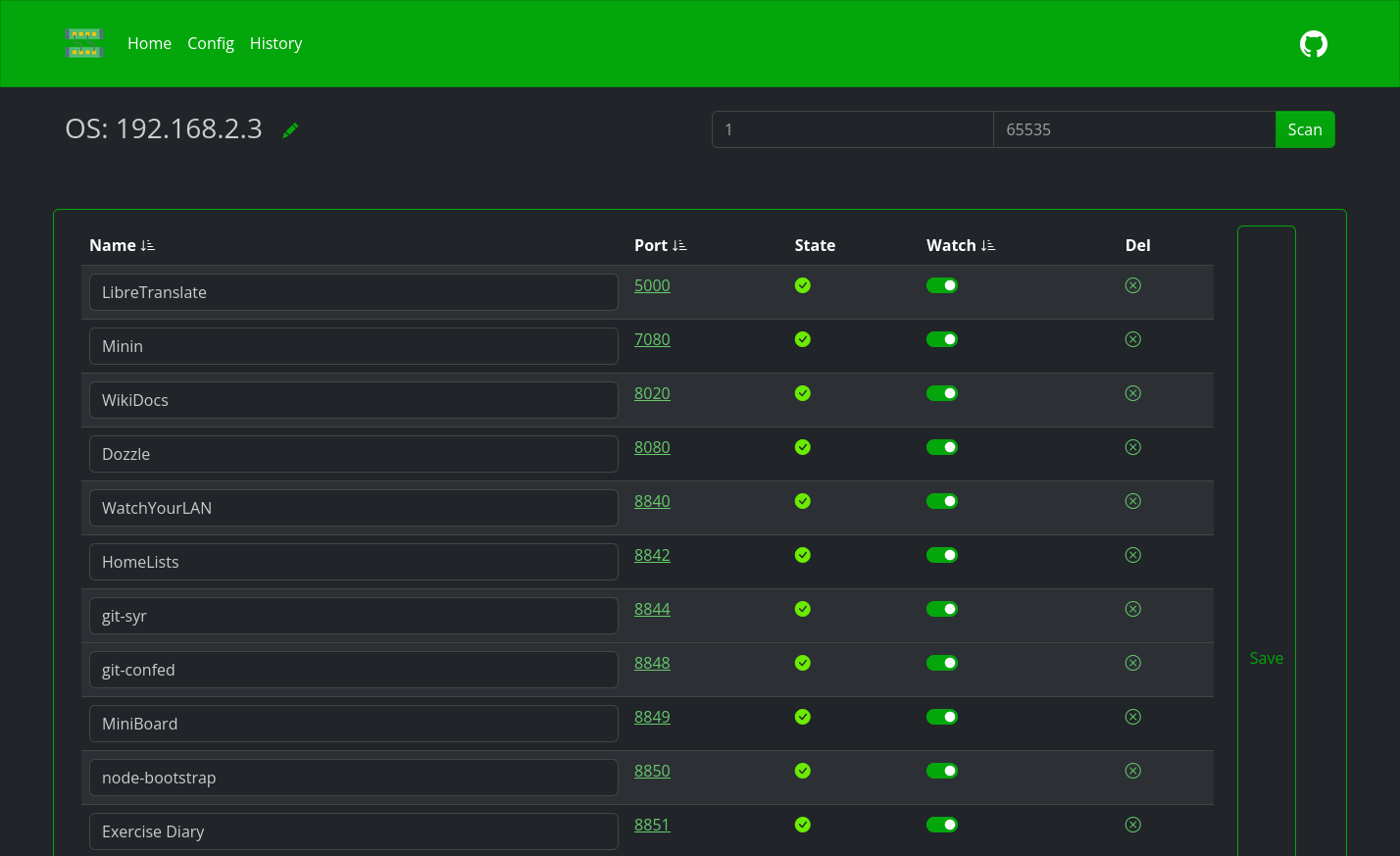

Quick start
docker run --name wyp \
-e "TZ=Asia/Novosibirsk" \
-v ~/.dockerdata/WatchYourPorts:/data/WatchYourPorts \
-p 8853:8853 \
aceberg/watchyourports
Or use docker-compose.yml
Import ports from Docker
- Run docker-export.sh on a server, where Docker is installed.
$ADDRis IP or domain name of the server, withouthttp(s)://prefix. It will be used to ping ports.
./docker-export.sh $ADDR
- Paste the output to
hosts.yamlfile in WatchYourPorts config dir - You can add as many servers to
hosts.yaml, as you want
Config
Configuration can be done through config.yaml file or GUI, or environment variables
| Variable | Description | Default |
|---|---|---|
| HOST | Listen address | 0.0.0.0 |
| PORT | Port for web GUI | 8853 |
| THEME | Any theme name from https://bootswatch.com in lowcase or additional | grass |
| COLOR | Background color: light or dark | dark |
| TIMEOUT | How often watched ports are scanned (minutes) | 10 |
| HIST_TRIM | How many port states are saved in memory and displayed | 90 |
| TZ | Set your timezone for correct time | "" |
InfluxDB2 config
This config matches Grafana's config for InfluxDB data source
| Variable | Description | Default | Example |
|---|---|---|---|
| INFLUX_ENABLE | Enable export to InfluxDB2 | false | true |
| INFLUX_SKIP_TLS | Skip TLS Verify | false | true |
| INFLUX_ADDR | Address:port of InfluxDB2 server | https://192.168.2.3:8086/ | |
| INFLUX_BUCKET | InfluxDB2 bucket | test | |
| INFLUX_ORG | InfluxDB2 org | home | |
| INFLUX_TOKEN | Secret token, generated by InfluxDB2 |
Options
| Key | Description | Default |
|---|---|---|
| -d | Path to config dir | /data/WatchYourPorts |
| -n | Path to local JS and Themes (node-bootstrap) | "" |
Local network only
By default, this app pulls themes, icons and fonts from the internet. But, in some cases, it may be useful to have an independent from global network setup. I created a separate image with all necessary modules and fonts.
docker run --name node-bootstrap       \
    -v ~/.dockerdata/icons:/app/icons  \ # For local images
    -p 8850:8850                       \
    aceberg/node-bootstrap
docker run --name wyp \
    -v ~/.dockerdata/WatchYourPorts:/data/WatchYourPorts \
    -p 8853:8853 \
    aceberg/watchyourports -n "http://$YOUR_IP:8850"
Or use docker-compose
API
GET /api/all
Returns all data about saved addresses in json.
Response example
{
    "192.168.2.2": {
        "Name": "SomeAddrName",
        "Addr": "192.168.2.2",
        "PortMap": {},  // All saved ports will be here
        "Total": 0,
        "Watching": 0,
        "Online": 0,
        "Offline": 0
    },
}
GET /api/history
All history data from memory.
Response example
{
"192.168.2.3:8849": {
        "Name": "OS",
        "Addr": "192.168.2.3",
        "Port": 8849,
        "PortName": "MiniBoard",
        "State": [
            {
                "Date": "2024-06-28 22:42:45",
                "State": true
            },
            {
                "Date": "2024-06-28 22:52:45",
                "State": true
            }
        ],
        "NowState": true
    },
}
GET /api/port/:addr
Returns current PortMap for addr.
Request example
curl http://0.0.0.0:8853/api/port/192.168.2.2
Response example
{
    "8850": {
        "Name": "node-bootstrap",
        "Port": 8850,
        "State": true,
        "Watch": true
    },
    "8851": {
        "Name": "Exercise Diary",
        "Port": 8851,
        "State": true,
        "Watch": true
    },

}
GET /api/port/:addr/:port
Gets state of one port
Request example
curl http://0.0.0.0:8853/api/port/192.168.2.2/8844
Response example
{
    "Name": "git-syr",
    "Port": 8844,
    "State": true,
    "Watch": true
}
Thanks
- All go packages listed in dependencies
- Bootstrap
- Themes: Free themes for Bootstrap
- Favicon and logo: Flaticon
 aceberg