acaudwell
How to use it? It says me "Directory not supported"
I'm not good at programming, and I'd like to try to use Gource. I downloaded the zip file, but when I type gource or gource -f -1280x720
it answers me (after having open and closed a window very quickly):
gource: directory not supported Try 'Gource --help' for more information
As a beginner, i'd like to know how to correct this problem with as much details and help as possible, because I don't know how to "run gource inside a git repository directory or specify the directory as the argument to gource i.e. gource path/to/your/git/repo". Please also not close the issue as soon as you answered it, I may have additionnal questions (like not understanding something in the explanation).
Thank you in advance!

duplicate of https://github.com/acaudwell/Gource/issues/125 @Julio974: Even if an issue is closed, you can still comment on it. There is no need to open a new issue.
Try running the following code:
git clone 'https://github.com/acaudwell/Gource.git' && \
cd Gource && \
gource
This will
- clone the Gource Git repository locally on your machine
- change to the directory of the Git repository (try
git statusafter the commands above and compare to what happens when you run it elsewhere) - run Gource in the current (new) directory (showing you the history of Gource itself).
If you need more genral help with Git, check the Git documentation.

I instead ran git clone https://github.com/acaudwell/Gource.git, then cd Gource, then gource and nothing changes...
@Julio974: What is the output of git status and ls .git when you try to run gource and it fails?
Your error is generated in https://github.com/acaudwell/Gource/blob/b227b9350c0624ef1a4c28613920cf70dbf99e29/src/logmill.cpp#L120 which means that https://github.com/acaudwell/Gource/blob/b227b9350c0624ef1a4c28613920cf70dbf99e29/src/logmill.cpp#L107 is false, so log_format is empty.
It is set by https://github.com/acaudwell/Gource/blob/b227b9350c0624ef1a4c28613920cf70dbf99e29/src/logmill.cpp#L83 and in turn by https://github.com/acaudwell/Gource/blob/b227b9350c0624ef1a4c28613920cf70dbf99e29/src/logmill.cpp#L204 which basically boils down to https://github.com/acaudwell/Gource/blob/b227b9350c0624ef1a4c28613920cf70dbf99e29/src/logmill.cpp#L171-L174 which should set log_format to "git" (making it log_format.empty() false, therfor !log_format.empty() true and not trigger your error) if a (hidden) file/directory called .git exists.
So if ls .git errors ls: cannot access '.git': No such file or directory, Gource is right and you (or Git) did something wrong.
git status is just another way of testing if you actually are in a git directory.
I'm sorry but if you don't know how to type ls .git instead of gource and copy-paste the output, I'm afraid no-one will be able to help you. Maybe you should start by learning the basics of your operating system first.
After typing in cmd : ls .git I get C:\Users\user>ls .git 'ls' n’est pas reconnu en tant que commande interne ou externe, un programme exécutable ou un fichier de commandes.
I just need what to do, not complicated explanations
Git comes with a program Git Bash which is a console similar to the Windows Command Prompt but also supports unix commands like ls as well as the git commands. You can also run gource from there. If you clone a git repository, cd into the directory it created and run gource I would expect that to work.

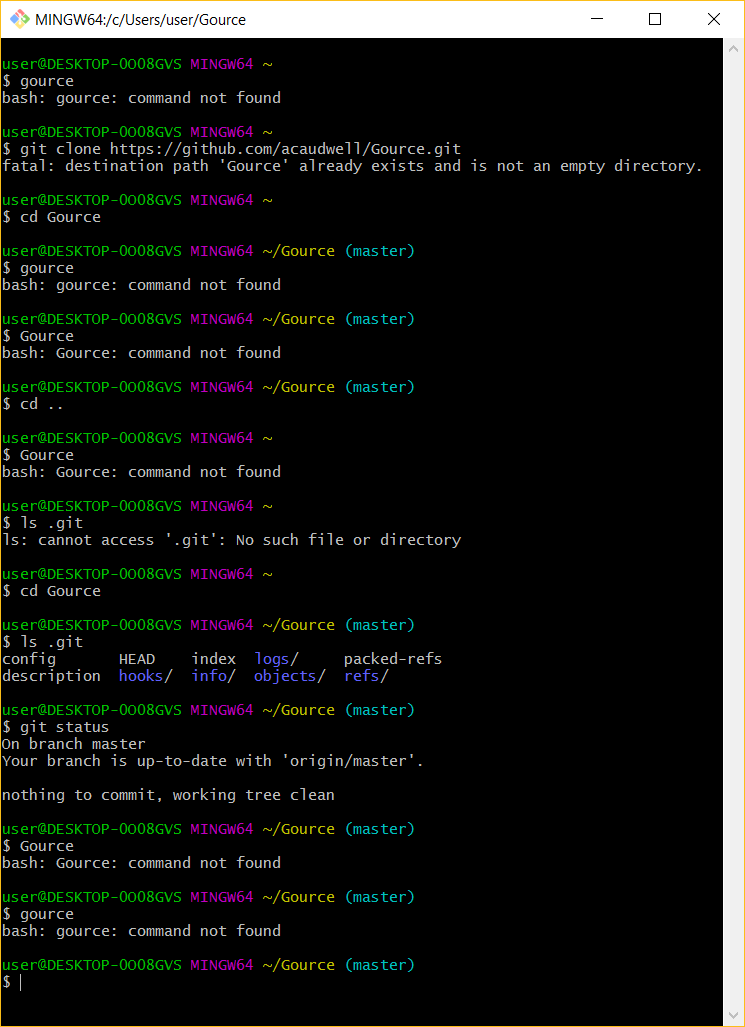
bash: Gource: command not found
This means Gource is either not installed or at least not found by you shell (bash in that case).
If you are sure it's installed, try echo $PATH and make sure Gource is in a directory listed there.
You wrote you get the error "Directory not supported", which all my trouble-shooting tried to solve but now it seams your are not actually getting this error.
Note that non of this has anything to do with Gource so far: Your problem is not running a specific program but installing a program (which is between you and your operating system/shell) and does not involve the Gource maintainers in any way.
I wrote echo %PATH% in cmd and I get plenty of files including this:
C:\Program Files (x86)\Gource\cmd
And even if it don't involve Gource mainteners, you know programming and I don't, so you can still help me
Unfortunately, I don't know Windows. Maybe you can try which gource and whereis gource?
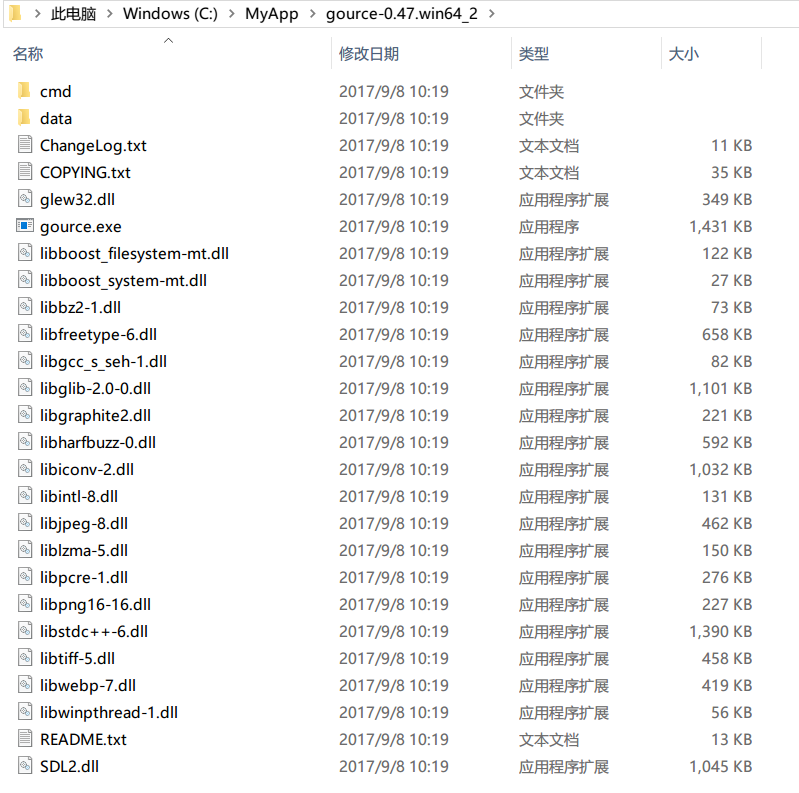
That directory should contain files gource and gource.cmd otherwise this wont work (guessing it doesn't).
I would suggest re-installing gource using the installer to try and fix your path problem.
But anyway you can also simply cd into the directory where gource.exe is in to run it if it is not in your path.
This will also work:
"C:\Directory Where Gource is\gource.exe"
e.g.
"C:\Program Files (x86)\Gource"
or
"C:\Program Files\Gource\gource.exe"
BTW: If you install the new version of Gource using the installer (best for most advanced users) it installs by default to C:\Program Files\Gource not C:\Program Files (x86)\Gource (no x86 bit).
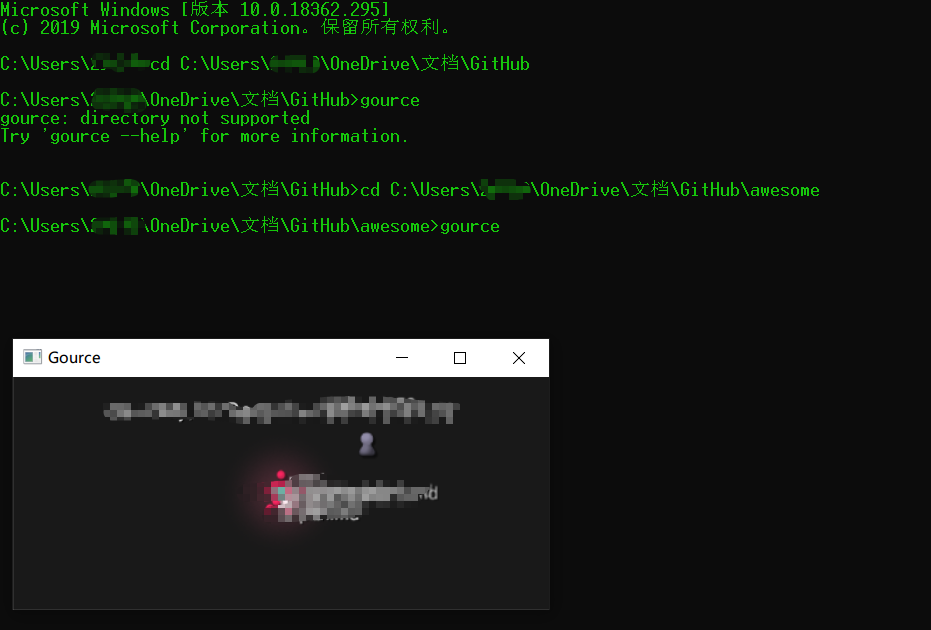
I don't know if your problem has been solved. Yesterday I also encountered the same problem as you. I solved it myself. The method is as follows:
-
The storage location of the gource program is consistent with the path of the system environment variable.
-
My GitHub project storage path is: "C:\Users\username\OneDrive\Documents\GitHub". In cmd, run gource under the path "C:\Users\username\OneDrive\Documents\GitHub" When prompted "gource: directory not supportedTry 'gource --help' for more information." succeeded when running gource under the path "C:\Users\username\OneDrive\Documents\GitHub\awesome" (awesome is a repository I stored in the GitHub folder)
-
Summary, only run gource under the repository folder you created to be successful.