

 abusaidm
Error? or intent? Hitting enter on completion of tags moves cursor
Hi, first off i want to say i really like you extension. Makes my life a lot easier. Secondly not sure if this is an issue or should be regarded as a feature request.
On completion of html tag (final state).
eg. <div>|</div> (using the pipe character to illustrate the cursor)
If you hit enter top open the structure as so: eg.
<div>
</div>
What actually happens is that the cursor simply moves to the end of the closing tags
eg. <div></div>| (again pipe character for illustration)
Is this intent, error or simply and oversight ? I may be the only one who finds this a bit frustrating. Again thank you for taking the time to make this extension.


-- Sorry for the English, I used Google Translator --
I would also like to hit enter if the line break was made, but different from what @fmrogers said, I would have preferred it already formatted. In other words, a blank line was inserted between the tags (opening and closing) and the cursor already had the 'tab'.
eg. <div>|</div> (using the pipe character to illustrate the cursor)
If you hit enter top open the structure as so: eg.
<div>
    |
</div>
I have version 0.0.18 of the extension.

Hello @Tekbr
I dont understand what you are trying to do.
the div command gives you the following code:
<div>
    |
</div>|
*the bar | is where the cursor can be, using the tab key to move between the positions.
can you explain further please.

things seams have changed for me, now i experience this after i hit enter.
eksample:
<div>
    |</div>
I have just tested using: OS: OSX 10.11 VSCode: 1.8.1 Extension: 0.0.18
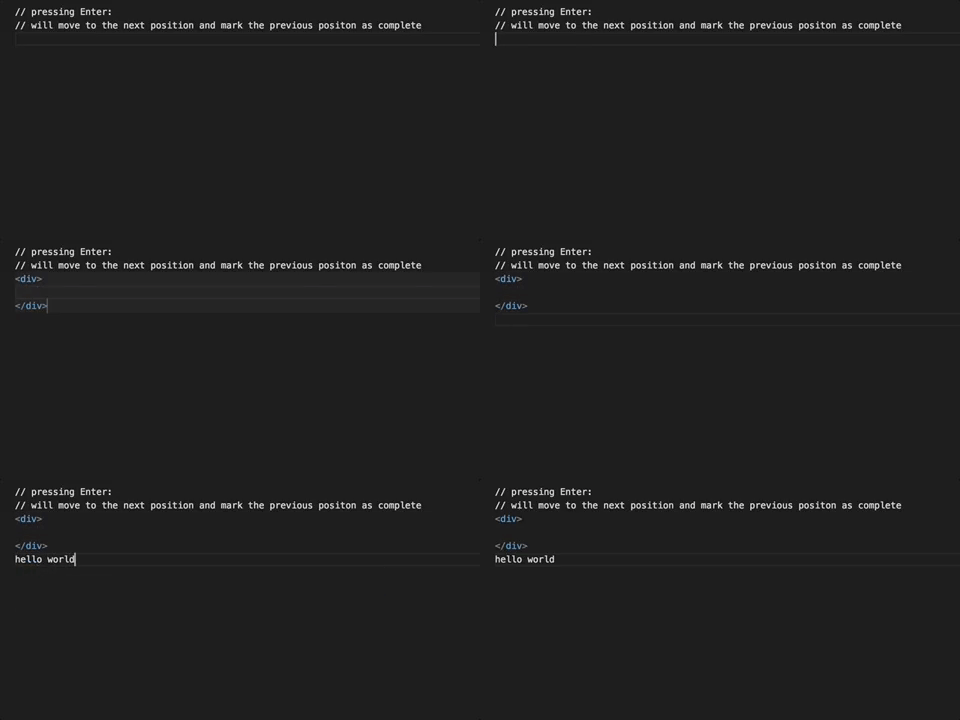
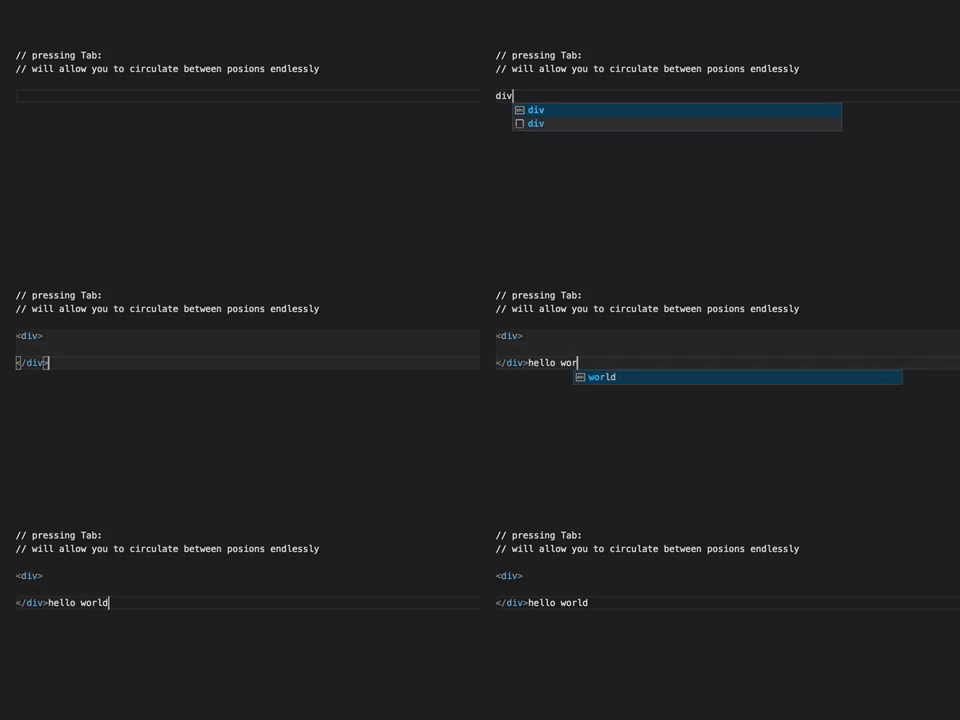
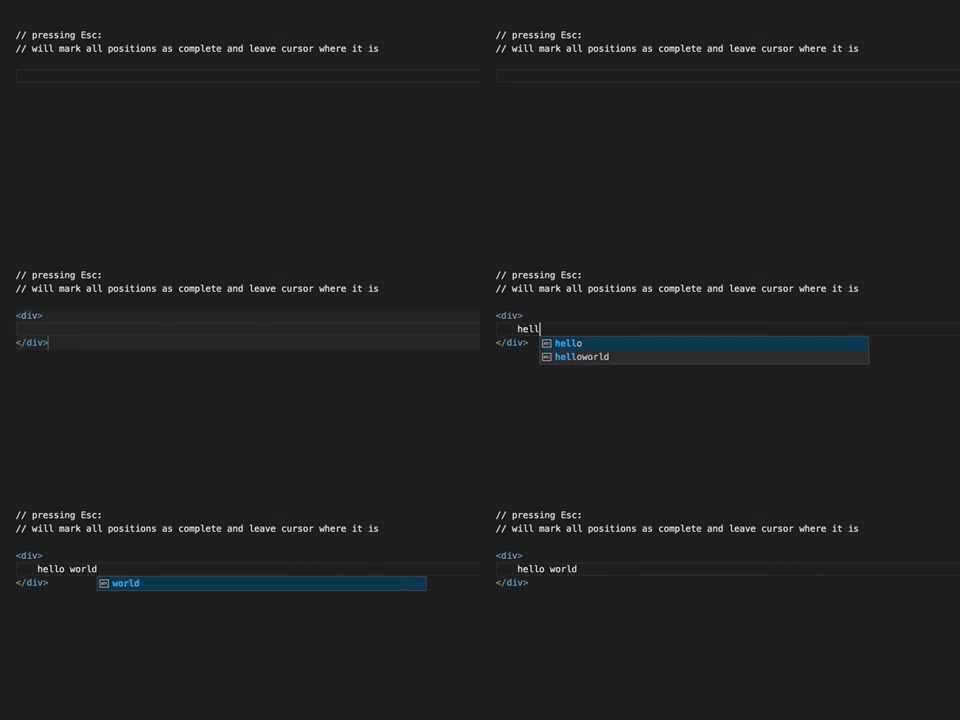
I have tested the three scenarios, and have provided a gif showing the output for each case, these are expected results, this is actually the design of VSC snippet engine I have no control over it. If you are experiencing a behavior other than what is shown in the gif then I expect there is a bug in the VSCode engine.
// pressing Enter: // will move to the next position and mark the previous position as complete
// pressing Tab: // will allow you to circulate between positions endlessly
// pressing Esc: // will mark all positions as complete and leave cursor where it is
-- Sorry for the English, I used Google Translator --
I tested using: OS: Windows 10 v1611 VSCode: 1.9.0 - insider Extension: 0.0.18
My problem is not necessarily with the div tag (I used it as an example), but its behavior must be the same for all, or there is a way to configure which tags should have this behavior, having to break the line automatically.
When using the div tag, I have the same behavior as you showed in the gif.
I do not know if it was clear ... Sorry for the English
When I use HTML Snippets and I click enter with the h5 tag

When I use HTML Snippets and I click tab with the h5 tag

Here when I use the Auto Close Tag extension and click enter with h5 tag

hello,
what you experienced there is the VS Code html engine, in recent versions the VS Code added native support for html in html files, if you open a file that is deemed html by vscode, and you disable html snippets, you can simply use the '<' notation to unlock the html tags.
we cant replicate this with snippets as the api is limited in its ability.
Sorry for late reply, extremely busy past few days.