absolute-quantum
Blender 3.0 errors
In case this helps with getting the plugin compatible with the latest version of Blender, I have found a few errors that pop up in this version on an avatar that behaved fine in 2.92.
- When I try to bake my model, I get the following errors:
START BAKE
Un-mirroring source CATS UV data
Un-mirroring source CATS UV data
Un-mirroring source CATS UV data
Un-mirroring source CATS UV data
Un-mirroring source CATS UV data
Baking diffuse for objects: Body.001,cf_m_shoes_cheersboots (Instance) (Instance).001,shirtpants.001,skirt.001,underclothes.001
Python: Traceback (most recent call last):
  File "C:\Users\<user>\AppData\Roaming\Blender Foundation\Blender\3.0\scripts\addons\cats-blender-plugin-master\tools\bake.py", line 384, in execute
    self.perform_bake(context)
  File "C:\Users\<user>\AppData\Roaming\Blender Foundation\Blender\3.0\scripts\addons\cats-blender-plugin-master\tools\bake.py", line 622, in perform_bake
    self.bake_pass(context, "diffuse", "DIFFUSE", {"COLOR"}, [obj for obj in collection.all_objects if obj.type == "MESH"],
  File "C:\Users\<user>\AppData\Roaming\Blender Foundation\Blender\3.0\scripts\addons\cats-blender-plugin-master\tools\bake.py", line 294, in bake_pass
    context.scene.render.bake.use_pass_ambient_occlusion = "AO" in bake_pass_filter
AttributeError: 'BakeSettings' object has no attribute 'use_pass_ambient_occlusion'

location: <unknown location>:-1
Error: Python: Traceback (most recent call last):
  File "C:\Users\<user>\AppData\Roaming\Blender Foundation\Blender\3.0\scripts\addons\cats-blender-plugin-master\tools\bake.py", line 384, in execute
    self.perform_bake(context)
  File "C:\Users\<user>\AppData\Roaming\Blender Foundation\Blender\3.0\scripts\addons\cats-blender-plugin-master\tools\bake.py", line 622, in perform_bake
    self.bake_pass(context, "diffuse", "DIFFUSE", {"COLOR"}, [obj for obj in collection.all_objects if obj.type == "MESH"],
  File "C:\Users\<user>\AppData\Roaming\Blender Foundation\Blender\3.0\scripts\addons\cats-blender-plugin-master\tools\bake.py", line 294, in bake_pass
    context.scene.render.bake.use_pass_ambient_occlusion = "AO" in bake_pass_filter
AttributeError: 'BakeSettings' object has no attribute 'use_pass_ambient_occlusion'

location: <unknown location>:-1
- when I try to "Fix Model" an imported MMD model, I get this:
Fixing Model:

Collections:
 Collection collection
DOUBLE ENTRIES:
RENAME:
\Left arm | Bip_UpperArm_\L
\Left ankle | \LFoot
REWEIGHT:
\Left elbow | ElbowAux_\L
\Left leg | LegD_001_\L
DOUBLES END
Info: Applied modifier was not first, result may not be as expected
Collections:
 Collection collection
Collections:
 Collection collection
CHECK TRANSFORMS: 1.0 1.0 1.0
COMBINE MATERIALS!
Collections:
 Collection collection
Light None
Camera None
Model_arm POSE
Model_mesh None
Info: Combined 11 materials!
Collections:
 Collection collection
Warning: No mesh data to join
GOOGLE DICT UPDATE!


DEBUG: Translating 操作
YOU GOT BANNED BY GOOGLE!
Collections:
 Collection collection
MASS MERGING
['UpperBody', 'UpperBody2', 'Spine01', 'Spine02', 'Spine03']
UpperBody2
Spine01
Spine02
FIX TWIST BONES
[]
1. no HandTwist_L
1. no HandTwist_R
1. no ArmTwist_L
1. no ArmTwist_R
[]
BUG: Neck tried to mix weights with itself!
BUG: Head tried to mix weights with itself!
Python: Traceback (most recent call last):
  File "C:\Users\<user>\AppData\Roaming\Blender Foundation\Blender\3.0\scripts\addons\cats-blender-plugin-master\tools\armature.py", line 1097, in execute
    if vg.name not in bones_to_delete:
UnicodeDecodeError: 'utf-8' codec can't decode bytes in position 0-1: invalid continuation byte

location: <unknown location>:-1
Error: Python: Traceback (most recent call last):
  File "C:\Users\<user>\AppData\Roaming\Blender Foundation\Blender\3.0\scripts\addons\cats-blender-plugin-master\tools\armature.py", line 1097, in execute
    if vg.name not in bones_to_delete:
UnicodeDecodeError: 'utf-8' codec can't decode bytes in position 0-1: invalid continuation byte

location: <unknown location>:-1
Just to be clear, the exact same operations work on these model when opened in Blender 2.92.


I tried out the development branch. "Fix model" still crashes with that error. Baking doesn't crash, but the result looks like this, with the UVs mostly squashed into a line and some meshes missing:
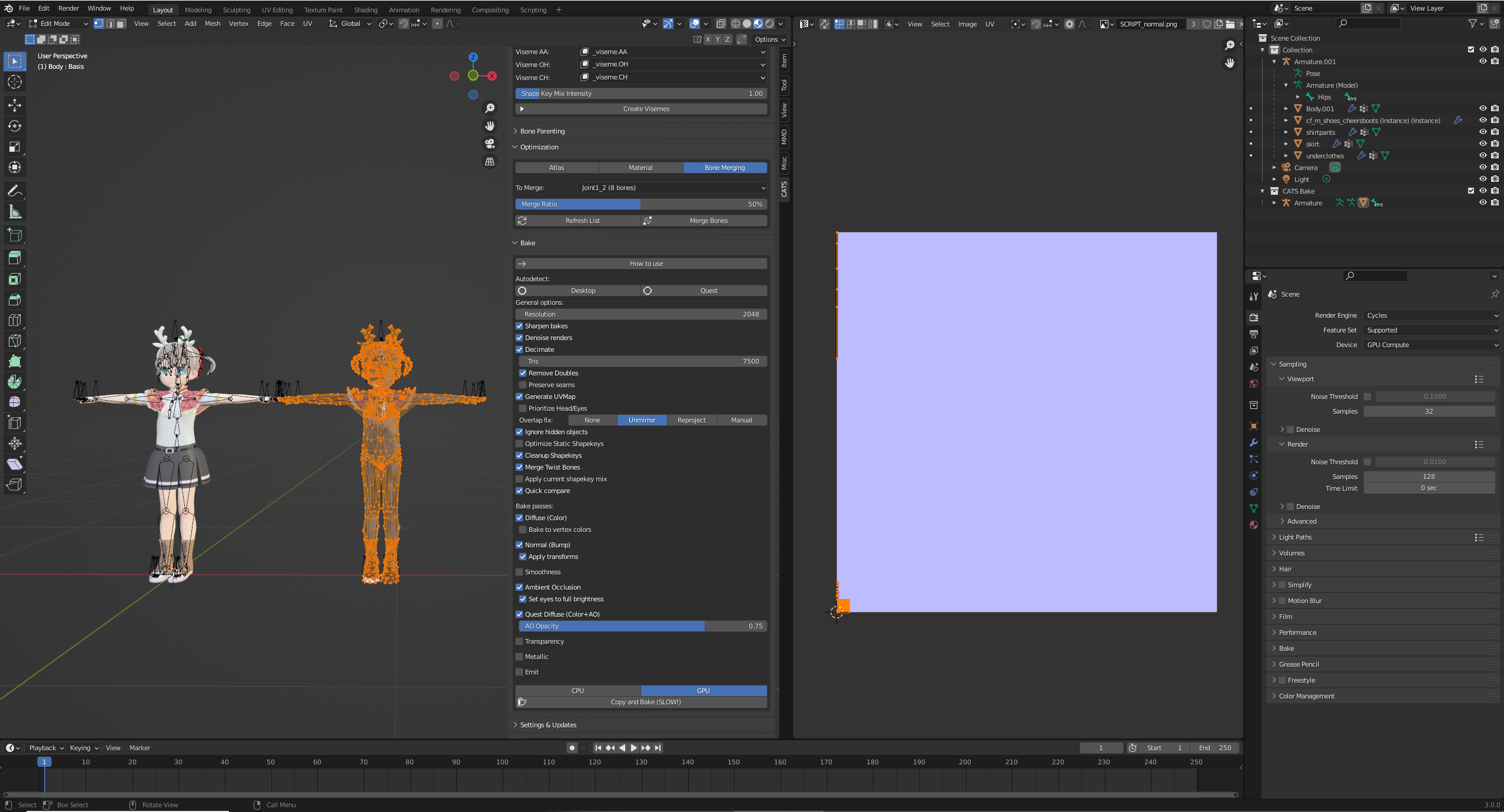
The console output is
Applying mask modifiers
Decimating
Collections:
 CATS Bake cats bake
 Collection collection
START DECIMATION
Collections:
 CATS Bake cats bake
 Collection collection
Info: Removed 4 vertice(s)
63744
63744
0 > 7500
Body
0.11765813253012049
63744
7500
Collections:
 CATS Bake cats bake
 Collection collection
Warning: No mesh data to join
Armature.001 POSE
Removing UV UVMap
Baking normal for objects: Body
Info: Baking map saved to internal image, save it externally or pack it
Removing UV CATS UV Super

FBX export starting... 'C:\\Users\\james\\Documents\\modeling\\blender\\monaco\\CATS Bake/Bake.fbx'
export finished in 1.5625 sec.
BAKE COMPLETE!
Info: Success! Textures and model saved to 'CATS Bake' folder next to your .blend file.
What the working bake looks like in Blender 2.92 (CATS main branch)

Console output:
START BAKE
Un-mirroring source CATS UV data
Un-mirroring source CATS UV data
Un-mirroring source CATS UV data
Un-mirroring source CATS UV data
Un-mirroring source CATS UV data
Baking diffuse for objects: Body.001,cf_m_shoes_cheersboots (Instance) (Instance).001,shirtpants.001,skirt.001,underclothes.001
Info: Baking map saved to internal image, save it externally or pack it
Info: Baking map saved to internal image, save it externally or pack it
Info: Baking map saved to internal image, save it externally or pack it
Info: Baking map saved to internal image, save it externally or pack it
Info: Baking map saved to internal image, save it externally or pack it
Baking ao for objects: Body.001,cf_m_shoes_cheersboots (Instance) (Instance).001,shirtpants.001,skirt.001,underclothes.001
Info: Baking map saved to internal image, save it externally or pack it
Info: Baking map saved to internal image, save it externally or pack it
Info: Baking map saved to internal image, save it externally or pack it
Info: Baking map saved to internal image, save it externally or pack it
Info: Baking map saved to internal image, save it externally or pack it
Info: Removed 0 vertice(s)
Info: Successfully set shapekey "Key 458" as the new Basis.
Baking world for objects: Body.001,cf_m_shoes_cheersboots (Instance) (Instance).001,shirtpants.001,skirt.001,underclothes.001
Info: Baking map saved to internal image, save it externally or pack it
Info: Baking map saved to internal image, save it externally or pack it
Info: Baking map saved to internal image, save it externally or pack it
Info: Baking map saved to internal image, save it externally or pack it
Info: Baking map saved to internal image, save it externally or pack it
Collections:
 CATS Bake cats bake
 Collection collection
START DECIMATION
Collections:
 CATS Bake cats bake
 Collection collection
Info: Removed 4 vertice(s)
69877
69877
0 > 7500
Body
0.10733145384031942
69877
7497
Collections:
 CATS Bake cats bake
 Collection collection
Warning: No mesh data to join
Armature.001 POSE
Removing UV UVMap
Baking normal for objects: Body
Info: Baking map saved to internal image, save it externally or pack it
Removing UV CATS UV Super

FBX export starting... 'C:\\Users\\james\\Documents\\modeling\\blender\\monaco\\CATS Bake/Bake.fbx'
FBX export prepare: Wrapping Objects...
        Done (0.000000 sec)

FBX export prepare: Wrapping Data (lamps, cameras, empties)...
        Done (0.000000 sec)

FBX export prepare: Wrapping Meshes...
        Done (0.000000 sec)

FBX export prepare: Wrapping ShapeKeys...
        Done (0.312500 sec)

FBX export prepare: Wrapping Armatures...
        Done (0.000000 sec)

FBX export prepare: Wrapping World...
        Done (0.000000 sec)

FBX export prepare: Wrapping Materials...
        Done (0.000000 sec)

FBX export prepare: Wrapping Textures...
        Done (0.000000 sec)

FBX export prepare: Wrapping Animations...
        Done (0.000000 sec)

FBX export prepare: Generating templates...
        Done (0.000000 sec)

FBX export prepare: Generating Connections...
        Done (0.015625 sec)

FBX export fetch empties (1)...
        Done (0.000000 sec)

FBX export fetch lamps (0)...
        Done (0.000000 sec)

FBX export fetch cameras (0)...
        Done (0.000000 sec)

FBX export fetch meshes (2)...
        Done (0.250000 sec)

FBX export fetch objects (108)...
        Done (0.015625 sec)

FBX export fetch remaining...
        Done (0.031250 sec)

FBX export fetch animations...
        Done (0.000000 sec)

export finished in 0.7031 sec.
BAKE COMPLETE!
Info: Success! Textures and model saved to 'CATS Bake' folder next to your .blend file.
From your picture, it looks like it may have the scale all wrong. Could you try applying the scale for the original model and re-baking?
If that doesn't work, feel free to send me your .blend (with textures packed) and I'll try to take a look ASAP.
Try the latest development, I just fixed that like yesterday-ish
It doesnt work, ive tried for the whole day and tried different versions. I'm trying to create eyetracking but instead it fucks up my eye shapekeys and says the python error:
Error: Python: Traceback (most recent call last): File "C:\Users<user>\AppData\Roaming\Blender Foundation\Blender\3.0\scripts\addons\cats-blender-plugin-master\tools\bake.py", line 384, in execute self.perform_bake(context)

Try the latest development, I just fixed that like yesterday-ish
I dont get the error anymore but it still ruins the shapekeys and eye tracking doesnt want to work. Please fix.
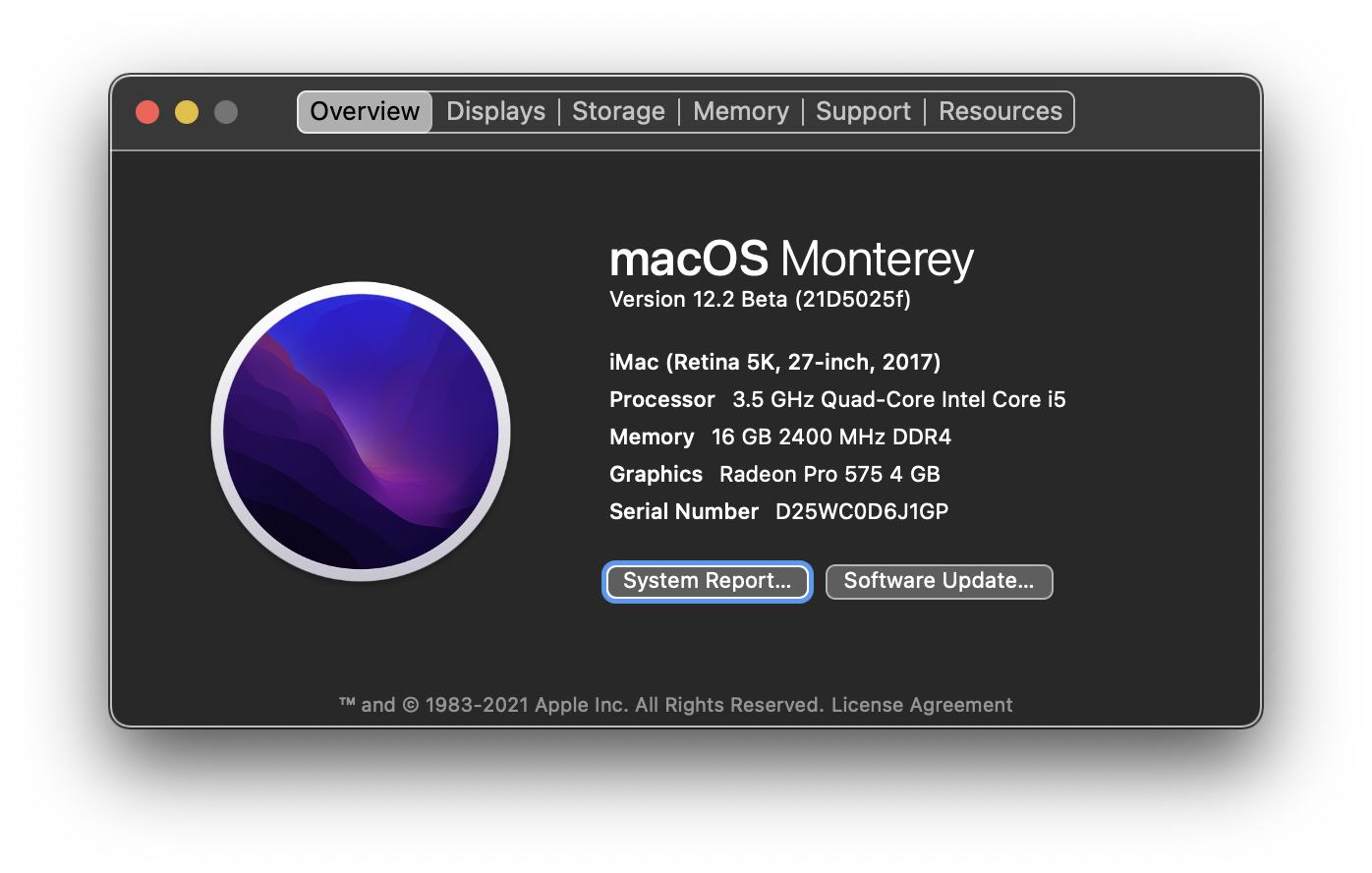
I did get download and add-ons then enable and click Developers then restart Blender 3.0 then open cause wait not work see picture. Only for Mac. Do not use Windows.