

 abiosoft
Cert authority error when using kubectl/kubernetes
Description
I'm not entirely sure this is a Colima issue but when starting a kubernetes cluster using the --kubernetes flag everything starts ok and the kube config is copied over properly to the host but I get Unable to connect to the server: x509: certificate signed by unknown authority when trying to run any commands using kubectl that require it to connect to the kubernetes node being run by colima.
Version
Colima Version: 0.4.6 Lima Version: 0.13.0 Qemu Version: 7.1.0
Operating System
- [ ] macOS Intel
- [X] macOS M1
- [ ] Linux
Reproduction Steps
brew install colima kubectlcolima start --runtime docker --kuberneteskubectl get nodes
Expected behaviour
Kubectl should be able to connect and return the state of the colima kubernetes node.
Additional context
I've looked through the issues on the k3s repo to see if its known issue there but i can't find anything concrete.

I'm having the same problem with a fresh colima instance (ran colima delete and then colima start --kubernetes --cpu 8 --memory 8)


Can you share the output of
colima status?
INFO[0000] colima is running using macOS Virtualization.Framework INFO[0000] arch: aarch64 INFO[0000] runtime: docker INFO[0000] mountType: virtiofs INFO[0000] socket: unix:///Users/tryao/.colima/default/docker.sock INFO[0000] kubernetes: enabled
But I encountered no problems while executing kubectl commands within the SSH environment through the use of colima ssh.
But I encountered no problems while executing
kubectlcommands within the SSH environment through the use ofcolima ssh.
@YiuTerran that is surprising. Does it happen 100% of the time or only sometimes?
I have performed "colima delete" and "colima start" multiple times and it happened 100%.
However, after restarting my Mac, it disappeared.
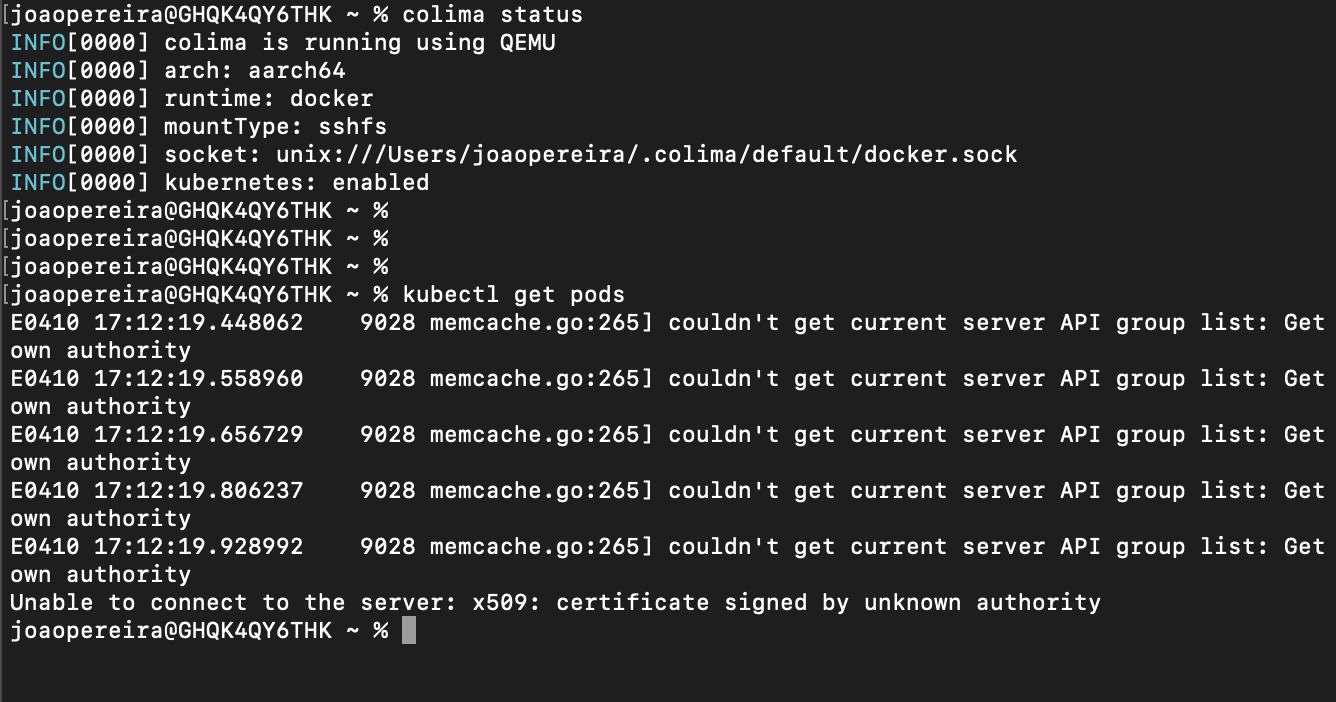
Tried to delete and start again, with and without the ˜-r containerd˜ option with no luck... :|
Any other suggestion?
I was having the same issue. added --network-address to colima start and issue is resolved.

I just started getting this issue. I downloaded the context with:
colima ssh -- cat /etc/rancher/k3s/k3s.yaml > colima.k3s.context.yaml
and kubectl works like this:
kubectl get nodes --kubeconfig=./colima.k3s.context.yaml
NAME     STATUS   ROLES                  AGE   VERSION
colima   Ready    control-plane,master   58m   v1.31.2+k3s1
merging the config to my current ~/.kube/config seems to be a little tricky though, the colima.k3s.context names cluster and user 'default', and my kube config had both default and 'colima' context/user/clusters which is what a want, but the conventioal kubectl config --flatten type instructions didn't work. A hand merge and cleanup worked though.
