
better-comments
 better-comments copied to clipboard
 aaron-bond
How do I disable strike through while using // //
I noticed that when I double a comment in JS, it adds a Strike-Through making the comments less visible.
Please how do I disable this option. @aaron-bond
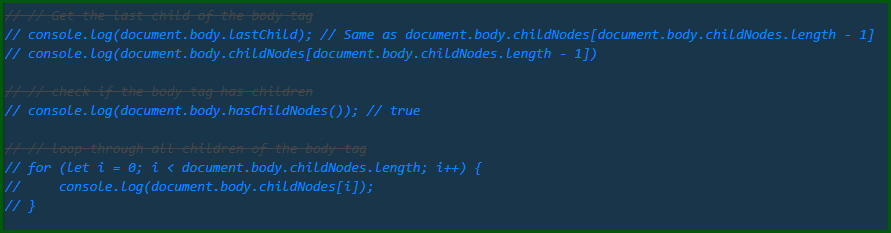

Its just a format tag in your settings, look at the readme of this github or VSCODE page and you will see some json data, that is the exact code that is used as default if you do not change anything in settings. Go to your settings in vscode, view the text file and if they are no there already add that json data. This will override the default settings and you can change it how you want. In this case, change { "tag": "//", "color": "#474747", "strikethrough": true, "underline": false, "backgroundColor": "transparent", "bold": false, "italic": false }, You can either remove that one block entirely (do not remove others) or change it to something more visible.

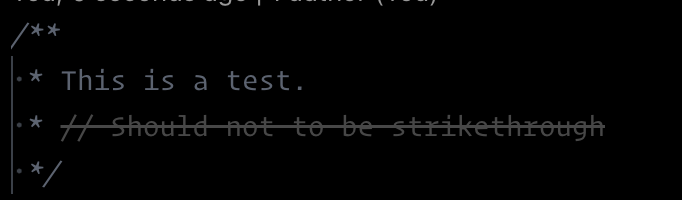
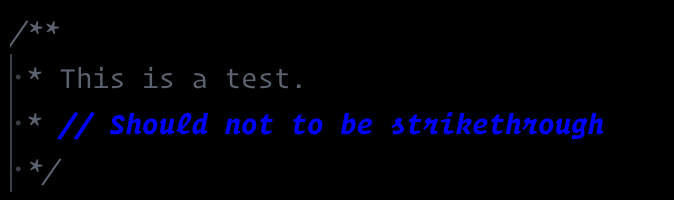
@Zxynine it sould be work but for some reason, doesn't. I try to fork project and debug in VSCode and it works well changing settings but in the ofifcial installed version doesn't work
Using official package
Using my fork (without changes)

To say the least, this is a very poor choice of symbols combination //
Curious how did author came up with this idea, is it only his workflow/practice, or something global?
I can recommend switching it to maybe something more known, e.g. from Markdown ~~?
My story is, that at least for a year or more, I was struggling when my comments in Go file with 4 //// were getting strikethrough formatted!
I was trying to ignore it and giving up? Since kinda it was not happening that often.
What about this not-comment, but usual command: s/^##//p' ${MAKEFILE_LIST} | column -t -s ':' | sed -e 's/^/ /
Finally I was fed up well enough! I've decided to check again and dive deeper to find out, if what can be altering comments in my extensions... (Yea, my list of extensions is not that big, and I do not remember what all of them preciselydo, especially if the extension was installed years ago, and just lives there, providing benefits)
