

 aachman98
Crash - Custom Object Model Delete on Set Preview [BUG]
Describe the bug A clear and concise description of what the bug is.
Crash - Custom Object Model Delete on Set Preview
To Reproduce Steps to reproduce the behavior:
(Using Linux)
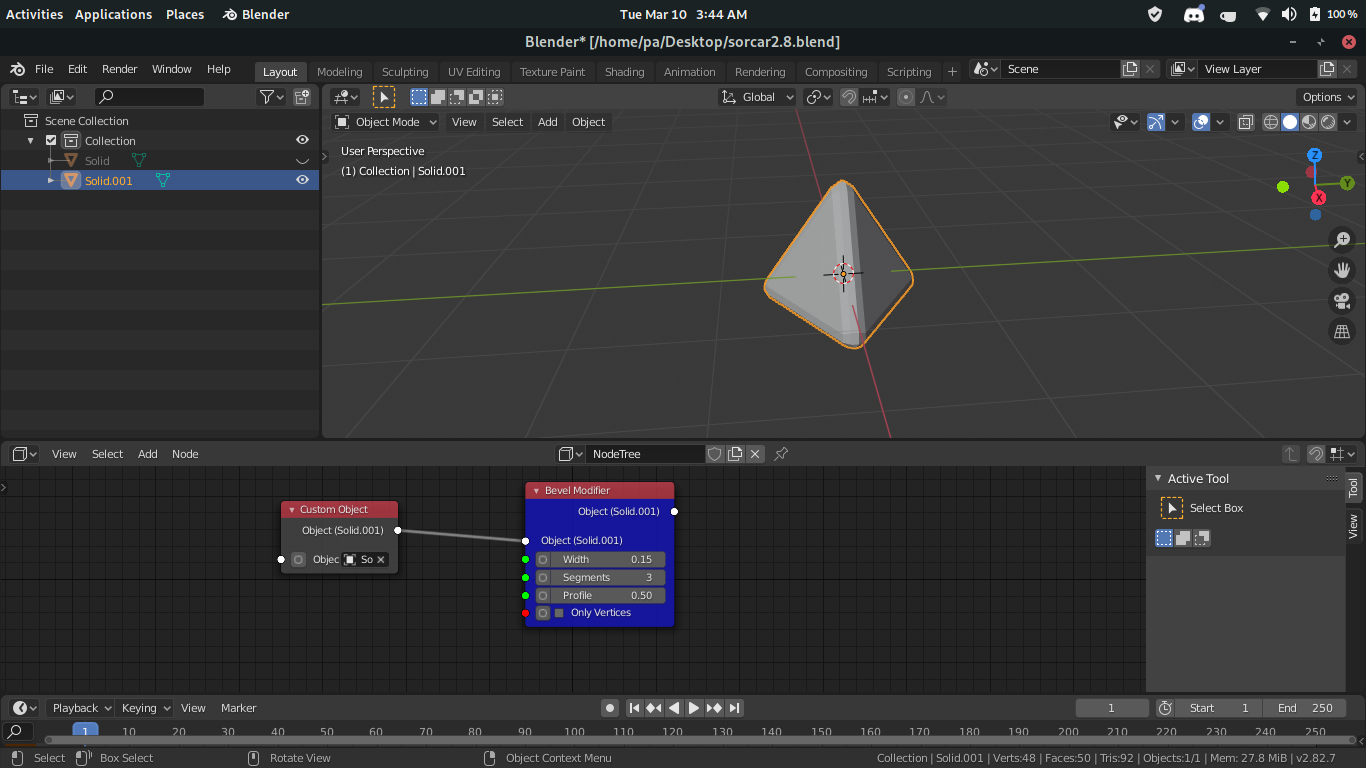
Add Custom Object Node Add Bevel Modifier Node Adjust settings on Bevel Modifier
Click "Set Preview" (forget if it's on Custom Object or Bevel Modifier)
Poof! Model is deleted.
Expected behavior A clear and concise description of what you expected to happen.
A Preview
Screenshots If applicable, add screenshots to help explain your problem.
Desktop (please complete the following information):
- OS: [e.g. Linux]
- Blender Version [e.g. 2.81]
- Sorcar Version [e.g. 3.1.3]
Additional context Add any other context about the problem or your proposed solution here.
Messing with the modifier buttons, even when it does behave as expected, causes the model to be deleted.

Used: Extra Objects, Regular Solid, Tetrahedron, Slightly beveled: Segments 3, Width: 0.015
Working fine:
Is it possible that you added a modifier maually and did not apply before using the "Custom Object" node?
