

 a-b-street
Feature request: 'Save scenario' button
A/B Street enables users to modify travel behaviour and infrastructure. Currently there are ways of saving scenarios of infrastructure change and scenarios of travel, but no way to save the 'package' of changes that you have made into a single file, including:
- [ ] The scenario file currently loaded
- [ ] The set of change made to the transport network
- [ ] Location of the camera, e.g. to show someone a particularly interesting feature of the transport system at a junction
- [ ] The timestamp
Each of these things have been implemented separately and work well. A great example of the effectiveness of being able to share insight into the impact of change is this demo of using A/B Street to simulate the addition of a new cycleway in Poundbury, UK.
Currently people can reproduce that situation by opening up A/B Street, getting the Poundbury map up, putting a scenario file e.g. scenario_go_active.json, in the relevant place and editing the map in the same way as shown on the video.
Even better, thanks to great work on the ActDev project, users can simply click on this link and then the just need to edit the road: https://actdev.cyipt.bike/abstreet/?--actdev=poundbury&--cam=16.9/50.71206/-2.45266&--actdev_scenario=go_active as shown below:
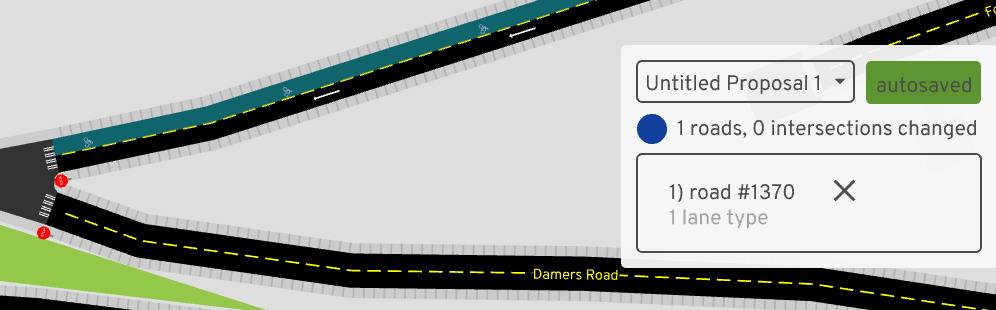
That opens the map at the correct location and at a specific time. Making the change auto saves it. But it's not immediately clear how to share the edits with others, let alone share the map state at that specific time and location. I imagine tackling this issue with have high benefit:cost ratio as all the components are there but not packaged. For that reason, as discussed, it may be more of a UI question in terms of where the 'Save Scenario' button goes.
Suggestion: have one main 'Save' button which when clicks opens a sub menu with the options, e.g.:
- [ ] Save current infrastructure
- [ ] Save infrastructure edits
- [ ] Save current scenario
- [ ] Save time
- [ ] Save camera view
That outputs a single file containing each of those things (and possibly in the future more such as annotations) that can be reloaded by others.
Imagine there are other settings that could be saved. Confident this will be useful in any case and very happy to provide further ideas/feedback and test.

It's straightforward to start the game running for a particular scenario, e.g. with:
cargo run --bin game data/system/gb/great_kneighton/scenarios/center/go_active.bin
But could not see where the autosaved edits were made after seeing this in the GUI:
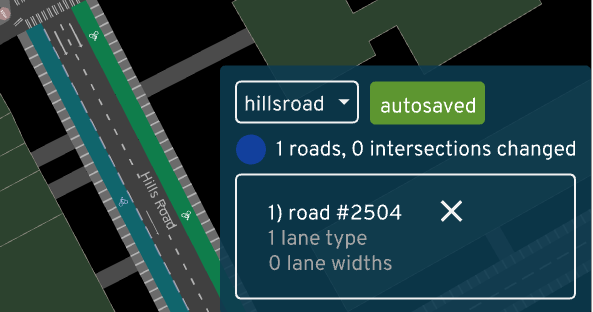
But could not see where the autosaved edits were made after seeing this in the GUI
https://a-b-street.github.io/docs/dev/index.html#development-tips
It's buried in the docs. You can pass --edits=hillsroad on the command line for that map.
I agree we could make all of this much easier in the UI. Thanks for the ideas!

https://a-b-street.github.io/docs/dev/index.html#development-tips It's buried in the docs.
:+1: that clarifies things, could do with more documentation in that area and something I could help with.
You can pass
--edits=hillsroadon the command line for that map.
That works great. How would I take that to the next step and share the edits with a someone else though (I searched for a file called hillsroad to no avail)?
I agree we could make all of this much easier in the UI.
Happy to be a guinea pig / product tester on this!
That works great. How would I take that to the next step and share the edits with a someone else though (I searched for a file called hillsroad to no avail)?
You'd send them data/player/edits/gb/great_kneighton/center/hillsroad.json and have them put the file in the same place. That's tedious.
I'm prioritizing things like the new road editing UI right now, but when I get a breather, I'll add some stuff here and ask you to test. Thanks!
Makes sense and not too tedious. Just discovered why I couldn't find that file, I had missed out the --no-ignore tag in the command line file finder fd. This found it, and makes sense to ignore those files in git:
fd hill --no-ignore
data/player/edits/gb/great_kneighton/center/hillsroad.json
data/system/study_areas/dunton-hills.geojson
importer/config/gb/dunton_hills