

 ZoneMinder
VideoWriter not working on HTTP cameras, creates file incomplete.mp4
Describe Your Environment
- Version of ZoneMinder [release version, development version, or commit] -- ZoneMinder 1.37.27~20221116103319-focal arm64
- How you installed ZoneMinder [e.g. PPA, RPMFusion, from-source, etc] -- PPA
- Full name and version of OS -- Ubuntu 20.04.5 LTS on ARM64 (NVidia Xavier) -- Linux xavier 5.10.104-tegra #1 SMP PREEMPT Wed Aug 10 20:17:07 PDT 2022 aarch64 aarch64 aarch64 GNU/Linux
- Browser name and version (if this is an issue with the web interface)
If the issue concerns a camera
- Make and Model: standard HTTP fetch camera
- frame rate: 5
- resolution: 1920 x 1080
- ZoneMinder Source Type:
Describe the bug Since upgrading from ZoneMinder 1.34 to the latest, I can't Record non RTSP cameras to a MP4 file. Because I am using passthrough, it works for RTSP cameras. Based on this failure to encode, the URL {yourserver}/zm/index.php?mode=mp4&eid={youreid}&view=view_video does not work
To Reproduce Steps to reproduce the behavior:
-
create a HTTP camera source:
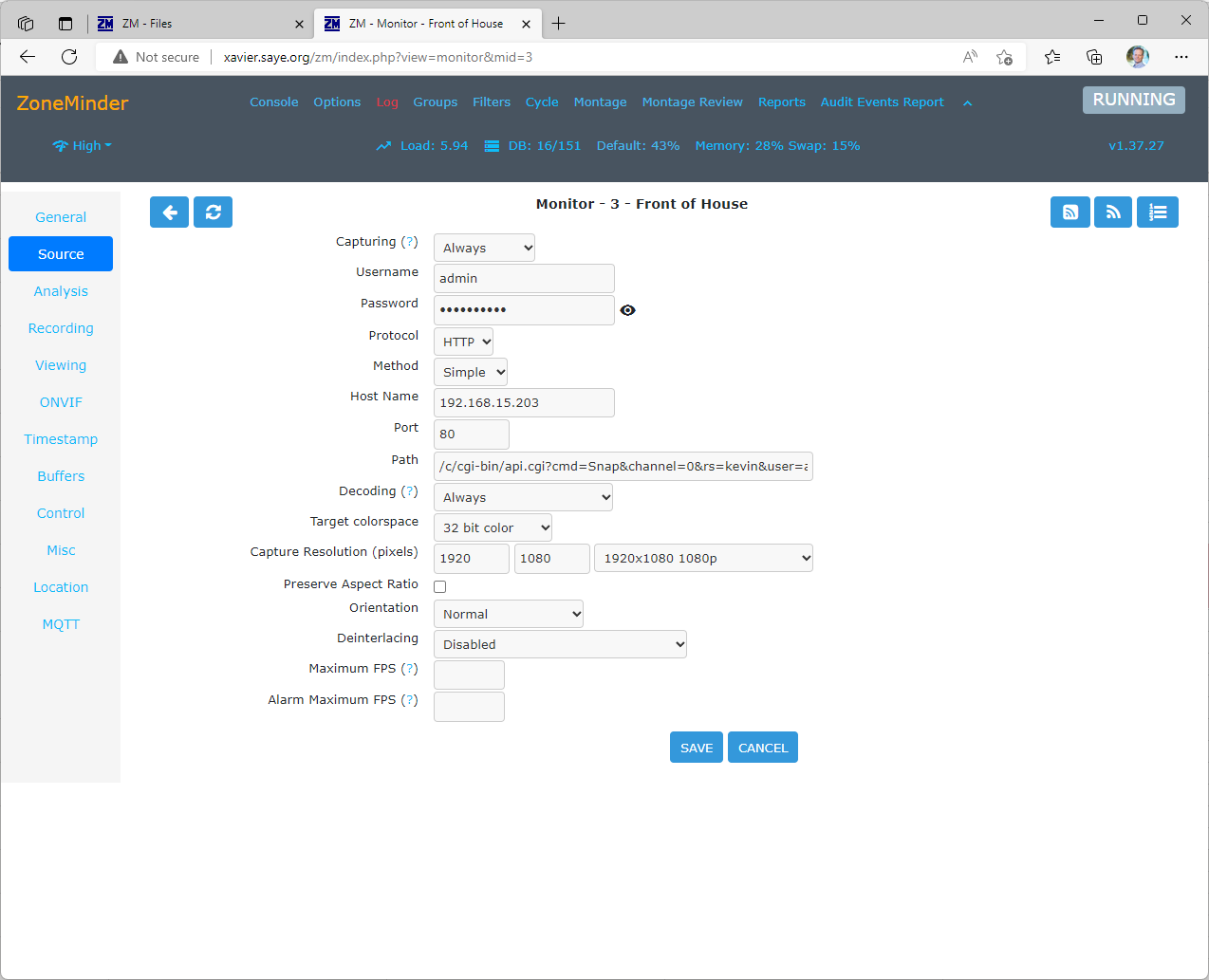
-
Set the video Writer to encode. Note none of the Codecs work:

-
Trigger an alarm and attempt to watch the video:

-
In the storage directory, not the 'incomplete.mp4' file:

Expected behavior For RTSP or Zoneminder 1.34.x, this setting worked and the URL showed the video
Debug Logs
Not too clear where and what logs to provide.

Thanks for opening your first issue here! Just a reminder, this forum is for Bug Reports only. Be sure to follow the issue template!
![welcome[bot] avatar](https://avatars.githubusercontent.com/in/4141?v=4 "Published by a pub.dev verified publisher")
incomplete.mp4 means that it is crashing before finishing the event. You can turn on debug logs. Options->Logging->DEBUG. Then after restart for monitor 1, the logs will be in /var/log/zm/zmc_m1.log.
You might want to specify the encoder. It might be picking something incorrect. Specifically you will need to tell it h264/h265
