
yubico-piv-tool
 yubico-piv-tool copied to clipboard
 Yubico
YKCS module failure with Veracrypt
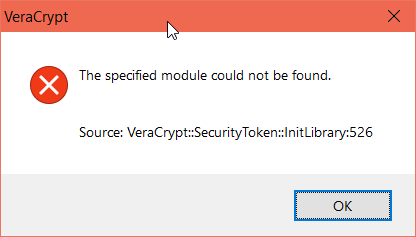
My goal is to access the certificate stored in Yubikey 4 to use as keyfile in veracrypt. when i try to set up the token library in veracrypt, libykcs11-1.dll returns the error as specified module could not be found:
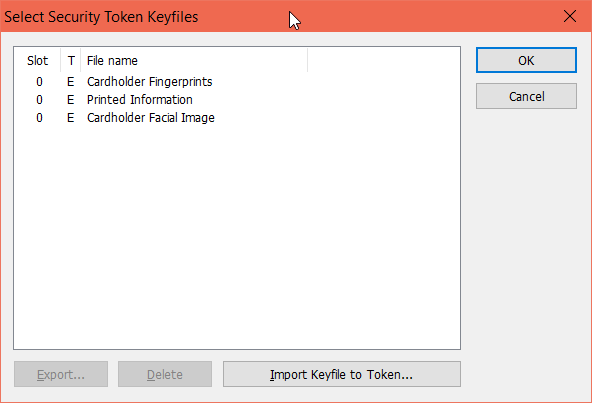
However, i was able to use opensc-pkcs11.dll to view the files inside yubikey:
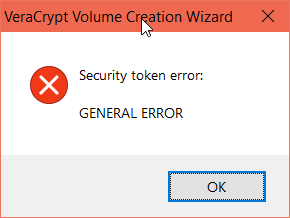
but veracrypt could not access it and returns error as General error:
What is the right way to implement this? Thanks!

Consider that certificates were designed to be public, and that presumably anybody would be able to get hold of your cert, load a smart card with it, and using it, get VeraCrypt decrypt your filesystem.
What Veracrypt is doing would be OK for dumb USB drives. Using a PIV (or OpenPGP) token like this is like driving nails with a microscope - possible, but neither smart nor cost-effective.

Consider that certificates were designed to be public, and that presumably anybody would be able to get hold of your cert, load a smart card with it, and using it, get VeraCrypt decrypt your filesystem.
What Veracrypt is doing would be OK for dumb USB drives. Using a PIV (or OpenPGP) token like this is like driving nails with a microscope - possible, but neither smart nor cost-effective.
I agree, but i want to use it for another purpose... lets say i have python script running on startup which mounts a veracrypt container..... the mounting happens only when yubikey is plugged in as it holds the keyfile.
i am aware the design has its flaws but the idea is to "make certain folders available only if yubikey is plugged in"
any ideas how i could possibly implement this ? also, the data in question is not that sensitive to be worried about.
just out of curiosity and "something is better than nothing" :)
When I tested this on Windows for the 2.0.0 release the problem was that VeraCrypt couldn't load the ykcs11 dll (or it's dependencies). I verified this using pkcs11-spy, which can be downloaded from the opensc for Windows project. From it's log it was clear it failes to load ykcs11, and thus ykcs11 never even gets called. Why that is is a mystery to me. One theory I had was that there might be a conflicting openssl dll somewhere on the path, but thats only speculation. I built a dummy pkcs11 dll with no dependencies and just enough functionality to allow VeraCrypt to load it, and with that it worked.
A final thought on this is that up until the upcoming 2.1 release we cross-compiled the Windows release on Linux, perhaps this has something to do with it as well. From 2.1 we support cmake using the Visual Studio build tools. We will test this again for that release.
(The dummy DLL I mentioned above was built with Visual Studio as well)

Regarding your error above with opensc-pkcs11 I think it happens because opensc-pkcs11 indicates that certain objects exists even though they do not contain any data. A YubiKey doesn't normally contain any data in the 3 objects your listing shows (Although it could if you have written to them)
If all you need is an unprotected certificate from Yubikey - then pkcs15-tool --read-certificate 03 will give you that certificate in PEM format when Yubikey is inserted.
As to whether this whole approach is better than nothing - it's up to you. I have my opinion.
Regarding your error above with opensc-pkcs11 I think it happens because opensc-pkcs11 indicates that certain objects exists even though they do not contain any data. A YubiKey doesn't normally contain any data in the 3 objects your listing shows (Although it could if you have written to them)
i tried calling the .crt file by token://slot/0/file/filename.crt and i cannot find the file. Again, there are those 3 objects of crt file i added. how do i add data to those three files?
Thanks!
If all you need is an unprotected certificate from Yubikey - then
pkcs15-tool --read-certificate 03will give you that certificate in PEM format when Yubikey is inserted.As to whether this whole approach is better than nothing - it's up to you. I have my opinion.
Thanks! will try this one
To read/write data to PIV slots please see the following link: https://developers.yubico.com/yubico-piv-tool/Actions/read_write_objects.html
Be aware that the data in the slots has specific formats according to PIV specification. Neither yubico-piv-tool nor the YubiKey enforces this.
Regarding file names I think you need to use the exact filenames as listed, no extensions. Keep in mind that there aren't really any file names in the PIV application, they are just something that the PKCS11 implementation you use map the slot IDs to. And the URL format you use in VeraCrypt is specific to VeraCrypt. Finally, for this to make most sense you should use a slot that is PIN-protected, such as the three in the listing above.
I managed to solve it:
When attempting to load libykcs11.dll with Veracrypt, it is then looking for libcrypto-1_1-x64.dll and libykpiv.dll in C:\Windows\System32\ folder but they don't exist there (even though Yubico PIV Tool\bin is in PATH env var).
Copying those DLLs from C:\Program Files\Yubico\Yubico PIV Tool\bin to C:\Windows\System32\ solved it for me.
I hope this helps.

OK, to me that would indicate that VeraCrypt probably sets the search path for dependent libraries restrictively, for security reasons presumably. Thx for the info!
When I try copying the dll's from "Yubico PIV Tool\bin" to System32 and loading that into Veracrypt, it see's no slots/objects from the Yubikey 5 series. But using opensc-pkcs11.dll shows me Fingerprints, Facial Image, and Printed Information.
With the OpenSC dlls, I'm able to load the tokens from Fingerprints and Facial Image to unlock the Veracrypt containers. However, one annoyance is that after the token session timeout, it no longer accepts the correct PIN until you go to "Veracrypt > Settings > Security Tokens > OK" to kind of reset everything.
Using "Veracrypt > Tools > Close All Security Token Sessions" doesn't help.
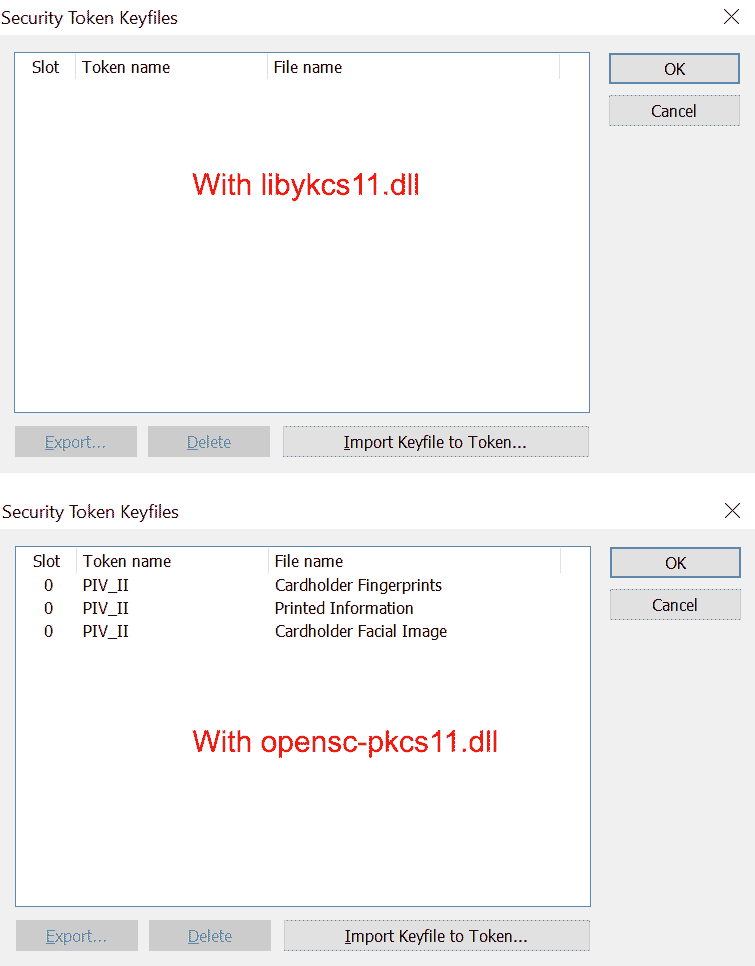

I think the above is based on the fact that the PIV spec says these objects are mandatory, and opensc-pkcs11 apparently always shows those objects when they are listed via the FindObjects pkcs11 API. The way it finds objects, and what labels it puts on them is up to the specific pkcs11 module, the objects have no names in PIV, only slot ids. libykcs11.dll will show objects based mainly on the objects actually being provisioned, but the full logic is rather complex, and also depends on the YubiKey model.
I'm closing this issue now for lack of activity, and also that it would seem the fix has to be done by VeraCrypt.
Apologies for necroing this thread, but thought I would add a touch more context here on the initial issue for anyone who might encounter it in the future, as I too encountered this issue today.
@qpernil was right about the DLL search path being restricted - the code responsible for this restriction can be found in "src/Common/Dlgcode.c". This restricts the DLL search path to the "C:\Windows\System32" directory.
For anyone who is interested, circumventing this restriction can be achieved by recompiling the VeraCrypt code with "src/Common/Dlgcode.c" lines 3712, 3713, and 3714 removed, or the function pointers set to a nullptr. This will remove the restriction, expanding the search to include the current working directory, PATH, and other "normal" search paths. This in turn allows the application to find libykcs.dll's dependencies in the current working directory (ideal if using VeraCrypt portable & want to use yubikey with it).
Recompiling VeraCrypt is a massive PITA, however It is also possible to patch the offending instructions out of the "VeraCrypt-x64.exe" binary directly. The image below shows a low-level IL representation of the patch performed using Binary Ninja:
This patch removes the Kernel32.dll "GetProcAddress" calls for "SetDllDirectoryW", "SetSearchPathMode", and "SetDefaultDllDirectories", setting the function pointers to nullptr instead, which is handled gracefully by the application.
The binary's built-in file integrity check function "VerifyModuleSignature" also needs to be patched in order for the executable to run without errors, as after patching, the file's digital signature will no longer match. The function can also be found in "src/Common/Dlgcode.c".
The image below shows an assembly-level representation of the patch:
This patch forces the application to take a branch that always returns True. The branch taken can be found in the corresponding C code in "src/Common/Dlgcode.c".
After patching the binary, VeraCrypt is able to locate and load the DLL's dependencies, and you can use the YubiKey supplied DLL without issues.
It is worth noting that it is probably necessary to patch each of the x64 binaries individually, as while they all utilise the same codebase, each library is statically linked, meaning each binary has their own "copy" of problematic the code. For example, when "VeraCrypt-x64.exe" loads "VeraCrypt Format-x64.exe", the latter file will not benefit from the former file's patches, and will throw an error. Having to manually patch multiple files can be avoided by doing this the proper way and just building VeraCrypt from source with the required source code changes, though once you get the patch right on the first file, repeating it is pretty simple. I'm sure there's also a way to automate these patches, but that's not something I'm going to look into, at least right now.
Disclaimer:
I am stupid. It is definitely not a good idea to patch a binary by hand that is responsible for complex and sensitive operations such as the encryption of files, partitions and operating systems. Please be careful. While the effects of this patch should not interfere with the rest of the program, this cannot be guaranteed. I do not recommend using a hand-patched VeraCrypt binary on information you don't mind losing. Yes I'm probably still going to use it myself anyway, like I said, I'm stupid lol.
Resources:
Microsoft: secure-loading-of-libraries-to-prevent-dll-preloading-attacks
Microsoft: dynamic-link-library-search-order
