

 Yoast
Yoast
Snippet editor fields don't scroll into view
As a native behavior, all browsers bring into view HTML element when they receive focus.
However, this doesn't happen with the draft.js "fields" now used in the snippet editor, as they're not native input fields. It's something you won't see normally, as we're used to large screens. However, in some cases it can be very confusing for users.
To reproduce:
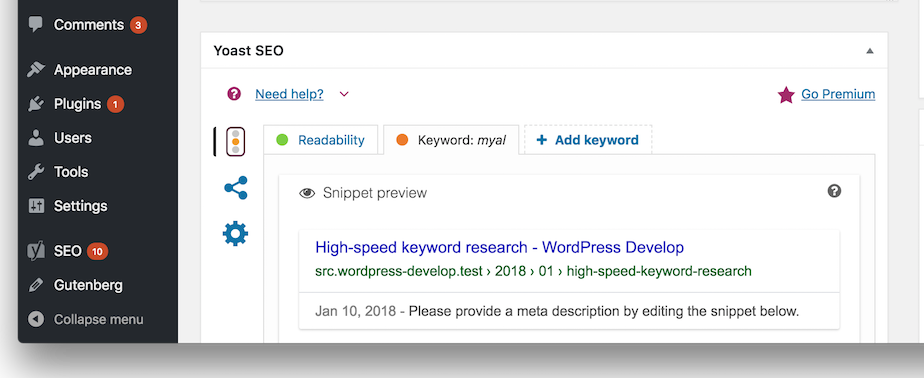
- scroll the page to make the snippet preview appear and don't scroll further: see screenshot:
-
or, open your browser's dev tools just to make the window height smaller, or use the responsive view emulation
-
click on the title in the preview: nothing seem to happen
-
click on the description: nothing seem to happen
-
click on the URL: the page scrolls and the slug field in the snippet editor comes into view: this is because the slug field is a native input field
Worth noting browsers scroll in different ways to bring something into view:
- Chrome typically tries to bring the element that receives focus in the middle of the page
- Firefox just makes the element appear at the bottom of the page
