

 Ylianst
Web-RDP AzureAD user login not working
I have many machines joined to AzureAD. The username format is AzureAD[[email protected]](mailto:[email protected]). This is not working with MeshCentral Web-RDP. Works fine using the Microsoft Remote Desktop Client. Is there a solution? Thank you
 .
.

Just out of curiosity, have you tried with domain "AzureAD" and username with no "AzureAD", just the e-mail? What is your setup? is it a selfhosting server? if yes, do you have any reverse proxies? what MC version you are using?

This is likely related to #3950, #3938. My complete guess on this is that the RDP client in MeshCentral supports only the low grade encryption NLA (md4, md4 and rc4). I need to add support for some sort of higher encryption.

I have tried various credential formats. Leaving domain blank and putting AzureAD\ in username field. Then putting AzureAd in domain field. I use an RDP client manager called "Royal TSX" Works perfectly with AzureAd joined machines.
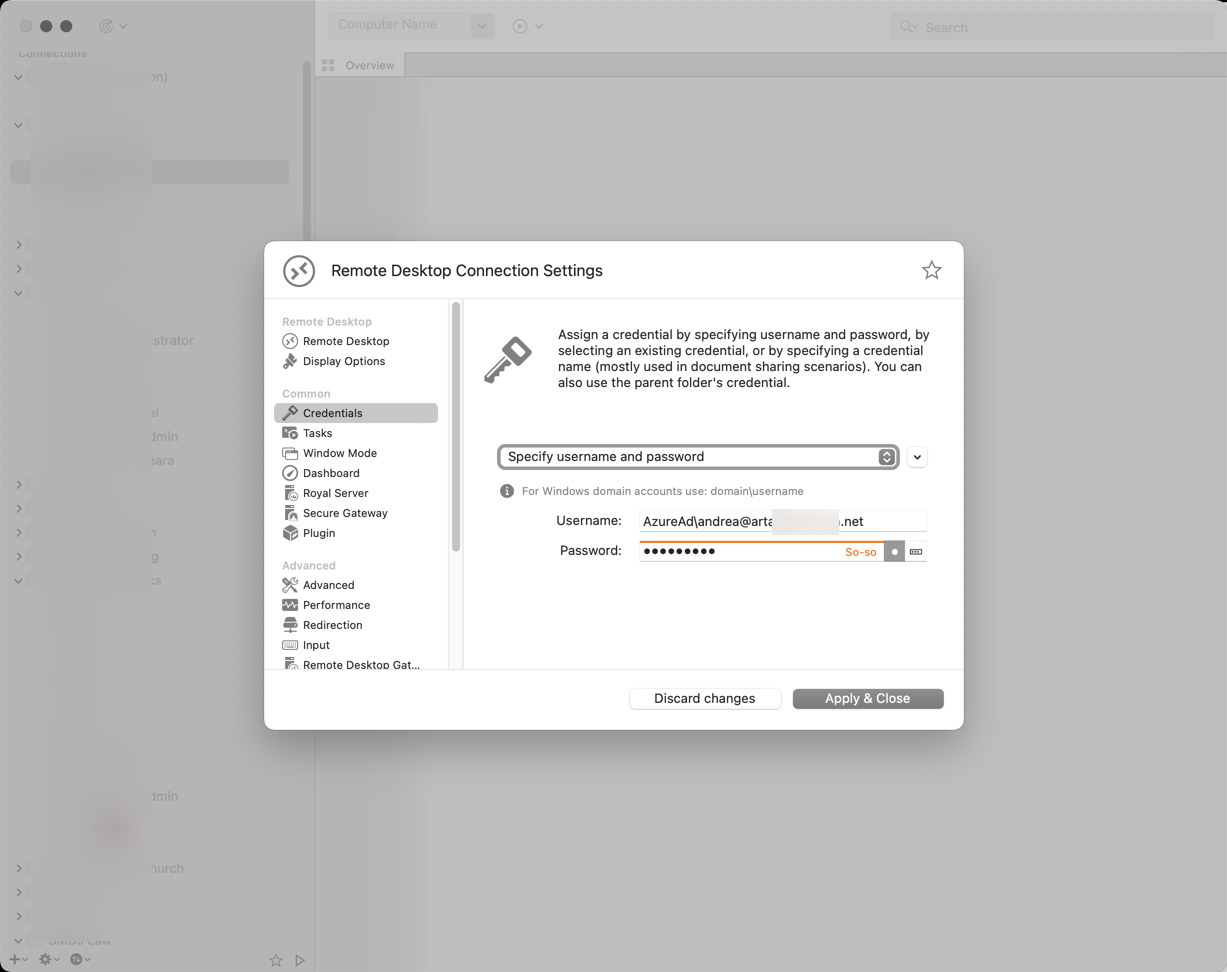
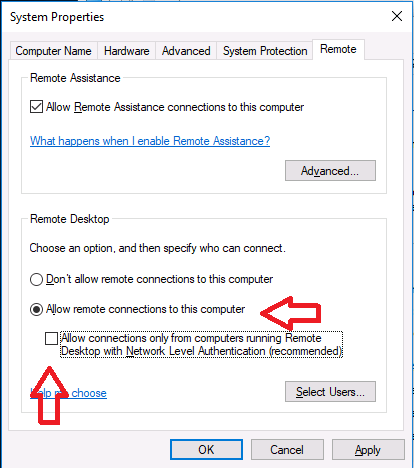
To get connections working with other 3rd party RDP clients, I had to disable NLA like in this article. https://www.niallbrady.com/2017/08/23/how-can-i-rdp-to-an-azure-ad-joined-windows-10-device/
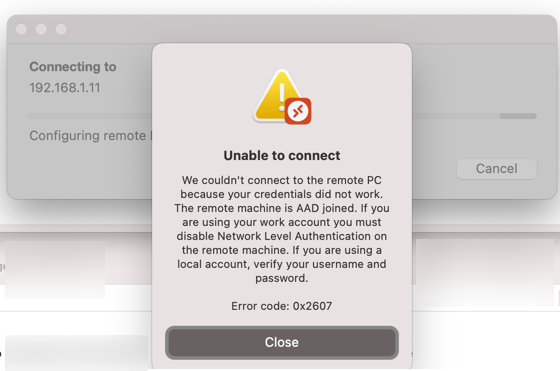
Even with Microsoft's own Remote Desktop Client, I get an error stating I need to disable NLA
 .
.
this is going to sound strange but can people try this
set the username as .\AzureAD\[email protected]
make sure to include the .\ at the beginning!?
im finding a lot of posts saying this is needed?
https://www.pisys.net/knowledge-base/how-to-rdp-into-a-computer-with-your-azure-ad-credentials/ https://bradleyschacht.com/remote-desktop-to-azure-ad-joined-computer/ https://www.anyviewer.com/how-to/rdp-with-azure-ad-0427.html
