

 YahnisElsts
Multisite Update Does Not Show
Hi there, been using your extensions for a while, it's awesome.
I haven't been able to get it to work succesfully on multi-site installs though, under certain circumstances I can get it to show the "check for updates", and when I run this it shows the admin notification saying update available.
But on multisite installs that's as far as it goes, it doesn't actually offer the download update button.
I've tried network activating and activating on the main site and every other combination of activation.
Currently the call for the plugin updater is being loaded in my plugin using the "plugins_loaded" hook.
Any advice would be greatly appreciated!
Thanks, Chris

Multisite usage has two special requirements:
- The plugin has to be loaded in the network admin. This usually means that you need to either network activate it or activate it on the main site. If you have any special logic that controls when to run the update checker, make sure that it's running at least in the network admin.
- The plugin should not be installed in
mu-plugins. WordPress doesn't support automatic updates for plugins that are installed in that directory.
A few other things to check that are not specific to Multisite:
- Verify that the plugin file name that's passed to the update checker is correct. If the file name is wrong or incomplete, it can cause strange behaviour.
- Verify that the plugin doesn't have some conditionals that would prevent the update checker from being loaded. This is similar to the "must run in the network admin" point above. If you need to control when and where the plugin will run - like checking for
is_admin()or something similar - try loading the update checker unconditionally, then re-add the restrictions once you've got it working. - If you set the plugin slug explicitly, verify that the slug is unique.
- Verify that plugin updates work at all. This is probably not the issue, but it might be worth checking if nothing else helps.

I followed the 2 special requirements and still can't update my theme in a multisite network.

Try installing the Debug Bar plugin, and then take a look at the "PUC (your-slug)" panel in the debug bar. Does it show the correct details for your theme? Does it show the update?
 The slug seems to be ok.
The update function works fine on a regular installation, but no on a multisite network.
The slug seems to be ok.
The update function works fine on a regular installation, but no on a multisite network.
That looks fine to me. The only thing that I would note is that it looks like you already have version 1.0.3 installed on that site, so you won't see an update notification unless you release a new version or change the installed version.
Yes. The thing is that screenshot is from the local environment that has the latest version.
In the production site, the 1.0.2 version is installed.
[Graphical user interface, text, application Description automatically generated]
From: Yahnis Elsts @.> Reply-To: YahnisElsts/plugin-update-checker @.> Date: Saturday, 5 February 2022 at 05:48 To: YahnisElsts/plugin-update-checker @.> Cc: Mario Badilla @.>, Comment @.***> Subject: Re: [YahnisElsts/plugin-update-checker] Multisite Update Does Not Show (#459)
That looks fine to me. The only thing that I would note is that it looks like you already have version 1.0.3 installed on that site, so you won't see an update notification unless you release a new version or change the installed version.
— Reply to this email directly, view it on GitHubhttps://github.com/YahnisElsts/plugin-update-checker/issues/459#issuecomment-1030607351, or unsubscribehttps://github.com/notifications/unsubscribe-auth/ABK7IZEBCUMZUVDW275IGVLUZUFBNANCNFSM5EJZULZA. Triage notifications on the go with GitHub Mobile for iOShttps://apps.apple.com/app/apple-store/id1477376905?ct=notification-email&mt=8&pt=524675 or Androidhttps://play.google.com/store/apps/details?id=com.github.android&referrer=utm_campaign%3Dnotification-email%26utm_medium%3Demail%26utm_source%3Dgithub. You are receiving this because you commented.Message ID: @.***>
All right, so what does it look like on the site that has an older version? Does it still say "No updates currently available"?
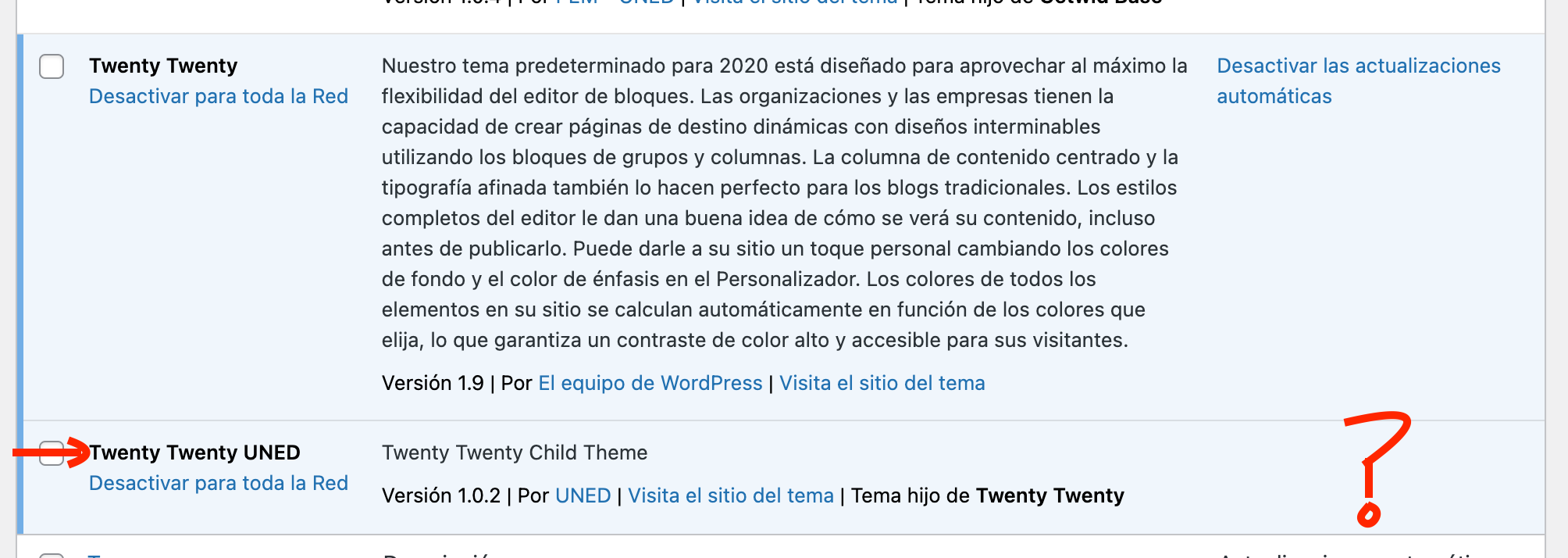
Ok, my bad. Debug bar does show there is an update available. But I can't find the way to update it
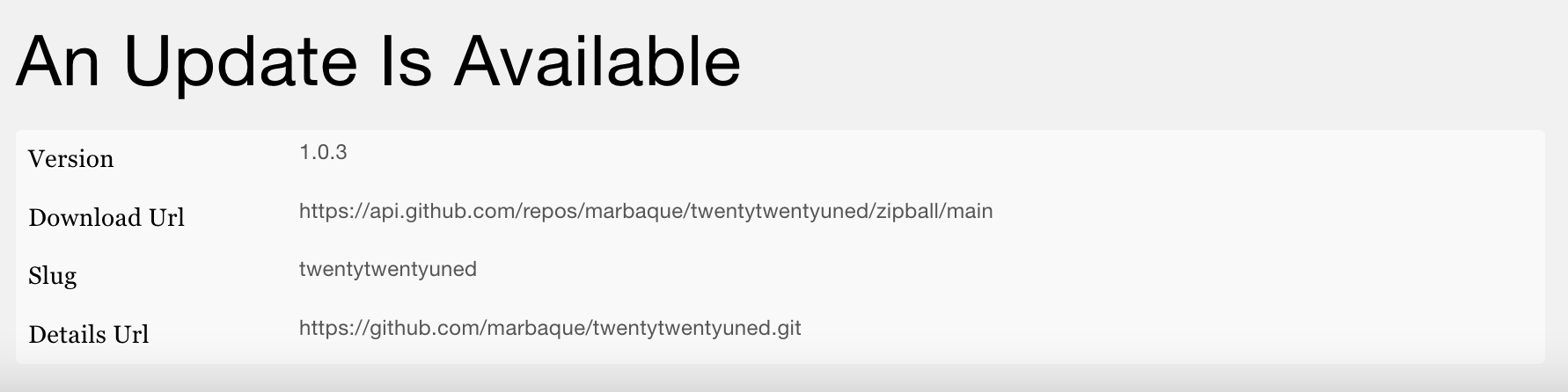
Thank you for the screenshot. That also looks fine to me.
I didn't have any other ideas, so I tried installing your theme on a local test site (the repository URL was in the screenshot). I changed the Version header in style.css to 1.0.2, enabled the theme for the whole network, and then activated it on the main site. The update showed up in the network admin:

This test site is running WordPress 5.9, and the only thing that I changed in your code was the version number. At the moment, I can't think of any reason why the same thing wouldn't work another Multisite installation (as long as the theme is active on the main site).
Ok, I see now. It has to be the active theme of the main site to be updated. Not only activated for the network. I managed to update it now, thank you for your patience.
It would be nice if it could be updated, even if it is not the active theme on the main site. The thing is, I'm using it on a site different from the main one.
It would be nice if it could be updated, even if it is not the active theme on the main site.
I agree that this would be nice, but I don't see a way to do that. Due to the way this update checker works, the code has to actually run to display an update. Technically, you could instead edit the update list in the database, but then you would get other problems like stale updates, updates randomly disappearing when something clears the cache, etc.
So how do you run code in the network admin? As far as I know, there are two main ways to do that:
- Activate a plugin or theme on the main site. When you do that, WordPress will also run that plugin or theme in the network admin.
- Install a plugin in
/wp-content/mu-plugins. This is basically like network activating a plugin, except more reliable and harder to set up.
The only practical workaround that I'm aware of is to put the update checker code in a separate plugin and then activate the plugin on the main site. That way you can use a different theme on the main site. You still have to run something on the main site, but at least you can use a different theme.