

 YIZHUANG
Center mode broken when setting the item width
Describe the bug
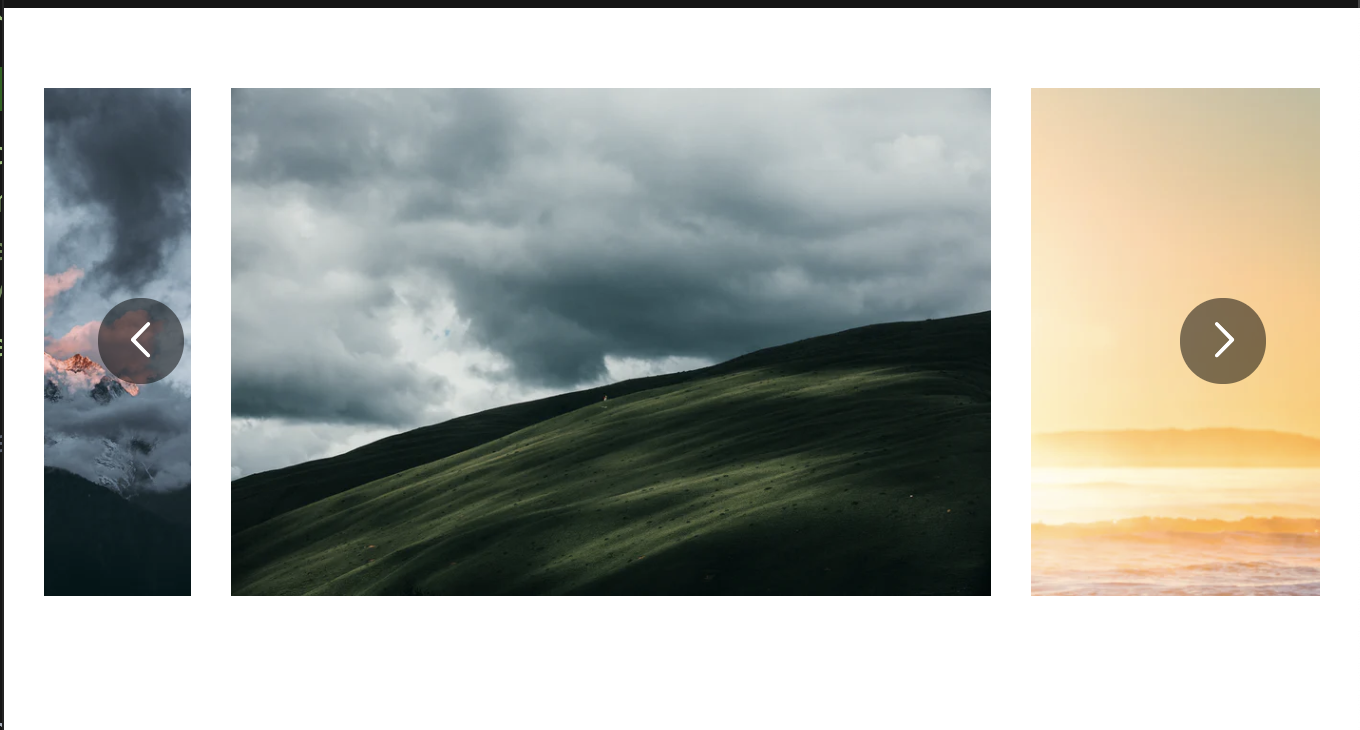
The current picture does not place at the center of the screen when I add my width to react-multi-carousel-item by setting itemClass. I also set the centerMode and infinite to be true
To Reproduce Steps to reproduce the behavior:
- Set the Carousel
centerModeandinfiniteto true - Adding
itemClassand set some static width with !important like this
.image-item {
    padding: 0 10px;
    width: 400px !important;
}
Expected behavior I want the current image to always place at the center of the screen. and need to set some constants width to those images.
Screenshots
Desktop (please complete the following information):
- OS: MacOS
- Browser chrome
- Version 91.0.4472.114
Additional context
I try to add additionalTransfrom to fix it but it is still broken if I resize or change the current focus.
Reproduction Link to https://codesandbox.io/s/react-multi-carousel-playground-forked-hrs0l?file=/components/Simple.js

I try to set the Carousel state using React-dev-tools and its work by this equation
CarouselRef.current.state.transform = ( currentSlide * -myWidth ) - ( ( ( myWidth * 2 ) - containerWidth ) / 4 );
But I can't update its state. Is there any way to update the Carousel state?

I'm using tailwind and was able to achive this by adding itemClass to the carrousel
itemClass="px-1 flex justify-center"
you can create your own class and added there
itemClass={myCustomCSSClass}
import css
.image-item {
  display: "flex";
  justify-content: "center";
  margin: 0 1px;
}
I haven't try it but I think this should work just fine.

