
XiaoCC
XiaoCC
> > @XiaoCC, could you please visit this link: http://127.0.0.1:7860/config ? After the page has completely loaded, save the file as config.json and upload it. I'll check to see if...
The selected lora cannot be unselected
> Yes I've checked your config file, everything seems right, this is where the plugin gets the value from the config: 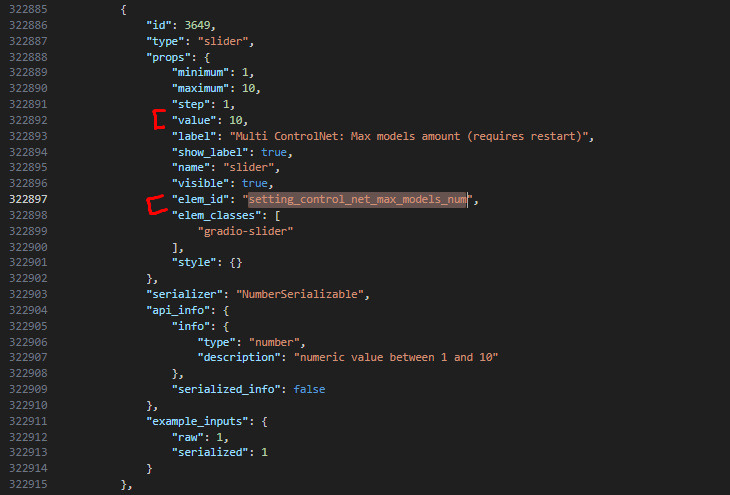 > > What happens when you click on...
https://github.com/AbdullahAlfaraj/Auto-Photoshop-StableDiffusion-Plugin/assets/7299222/0403dbf5-e51c-43c5-91ac-545b2b3da9b9 click on the Refresh button ,can refresh the ControlNet tab
plugin gets the value from the local stable diffusionconfig? or sd-url
> click on the Refresh button ,Auto1111's cmd output
Maybe the UI is initialized to read the config when the config is not yet loaded (50M) remote sd-url slow to download the config?
  @AbdullahAlfaraj getControlNetMaxModelsNum() --> catch
 This interface also has ( "control_net_max_models_num": 10,) Responses are very small
   I changed these 2 things and now it loads properly