

 Xavalon
Build issues because of the automatic save and format feature. Can it be switched off?
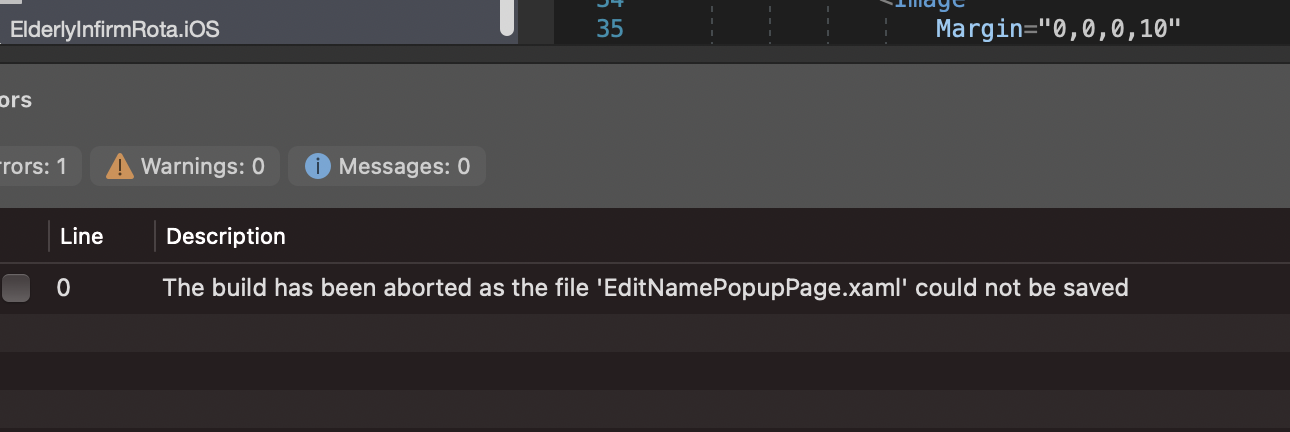

Are you leveraging an external settings configuration in your project? If so, you can disable format on save with:
{
    "FormatOnSave": false
}

Thanks. I just made a file and added it to the top level of the master project. When I save it it says there is no schema. I am saving it in VS for Mac. Is that warning OK?
I have not seen that before, but a schema is not necessary for XAML Styler to pick it up. It should be safe to ignore the warning.
I still get the error. I wonder if the folder I used is not good enough? I put it in the master root folder for all three projects.
Is it not possible for this to be managed for a tick list via a GUI window?
Thanks for advice.
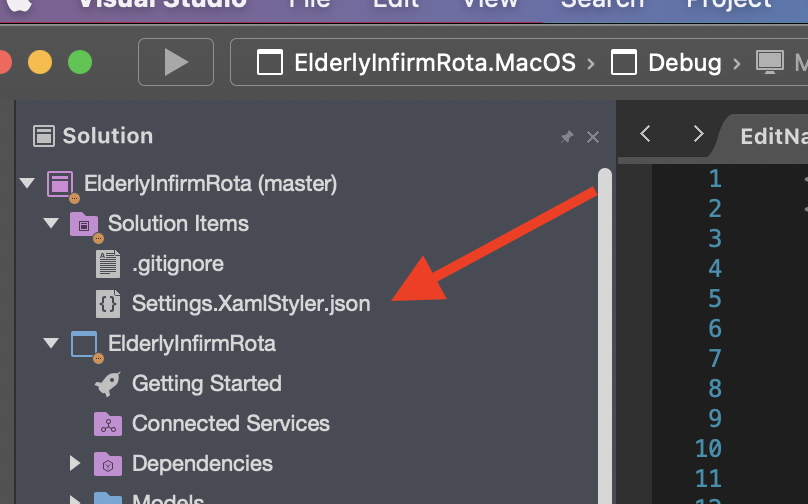
Any chance it it in a subdirectory in your main project folder? If so, it is possible it is getting picked up when formatting.
XAML Styler will respect the first configuration file it finds in the folder up-hierarchy, so it is possible to use separate configurations for different projects or subdirectories.
AsI have indicated, that folder it the highest … Yet I am still having the issue … Saving is restyling the file.
On 19 Feb 2021, at 20:59, Dave Grochocki [email protected] wrote:
Any chance it it in a subdirectory in your main project folder? If so, it is possible it is getting picked up when formatting.
XAML Styler will respect the first configuration file it finds in the folder up-hierarchy, so it is possible to use separate configurations for different projects or subdirectories.
— You are receiving this because you modified the open/close state. Reply to this email directly, view it on GitHub https://emea01.safelinks.protection.outlook.com/?url=https%3A%2F%2Fgithub.com%2FXavalon%2FXamlStyler%2Fissues%2F327%23issuecomment-782347334&data=04%7C01%7C%7C18bf787f65ef4e7aca8a08d8d5193b27%7C84df9e7fe9f640afb435aaaaaaaaaaaa%7C1%7C0%7C637493651622249137%7CUnknown%7CTWFpbGZsb3d8eyJWIjoiMC4wLjAwMDAiLCJQIjoiV2luMzIiLCJBTiI6Ik1haWwiLCJXVCI6Mn0%3D%7C1000&sdata=5I7pA4UbQMgr8HtODmTS04aHJ4b8AohSGQe0OQMYlEQ%3D&reserved=0, or unsubscribe https://emea01.safelinks.protection.outlook.com/?url=https%3A%2F%2Fgithub.com%2Fnotifications%2Funsubscribe-auth%2FAB45RM3W3WCTDEP4C26Y5X3S73GKRANCNFSM4XZF6L5Q&data=04%7C01%7C%7C18bf787f65ef4e7aca8a08d8d5193b27%7C84df9e7fe9f640afb435aaaaaaaaaaaa%7C1%7C0%7C637493651622259092%7CUnknown%7CTWFpbGZsb3d8eyJWIjoiMC4wLjAwMDAiLCJQIjoiV2luMzIiLCJBTiI6Ik1haWwiLCJXVCI6Mn0%3D%7C1000&sdata=ct81POGzCG8cfVBH%2Fp3KWK1OfxoAvu9n3pFZpGs%2FKzU%3D&reserved=0.
Closing this as won't fix since Visual Studio for Mac is scheduled for retirement by August 31, 2024.