
Xray-core

Xray-core copied to clipboard
 XTLS
XTLS
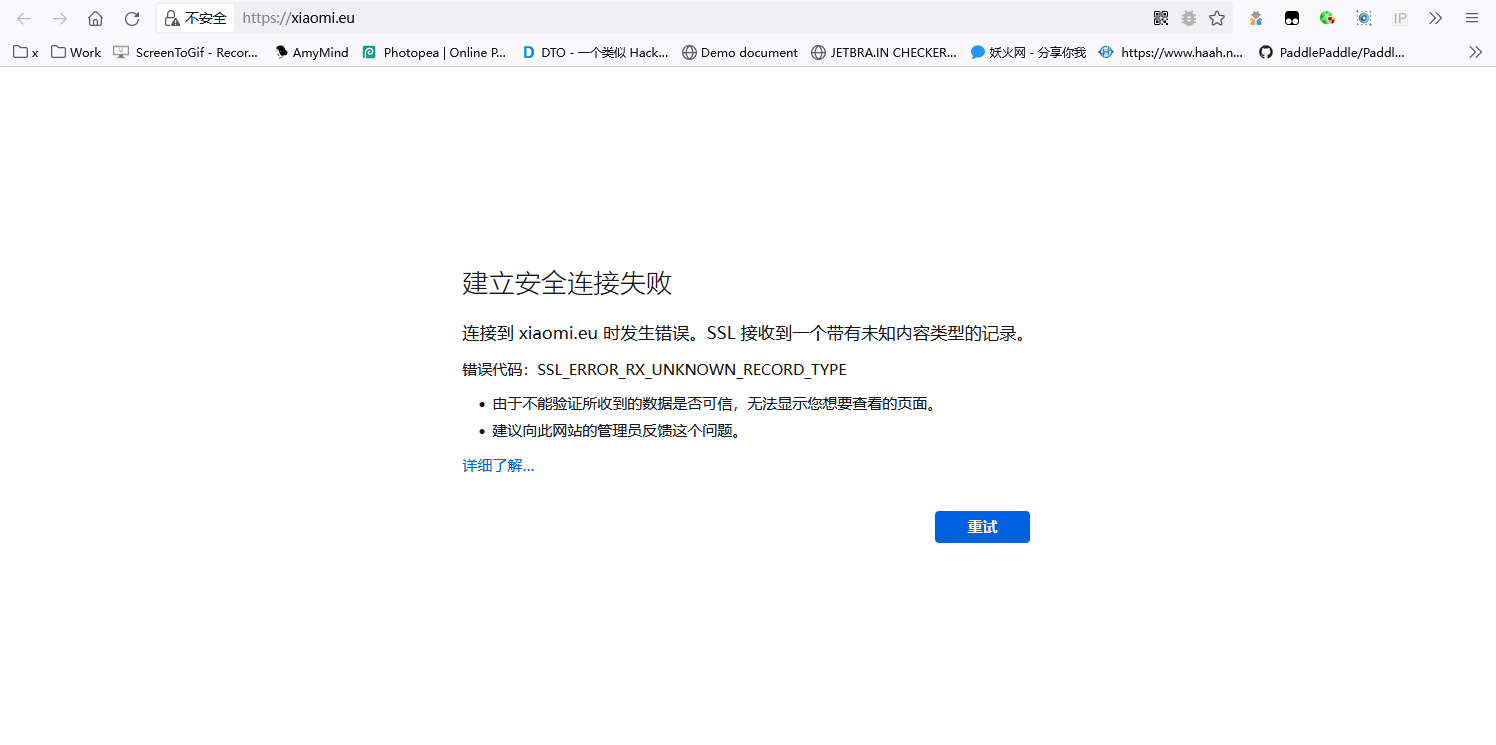
1.7.2 首次访问浏览器报 SSL_ERROR_RX_UNKNOWN_RECORD_TYPE
首次通过代理访问某个网站时都会出错,需要点重试1到三次才能正常访问,浏览器用的火狐的SmartProxy插件,模式为全局代理。

服务器配置
{
  "log": {
    "loglevel": "debug"
  },
  "inbounds": [
    {
      "listen": "0.0.0.0",
      "port": 443,
      "protocol": "vless",
      "settings": {
        "clients": [
          {
            "id": "",
            "flow": "xtls-rprx-vision"
          }
        ],
        "decryption": "none"
      },
      "streamSettings": {
        "network": "tcp",
        "security": "tls",
        "tlsSettings": {
          "certificates": [
            {
              "certificateFile": "/opt/etc/cert/cert.pem",
              "keyFile": "/opt/etc/cert/key.pem"
            }
          ]
        }
      },
      "sniffing": {
        "enabled": true,
        "destOverride": [
          "http",
          "tls"
        ]
      }
    }
  ],
  "outbounds": [
    {
      "protocol": "freedom",
      "tag": "direct"
    }
  ]
}
客户端配置
{
  "log": {
    "loglevel": "debug"
  },
  "routing": {
    "domainStrategy": "IPIfNonMatch",
    "rules": [
      {
        "type": "field",
        "domain": [
          "geosite:cn",
          "geosite:private"
        ],
        "outboundTag": "direct"
      },
      {
        "type": "field",
        "ip": [
          "geoip:cn",
          "geoip:private"
        ],
        "outboundTag": "direct"
      }
    ]
  },
  "inbounds": [
    {
      "listen": "0.0.0.0",
      "port": 10808,
      "protocol": "socks",
      "settings": {
        "udp": true
      },
      "sniffing": {
        "enabled": true,
        "destOverride": [
          "http",
          "tls"
        ]
      }
    },
    {
      "listen": "0.0.0.0",
      "port": 10809,
      "protocol": "http",
      "sniffing": {
        "enabled": true,
        "destOverride": [
          "http",
          "tls"
        ]
      }
    }
  ],
  "outbounds": [
    {
      "protocol": "vless",
      "settings": {
        "vnext": [
          {
            "address": "",
            "port": 443,
            "users": [
              {
                "id": "",
                "encryption": "none",
                "flow": "xtls-rprx-vision"
              }
            ]
          }
        ]
      },
      "streamSettings": {
        "network": "tcp",
        "security": "tls",
        "tlsSettings": {
          "serverName": "???.???",
          "allowInsecure": false,
          "fingerprint": "firefox"
        }
      },
      "tag": "proxy"
    },
    {
      "protocol": "freedom",
      "tag": "direct"
    }
  ]
}
附上debug下的双端log


如果你遇到的问题可以稳定复现,是不用关闭这个 issue 的,它会帮助我们改进 Xray-core 的代码 说不定有人遇到了同样的问题,看到这个 issue 后会给我们反馈更多信息
基本确认已经没问题了,果然遇事先重启。 然后我回忆了一下,在这段时间就修改了TCP数据缓冲大小和开启了BBR,不确定是不是这个导致的。这个问题可以关闭了。
net.core.rmem_max=2500000
net.core.default_qdisc=fq
net.ipv4.tcp_congestion_control=bbr