
rediseen
 rediseen copied to clipboard
 XD-DENG
Create REST-like API service for Redis DB or expose Redis metrics in Prometheus-compatible format, easily.
Rediseen






Start a REST-like API service for your Redis database, without writing a single line of code.
- Allows clients to query records in Redis database via HTTP conveniently
- Allows you to specify which logical DB(s) to expose, and what key patterns to expose
- Expose results of Redis
INFOcommand in a nice format, so you can useRediseenas a connector between your Redis DB and monitoring dashboard as well.- Endpoint
/infoprovides JSON format. - Endpoint
/metricsprovides Prometheus-compatible format.
- Endpoint
- Supports API Key authentication
(Inspired by sandman2; Built on shoulder of go-redis/redis ; CLI implemented with Cobra)
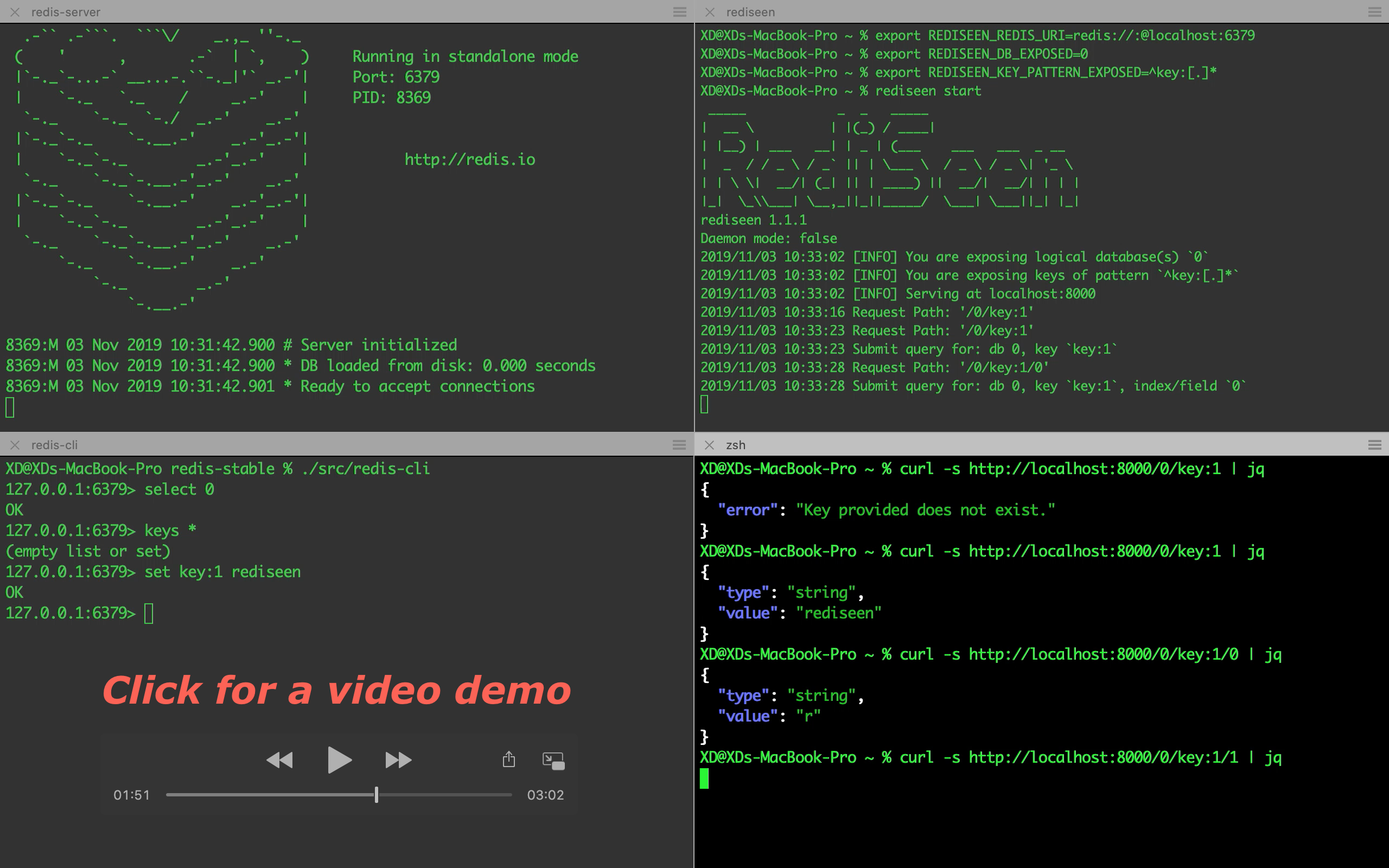
- Quick Start
- Quick Start with
go get - Quick Start with Homebrew
- Quick Start with Docker
- Quick Start with
- Documentation
- Installation
- Configuration
- How to Start the Service
- How to Consume the Service
- API Authentication
- Run Rediseen on Kubernetes
- Handle Special Character in Keys
- Use Rediseen as Redis INFO Exporter for Prometheus
- License
- Reference
Quick Start
Let's assume that your Redis database URI is redis://:@localhost:6379, and you want to expose keys with prefix key: in logical database 0.
Quick Start with go get
If you have Go (1.11+) installed, you can install Rediseen easily by running
go get github.com/xd-deng/rediseen
If your GOPATH is added to PATH, you should be able to run command rediseen now.
# Configuration
export REDISEEN_REDIS_URI="redis://:@localhost:6379"
export REDISEEN_DB_EXPOSED=0
export REDISEEN_KEY_PATTERN_EXPOSED="^key:([0-9a-z]+)"

# Start the service
rediseen start
Now you should be able to query against your Redis database, like http://localhost:8000/0, http://localhost:8000/0/key:1,
http://localhost:8000/info or http://localhost:8000/info/server
(say you have keys key:1 (string) and key:2 (hash) set in your logical DB 0). Sample responses follow below.
GET /0

{
    "count": 2,
    "total": 2,
    "keys": [
        {
            "key": "key:1",
            "type": "string"
        },
        {
            "key": "key:2",
            "type": "hash"
        }
    ]
}
GET /0/key:1

{
    "type": "string",
    "value": "rediseen"
}
GET /info

{
    Server: {
        redis_version: "5.0.6",
        ...
    },
    Clients: {
        ...
    },
    ...
}
GET /info/server

{
    Server: {
        redis_version: "5.0.6",
        ...
    }
}
For more details, please refer to the rest of the documentation.
Quick Start with Homebrew
# Install using Homebrew
brew install XD-DENG/rediseen/rediseen
Then you can configure and start the service as described above.
Quick Start with Docker
docker run \
    -e REDISEEN_REDIS_URI="redis://:@[YOUR REDIS HOST]:6379" \
    -e REDISEEN_DB_EXPOSED=0 \
    -e REDISEEN_KEY_PATTERN_EXPOSED="^key:([0-9a-z]+)" \
    -p 8000:8000 \
    xddeng/rediseen:latest
Please note:
REDISEEN_REDIS_URIabove should be a specific host address. If you are running Redis database using Docker too, you can consider using Docker'slinkornetworkfeature to ensure connectivity between Rediseen and your Redis database (refer to the complete example below).- You can choose the image tag among:
latest(the latest release version)nightly(the latest code in master branch)unstable(latest dev branch)- release tags (like
2.2.0. Check Docker Hub/xddeng/rediseen for full list)
A complete example using Docker follows below
docker network create test-net

docker run -d --network=test-net --name=redis-server redis

docker run \
    -d --network=test-net \
    -e REDISEEN_REDIS_URI="redis://:@redis-server:6379" \
    -e REDISEEN_DB_EXPOSED=0 \
    -e REDISEEN_KEY_PATTERN_EXPOSED="^key:([0-9a-z]+)" \
    -p 8000:8000 \
    xddeng/rediseen:latest

curl -s http://localhost:8000/0
Result is like
{
  "count": 0,
  "total": 0,
  "keys": null
}
Then you can execute
docker exec -i redis-server redis-cli set key:0 100

curl -s http://localhost:8000/0
and you can expect output below
{
  "count": 1,
  "total": 1,
  "keys": [
    {
      "key": "key:0",
      "type": "string"
    }
  ]
}
Documentation
- Documentation
- Installation
- Configuration
- How to Start the Service
- How to Consume the Service
- API Authentication
- Run Rediseen on Kubernetes
- Handle Special Character in Keys
- Use Rediseen as Redis INFO Exporter for Prometheus
License
Reference
[1] https://swagger.io/docs/specification/authentication/api-keys/
[2] Prometheus Exposition Formats, https://prometheus.io/docs/instrumenting/exposition_formats/
 XD-DENG